What Is VPS Hosting? A Beginner’s Guide to VPS Servers
Learn what is VPS hosting with this practical guide. Discover key features, costs, benefits, setup tips, and what to consider before choosing the right solution.
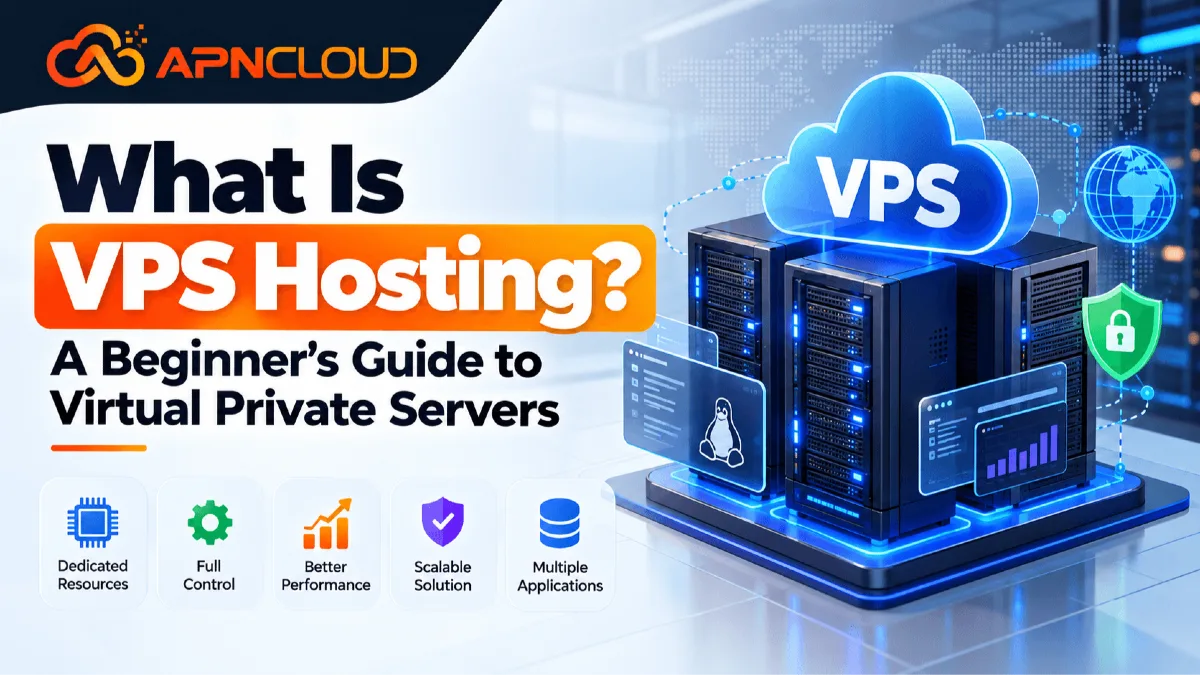
If you have been looking into hosting options for a website that is growing a store, a business app, a development project or several websites you may have heard the word VPS. That often brings up a question for beginners: what is VPS and how is it different from regular web hosting? VPS means Private Server. In terms VPS hosting gives you a virtual server setup with specific computing resources like CPU, RAM, storage, bandwidth and an operating system. Of just getting a hosting account in a shared space you get a virtual server that you can set up based on what your websites or apps need. The best way to think about it is to picture a physical server as an apartment complex. Shared hosting is like several people sharing areas with strict building rules. A VPS is like having your apartment in the building. The building itself is still shared,. Your apartment has its own space, setup and limits. VPS technology lets one strong physical machine run separate virtual servers using virtualization. Each virtual private server can have its operating system, software, settings, users, databases, web server tools and security setup. This gives website owners more control than a normal shared hosting account. VPS hosting is not always needed for every website. A new personal blog, a portfolio, a small business site or a WordPress site, with traffic can often work just fine on good shared hosting.
If you are completely new to hosting, reading What Is Web Hosting? A Complete Beginner’s Guide first can help you understand domains, servers, storage, bandwidth, SSL, and other basic concepts. VPS hosting becomes more relevant when you need greater resource allocation, custom server software, root-level control, multiple applications, development environments, more predictable performance, or room to scale. For example, imagine a small ecommerce site that started on shared hosting. At first, it had 50 products and a few hundred visitors each month. Over time, it grows to thousands of products, frequent database searches, customer accounts, payment integrations, automated tasks, inventory synchronization, and significantly more traffic. The website may begin demanding more CPU and memory than its current shared plan is designed to provide. Moving to a suitable VPS may give the business more resources and configuration freedom without immediately requiring an entire dedicated physical server.
However, VPS hosting also introduces new responsibilities. With an unmanaged VPS, what is VPS hosting you may need to configure the operating system, firewall, web server, database, security updates, backups, monitoring, and application environment yourself. A managed VPS reduces much of that administration because the hosting provider handles defined server-management tasks. Therefore, understanding VPS hosting means looking beyond marketing phrases such as “more power.” You should understand how virtualization works, which resources influence VPS performance, the difference between managed and self-managed servers, what VPS plans actually include, how much technical knowledge is required, and whether the extra flexibility solves a real problem for your project. This guide covers each of those areas so you can evaluate VPS hosting based on practical requirements rather than assumptions.
What Is VPS Hosting and How Does a Virtual Private Server Work?
To understand what is VPS hosting it helps to look at what happens behind the scenes. A hosting company starts with a server that includes processors, memory, storage devices, networking hardware and other infrastructure. Virtualization software divides the physical resources into separate virtual machines. Each virtual machine acts like a server even though several virtual machines may run on the same physical hardware. A virtualization layer, often called a hypervisor manages this separation and controls how resources are assigned to each VPS. Technologies such as KVM are widely used for server virtualization because they allow virtual machines to run their operating-system environments with defined virtual hardware. APN Cloud’s current Managed Cloud VPS service for example describes its platform as KVM-based. Provides plan-specific CPU, RAM, NVMe storage, bandwidth and other server resources. Suppose a physical server contains CPU cores and a large amount of RAM.
The hosting platform could create VPS instances from that server and assign a defined number of virtual CPU cores a defined amount of RAM, storage capacity and network resources to each one. VPS Customer A might receive 2 vCPU cores and 4 GB RAM while VPS Customer B receives 4 vCPU cores and 8 GB RAM. They still use the underlying physical infrastructure but their operating systems and server environments remain logically isolated. This separation is one of the important differences between standard shared hosting and a virtual private server. On hosting customers normally manage websites through a hosting panel while the provider controls the underlying operating system and server configuration. On a VPS you can often obtain root or administrator-level access depending on the service and operating system. Root access allows an authorized administrator to install packages adjust configuration files create system users manage services, configure firewalls modify web server settings run background applications, schedule tasks and build a server environment that matches a workload.
That flexibility is especially useful, for developers and businesses using software that cannot operate within a shared-hosting configuration. For example you could use a Linux VPS running Ubuntu, Debian or AlmaLinux. Install a web stack containing Nginx or Apache, PHP, MariaDB, Redis, monitoring tools and application-specific services. Another VPS could be configured differently for an API, staging environment, database service or custom application. VPS isolation does not mean that every VPS owns separate physical hardware; that would describe a dedicated server more closely. Instead virtualization provides isolation and defined virtual resources while allowing providers to use physical infrastructure efficiently.
Because virtualization designs, storage systems, CPU allocation policies, networking and host-node capacity vary between providers, two VPS packages showing the headline specifications may not necessarily deliver identical real-world behavior. You should therefore look beyond the number of vCPU cores or gigabytes of RAM. Consider storage technology, virtualization method, network capacity, what is VPS hosting backup options, server location, management level, resource policies, technical support and the workload your applications will create. If you are deciding whether you actually need this level of control, APN Cloud’s Shared vs VPS Hosting comparison provides a useful starting point. A VPS is best understood as a flexible middle layer between conventional shared hosting and renting an entire physical dedicated server: you receive a private virtual environment and greater administrative freedom without necessarily paying for or maintaining a whole physical machine yourself.
Why VPS Hosting Matters: Control, Resources, Scalability, and Performance
Understanding why VPS hosting matters is easier when you focus on the problems VPS hosting is designed to solve. The first major benefit of VPS hosting is resource allocation. Websites and applications use processing power, memory, storage and network transfer whenever they respond to visitors or run background tasks. A simple company website may need a little processing while an ecommerce platform, a learning management system, a busy WordPress installation, a customer portal, an API, a database application or many websites together may create much heavier workloads. A suitable VPS hosting plan gives a defined level of CPU, RAM, storage and bandwidth that you can match closely to those needs. The second benefit of VPS hosting is control. Shared hosting is intentionally limited because one server must safely support customer accounts. Those limits help beginners because the provider manages the server. They can become restrictive when a project needs special packages, custom ports, background services, specific database settings, command-line tools, development frameworks or changes to server-level configuration.
A virtual private server gives you greater control over those decisions. The third benefit of VPS hosting is scalability. Imagine that your application starts with two vCPU cores, 4 GB RAM and modest storage needs. As the business grows, database activity and concurrent visitors increase. With a VPS hosting platform moving to a larger VPS hosting plan may be easier than redesigning the entire hosting architecture. However scalability should not be confused with capacity. Every VPS hosting still has defined resources and upgrading resources does not automatically fix code, oversized databases, poorly configured caching, slow third‑party APIs, unoptimized images or application-level bottlenecks. Good VPS hosting performance depends on both the infrastructure and how the server and application are configured. The fourth benefit of VPS hosting is isolation. Although VPS instances can share infrastructure virtualization separates their server environments. One VPS has its own operating system, users, configurations and applications than simply operating as another website account inside the same hosting environment.
This isolation makes VPS hosting useful when you need a controlled environment for a business application or development workflow. The fifth advantage of VPS hosting is software flexibility. On a Linux VPS for example you can choose a Linux distribution and build the software stack around your project. Developers might create production and staging environments agencies might host several customer projects and businesses might run internal dashboards, APIs, websites or supported server applications. VPS hosting can also provide a migration path. Many businesses begin with shared hosting because it is easier and less expensive to manage. When their technical requirements grow they can move to a VPS hosting than immediately adopting dedicated infrastructure. APN Cloud’s current hosting guidance similarly describes VPS hosting as appropriate when projects require control or more predictable resources than ordinary shared hosting can provide. VPS hosting does however come with a tradeoff: more control creates more responsibility.
If you choose a VPS hosting server someone needs to keep the operating system updated, secure remote access, configure backups monitor resource usage, troubleshoot services maintain the web stack and respond to server problems. Businesses, without server‑administration experience may therefore find a managed VPS hosting more appropriate. The purpose of VPS hosting is not simply to make a website "" Its real value is giving a project a flexible isolated, configurable and scalable server environment. Whether those advantages justify the cost and administration depends on the application itself. The best decision is based on requirements: current resource usage, expected growth, software needs, security responsibilities, support requirements and the technical skills available to manage the environment.
Understanding VPS Resources: CPU, RAM, NVMe Storage, Bandwidth, and VPS Performance
When comparing VPS plans beginners often look at price first. Then check the specifications. That’s not the way to go. A smarter approach is to understand what each resource actually does. VPS performance depends on how the available resources match your specific workload. Start with vCPU or virtual CPU. The vCPU processes instructions from your operating system, web server, PHP workers, databases, scripts, compression tasks, background jobs and other software. A static website might not need much CPU time.. An ecommerce site that runs frequent searches does dynamic calculations imports data, runs scheduled jobs makes API requests and queries databases can require much more processing power. More vCPU cores can let a server handle tasks at the same time.. The number of cores alone doesn’t tell the whole story. The processor generation, the host setup, how resources are allocated your application design and system tuning all play a role.
RAM is the server’s working memory. All running programs. Databases, operating-system services, caching systems, PHP processes and control panels. Need memory to work. If a VPS runs close to its memory limit all the time applications can slow down processes might shut down. The system might start using swap depending on how it’s set up. So choosing RAM is important. This is especially true for sites that use a lot of databases like WooCommerce stores, websites, control panels or development setups.
Storage capacity tells you how data the VPS can store.. The type of storage also matters. Modern NVMe storage offers read and write speeds, which can help with databases frequently used files, application logs, caches and other disk-heavy tasks. Still just having an NVMe label doesn’t mean your website will become much faster. Page speed depends on things. Software efficiency, database settings, caching, network latency, DNS frontend files and third-party services.
Bandwidth or monthly transfer shows how much data can move between the VPS and outside users or systems in a billing period. A site with HTML pages and optimized images usually uses moderate transfer.. Platforms that offer downloads, media-heavy apps, backup transfers, software repositories or sites that serve large files can use a lot more. Network port speed is another spec you might see. It shows the network interface speed available under the provider’s setup and rules.. Actual speeds can vary based on the route used network congestion, where you’re sending data the load on the server and overall network conditions.
IP addresses matter for some uses. Most VPS plans include least one IPv4 address. IPv6 support is not always the same across providers. Before buying IP addresses make sure your app really needs them and check the provider’s rules on how they assign them.
The operating system you choose can affect how resource each VPS uses. A lightweight Linux setup without a desktop interface has overhead.. Adding a control panel, security tools, database servers, caching systems, email services, monitoring agents and multiple websites increases the load on the system. Control panels can make managing a server easier. They also take up CPU, RAM, storage and have licensing and compatibility requirements. These should be part of your planning. The same goes for backups. Storing full backup copies on the same VPS can fill up storage fast.. If backups exist only on the original server they may not protect you well against all server failures. You should think about strategies that keep copies separate from the main system.
When you evaluate a VPS don’t just look at the numbers in isolation. Think of the resources as a system that works together. A server with CPU cores but not enough RAM can still run slowly. Having a lot of RAM won’t fix a database that’s not tuned well. Fast NVMe storage can’t keep up forever if the application is overloaded. The real goal is capacity, regular monitoring, smart optimization and a clear upgrade path. This way you pick VPS resources based on your workload instead of assuming that the plan, with the biggest numbers is automatically the best.
Managed VPS vs Unmanaged VPS and Choosing a Linux VPS
One of the most important decisions a beginner will make is whether to choose managed or unmanaged what is VPS hosting. Both can provide virtual server resources, but the amount of administration handled by the hosting provider can be very different. With an unmanaged or self-managed VPS, the provider typically maintains the physical infrastructure, virtualization platform, power, connectivity, and related host environment, while you manage your own virtual server. Depending on the service, your responsibilities can include selecting and configuring the operating system, creating users, securing SSH access, configuring the firewall, installing the web server, setting up PHP and databases, applying operating-system updates, configuring backups, monitoring services, troubleshooting software, responding to security problems, and maintaining your applications.
This model provides significant freedom and can be attractive to developers, system administrators, technical agencies, and businesses that already have server-management expertise. It can also be less expensive than a managed service because you are performing more of the administrative work yourself. A managed VPS, by contrast, includes a defined level of server administration from the provider. Exactly what “managed” means is not universal, so never assume that every provider offers the same tasks. Review what is included, what is excluded, response procedures, backup responsibilities, supported software, migration assistance, update policies, control-panel support, and whether application-level troubleshooting is covered.
APN Cloud’s current Managed Cloud VPS page lists initial setup and configuration, security hardening, monitoring and updates, control-panel installation assistance, and managed VPS support among its service features. For a small business without an experienced system administrator, this kind of service model can reduce the operational burden associated with maintaining a server. Operating-system choice is another consideration. Linux VPS hosting is widely used for websites and server applications because Linux distributions such as Ubuntu, Debian, and AlmaLinux support popular web stacks, databases, programming languages, automation tools, and hosting panels. A typical Linux web server might run Nginx or Apache, PHP, MariaDB or MySQL, SSL certificates, caching software, and monitoring tools. Developers might also run Node.js applications, Python services, containers, Git-based deployment workflows, or other compatible software.
Your choice of distribution should depend on application compatibility, support lifecycle, documentation, administration skills, control-panel requirements, and provider support. Beginners should generally avoid selecting an operating system merely because its name sounds familiar. Check which versions your application and management tools officially support. You should also decide whether you need a hosting control panel. DirectAdmin, cPanel, CyberPanel, and other panels provide graphical tools for managing websites, domains, databases, email services, SSL, DNS, and user accounts, although functionality differs between products. A control panel can make a VPS easier to operate, but it does not remove the need for server security, monitoring, backups, updates, and responsible administration. Licensing costs may also apply.
A technically experienced user running a single custom application might prefer command-line administration without a panel, while an agency managing many conventional websites may find a panel worthwhile. The right decision comes down to responsibility. Ask yourself who will respond when the server requires an update at an inconvenient time, when disk usage reaches a critical level, when a service stops, or when a firewall configuration needs adjustment. If the answer is unclear, the apparent savings from an unmanaged VPS may not be worth the operational risk. A VPS should fit both your technical workload and your ability to manage it reliably.
Step-by-Step Guide: How to Choose the Right VPS Hosting Plan
Choosing a VPS becomes much easier when you follow a structured process instead of comparing dozens of plans based on advertising headlines.
Step 1: Define the workload
Write down what you actually intend to host: one WordPress website, a WooCommerce store, several business sites, an API, a custom application, a development environment, a database, or another supported workload. Record your current traffic, disk usage, application stack, database size, background jobs, email requirements, backup requirements, and expected growth.
Step 2: Decide whether you need VPS hosting at all
A small website with ordinary requirements may be better served by shared hosting because server administration is simpler. If you are unsure, compare the practical differences in Shared vs VPS Hosting: Which Hosting Is Right for Your Website?.
Step 3: Estimate CPU and RAM requirements
Review resource statistics from your existing hosting environment when possible. If your website frequently reaches CPU or memory limits, identify why before assuming that a larger server is the only solution. A poorly optimized plugin, runaway process, slow query, malicious traffic, or misconfigured cron task can waste resources regardless of server size.
Step 4: Calculate storage requirements
Include website files, databases, logs, email if stored locally, temporary files, software, control-panel data, staging copies, and local backups. Leave reasonable room for growth instead of buying a server that will what is VPS hosting immediately operate close to capacity.
Step 5: Review transfer and network requirements
Estimate monthly bandwidth and check whether the provider publishes bandwidth allowances, port speed, fair-use terms, overage rules, and available server locations. Geographic proximity does not determine performance by itself, but server location and network routing can affect latency for your audience.
Step 6: Choose managed or unmanaged hosting
If nobody on your team can administer Linux securely, a managed VPS may be more practical than learning server administration on a production business website.
Step 7: Select an operating system
For a Linux VPS, choose a supported distribution and version compatible with your application, control panel, and software stack.
Step 8: Check virtualization and infrastructure information
Understand whether the service uses a virtualization platform such as KVM, what storage technology is provided, and whether key resources are clearly stated.
Step 9: Review backups and disaster recovery
Ask how backups work, whether they are automatic or optional, how long copies are retained, whether they are stored separately, and how restoration works. Maintain your own backup strategy when the data is important instead of relying on assumptions
Step 10: evaluate security and support
Look for clear documentation about DDoS protection, account security, support availability, server-management scope, and incident procedures.
Step 11: understand the full cost
Consider the VPS itself plus control-panel licensing, backup storage, additional IP addresses, management services, software licenses, taxes, renewal costs, and any optional add-ons.
Step 12: check scalability
Review whether you can upgrade CPU, RAM, storage, and transfer capacity as your workload grows, and understand whether an upgrade requires downtime.
Step 13: compare equivalent plans
The cheapest package may have fewer resources or less support, while the most expensive option may provide capacity you do not need. APN Cloud’s guide to choosing web hosting explains the same broader principle: compare hosting based on your actual requirements, resource limits, support, backups, security, pricing, and upgrade path instead of selecting a service only from its promotional price. Following this process turns VPS selection from a guessing exercise into a technical and business decision based on measurable needs.
VPS Hosting Costs, VPS Plans, and How to Scale Without Overpaying
The cost of what is VPS hosting can vary a lot because a VPS is not one fixed product. Two plans with the name might offer different things like CPU power, RAM, storage type (NVMe or SSD) bandwidth, virtualization method, number of IP addresses, server location, backup features, management services, software licenses, control panels, network speed and support quality. That’s why just asking "How much does VPS hosting cost?" doesn’t help you decide. You need details. Start by splitting costs into two parts: infrastructure and management. An unmanaged VPS often looks cheaper because you handle everything yourself—operating system setup, configuration, updates, monitoring, backups and fixing problems.. If you're already used to managing Linux servers every day an unmanaged plan might save you money. For someone who's n’t technical and would need to hire help every time something breaks a managed VPS usually makes better sense—even if it costs more each month.
Next look at your needs. Moving from 2 GB of RAM to 8 GB or 16 GB adding more CPU cores increasing NVMe storage or needing lots of monthly data transfer will almost always make the price go up. Extra IPv4 addresses can also add cost since they’re limited. Some control panels and commercial software come with license fees. Backups might be included, sold separately or require using cloud storage or a remote server. When comparing VPS plans do the math on monthly or yearly cost—not just the base price. Also pay attention to billing options. Providers may offer quarterly, biannual or yearly payments, sometimes with different prices for each cycle. Before choosing a long-term plan check renewal rates, cancellation rules, refund policies, service-level agreements and whether you can upgrade resources without having to replace the server.
For example APN Cloud’s Managed Cloud VPS page shows levels of performance based on CPU, RAM, NVMe storage and bandwidth. Plans and prices change over time so always check the live pricing instead of relying on old screenshots or outdated articles. Think about scalability when buying. New users sometimes go for a large server because they think their traffic will grow fast.. They end up using only a small part of that capacity for months. Unless you have a proven need for resources it's smarter to pick a server with enough room for now and some growth potential. Then watch how your usage grows and upgrade when necessary.
On the hand picking the smallest VPS possible—even when your app already needs more—is a mistake. That can lead to crashes, high memory pressure, slow database queries and repeated emergency upgrades. Keep an eye on CPU usage, RAM consumption, disk space, storage I/O network traffic, database speed and how quickly your application responds. If those metrics are hitting limits and you’ve already optimized your code then upgrading makes sense. Also remember that adding power to one server—vertical scaling—isn’t the only way to grow. Big apps might eventually split databases, web servers, storage, caching, load balancing or other pieces, across multiple services.. Most beginner projects don’t need that complexity right away. The goal should be simple: pick a VPS that handles your workload smoothly lets you scale easily when needed and doesn’t lock you into paying for unused resources forever.
Common VPS Hosting Mistakes and a Practical VPS Checklist
Several mistakes repeatedly cause problems for first-time VPS users, and avoiding them is often more valuable than simply buying a larger server. The first mistake is moving to VPS hosting without identifying why the current hosting environment is struggling. If a website is slow because it contains oversized images, inefficient database queries, badly coded plugins, an overloaded theme, external API delays, or poorly configured caching, simply moving it to a VPS may not solve the underlying issue. Measure first and upgrade for a reason. The second mistake is choosing unmanaged VPS hosting only because it has a lower advertised price. Running a production server requires continuing maintenance. Someone needs to handle security updates, firewall configuration, service failures, backups, monitoring, logs, performance problems, and unexpected incidents. If nobody has those skills, consider a managed VPS rather than leaving critical systems unattended. The third mistake is buying resources based entirely on visitor numbers. Ten thousand visitors to a static information site may create a very different server workload from ten thousand visitors to a dynamic ecommerce application with customer logins, filters, cart sessions, database writes, search requests, and background automation. CPU, memory, storage operations, and application architecture matter.
The fourth mistake is ignoring backup design. Keeping a single backup copy on the same VPS is not a complete disaster-recovery strategy. Decide how frequently you need backups, how long they should be retained, where copies should be stored, and how quickly you need to restore service. Test recovery periodically. The fifth mistake is leaving unnecessary ports, services, accounts, and applications active. A cleaner server is normally easier to understand, monitor, update, and secure. The sixth mistake is postponing operating-system and software updates indefinitely. Updates should be tested appropriately, but ignoring security maintenance can expose known weaknesses. The seventh mistake is failing to monitor disk space. Logs, databases, backups, caches, temporary files, and user uploads can silently consume storage until applications fail. The eighth mistake is changing DNS before testing the new server. Always verify application functions on the new VPS before directing customers to it. The ninth mistake is selecting a VPS only by price without checking management level, virtualization, support, bandwidth, storage, backup options, server location, upgrade path, renewal cost, and service policies. The tenth mistake is assuming that “managed” means the provider manages every application and every problem. Management scope varies, so read the service description carefully.
Before ordering, use this practical checklist:
Workload: Do I know exactly which websites or applications will run on the VPS?
Resources: Have I estimated CPU, RAM, storage, and bandwidth from real usage where possible?
Operating system: Is my chosen Linux distribution or other OS supported by my software?
Management: Do I have someone capable of maintaining the server, or should I choose managed VPS?
Security: Have I planned updates, firewall rules, authentication, SSL, permissions, and access control?
Backups: Do I know where backups will be stored, how frequently they will run, and how I will restore them?
Monitoring: Will I receive alerts for downtime, high resource usage, low disk space, or service failures?
Migration: Do I have a tested migration and DNS-switch plan?
Support: Do I understand what the hosting provider will and will not troubleshoot?
Costs: Have I included control-panel licenses, backups, additional IP addresses, management, renewals, and other add-ons?
Scalability: Can the VPS grow when the project needs more resources?
Policies: Have I reviewed acceptable-use requirements and other relevant service terms?
If you can answer these questions confidently, you are much more likely to select a VPS based on genuine project requirements rather than marketing language.
Frequently Asked Questions About VPS Hosting
Q: What is VPS hosting in simple words?
VPS hosting is a hosting service where virtualization creates a private virtual server environment for you on larger physical infrastructure. Your VPS can have allocated CPU, RAM, storage, an operating system, IP addressing, and server-level configuration. It provides more control than conventional shared hosting while usually avoiding the cost of renting an entire dedicated physical server.
Q: Is VPS hosting better than shared hosting?
Neither option is automatically better for every user. Shared hosting is usually simpler for beginner websites because the provider manages the underlying server and customers mainly manage their websites. VPS hosting is more suitable when you need additional control, defined server resources, special software, custom configuration, or a larger workload. You can compare both approaches in APN Cloud’s Shared vs VPS Hosting guide.
Q: Do I need a VPS for WordPress?
Not necessarily. Many WordPress websites work well on shared hosting. A VPS may become useful for busy ecommerce sites, high-activity membership sites, large databases, multiple WordPress installations, custom server configurations, intensive background jobs, or websites that have exceeded suitable shared-hosting limits.
Q: What is a Linux VPS?
A Linux VPS is a virtual private server running a Linux operating system such as Ubuntu, Debian, or AlmaLinux. It can host websites, databases, APIs, development environments, and many other supported server applications.
Q: What is managed VPS hosting?
Managed VPS hosting combines virtual-server resources with a defined level of server administration from the hosting provider. Management may include setup, updates, monitoring, security configuration, control-panel assistance, or troubleshooting depending on the provider. Always review the exact management scope.
Q: Can a beginner use VPS hosting?
Yes, but the appropriate option depends on technical experience. Beginners who want VPS resources without performing server administration themselves may find managed VPS hosting easier.
Q: Does VPS hosting automatically make a website faster?
No. A VPS can provide more resources and greater configuration control, but website speed also depends on code quality, databases, caching, frontend optimization, network conditions, third-party services, and server configuration.
Q: How much RAM do I need for a VPS?
There is no universal number. A lightweight application may need relatively little memory, whereas ecommerce platforms, multiple websites, large databases, control panels, and background services can require significantly more. Review current usage and software requirements whenever possible.
Q: Is VPS hosting secure?
A VPS can provide a well-isolated server environment, but security still depends on responsible configuration and maintenance. Updates, authentication, firewall rules, application security, backups, monitoring, permissions, and incident response all matter.
Q: When should I upgrade from shared hosting to VPS?
Consider an upgrade when your current hosting consistently reaches appropriate resource limits, your project requires server-level software or configuration, you need a more isolated environment, or your application has outgrown what your shared plan is designed to provide.
Before moving, confirm that application optimization cannot solve the problem more efficiently. VPS hosting should be chosen because it supports a defined requirement, not simply because a website has reached a particular age or visitor count.
Final Thoughts: Is VPS Hosting Right for You?
So what is VPS hosting. Should you choose it for your next project? VPS hosting is a hosting model that uses virtualization to provide a private virtual server environment with allocated computing resources and greater configuration control than ordinary shared hosting. For the project that combination can be extremely practical. A virtual private server can support growing websites ecommerce stores, business applications, APIs, development environments, multiple websites, databases and other workloads that need resources or customization than standard shared hosting normally provides. At the time what is VPS hosting should not be treated as an automatic upgrade that every website eventually needs. If you operate a company website, personal blog, portfolio or simple WordPress installation and your current shared hosting provides sufficient resources and reliability moving to a VPS may only introduce unnecessary cost and administration.
The decision should come from your requirements. Look at CPU and memory usage, storage needs, database workload, traffic patterns, application compatibility, custom software requirements, security responsibilities, backup requirements, support expectations and expected growth. Then decide whether shared hosting, a self-managed VPS, a managed VPS or another hosting environment is the practical match. For users comfortable administering Linux, a self-managed Linux VPS provides control over the operating system, software stack, security configuration, applications and performance tuning. For businesses that want VPS-level resources without taking responsibility for every server-administration task, managed hosting can provide a practical route. APN Cloud currently offers KVM-based Managed Cloud VPS services with plan- CPU, RAM, NVMe storage and bandwidth alongside setup, security hardening, monitoring, updates, control-panel installation assistance and managed support according to its current service page.
Before buying any server however compare what is actually included and select the capacity that fits your workload than simply purchasing the biggest plan available. Start with resources, for your present requirements plus reasonable growth establish reliable backups and monitoring keep the server and applications maintained and use real performance data when deciding when to scale. If you are still comparing hosting types, begin with What Is Web Hosting? A Complete Beginner’s Guide, then review Shared vs VPS Hosting and How to Choose the Best Web Hosting for Your Website.
These guides will help you evaluate the broader hosting options before committing to a server. When your project genuinely needs dedicated virtual resources, greater control, flexible configuration, and room to grow, explore APN Cloud’s Managed Cloud VPS plans and compare CPU, RAM, storage, bandwidth, management scope, and billing options against your requirements. The goal is not simply to buy a VPS—it is to choose an infrastructure environment that keeps your website or application manageable, secure, scalable, and suitable for the work it needs to perform today and as it grows.
Keep reading
Related articles
VPS Hosting for WordPress: Is It Better Than Shared Hosting?
Discover whether VPS hosting for WordPress is better than shared hosting. Compare speed, security, costs, scalability, and features to choose wisely.

How to Choose the Right VPS Hosting Plan for Your Website
Learn how to choose VPS hosting for your website. Compare CPU, RAM, storage, managed plans, security, pricing, and scalability before you buy.
How Much RAM Do You Need for a VPS Server? Complete Guide
Understand VPS RAM requirements and learn how much memory your server needs. Compare 1GB to 16GB VPS plans, improve performance, and choose the right RAM.
Never miss a post
Fresh guides, product updates and hosting resources from the APN Cloud team.