What Is Web Hosting? A Complete Guide for Beginners
If you are thinking about building your website, one of the first questions you might have is: what is web hosting? You might already know that you need a domain name, a website de...
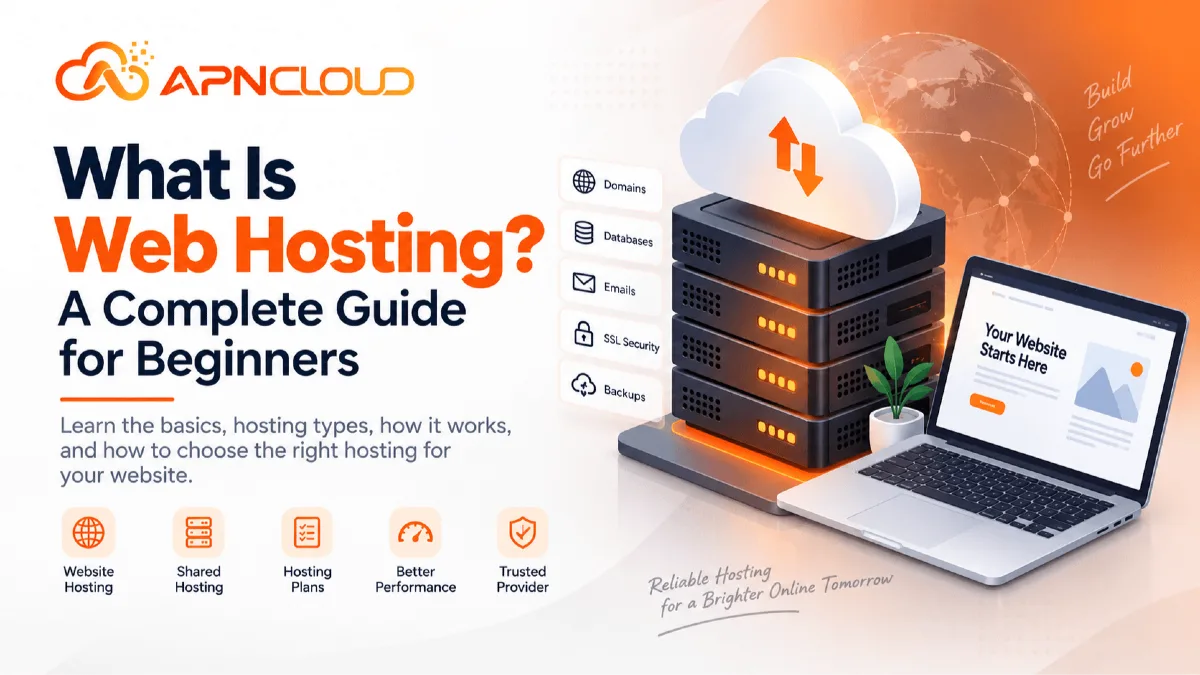
If you are thinking about building your website, one of the first questions you might have is: what is web hosting? You might already know that you need a domain name, a website design and maybe WordPress,. The purpose of hosting can still be hard to figure out. Web hosting is the service that gives you the space and tools you need to have your website online. Your website has files, pictures, databases, code, emails and other things. These files need to be on a computer that is always connected to the internet so people can see them when they type in your domain name. That computer is usually called a web server and the company that owns the server is your hosting provider.
A good way to think about it is to imagine a website like a store. Your domain name is like the address people use to find you. Your website is the store itself the place people go to. Web hosting is the land and building that keeps the store open. Without hosting you can have a domain name. People will not have anywhere to go when they type it in. Web hosting today does a lot more than store files. Depending on the plan you choose it might give you databases, email accounts, SSL certificates, backups security features, tools to install websites management of domain names, server power, caching and help when you need it.
For someone just starting out that might seem like a lot of words. The good news is that you don’t need to be an expert to start a website. This guide talks about web hosting in words shows how hosting works compares different types of hosting explains what makes a website fast and gives you a clear way to pick and set up your first hosting account. At the end you should feel comfortable, with hosting options. Pick one that works for your website instead of just going for the cheapest choice.
What Is Web Hosting and Why Do You Need It?
The simplest answer to what web hosting is is that web hosting is a service that keeps your website on a server that is connected to the internet and sends the websites content to visitors when they ask for it. When someone visits your website the browser must get data from somewhere. That data can be HTML files, CSS stylesheets, JavaScript code, pictures, videos, WordPress files, product details, customer accounts and database records. The hosting server. Handles this data and delivers the needed content to the visitor.
Imagine you start a bakery called Fresh Morning Bakery and register freshmorningbakery.com. Registering the domain reserves the web address. It does not automatically create or store the bakery website. You still need web hosting to put your homepage, menu, product photos, contact page ordering details WordPress installation and other content. When a customer types your domain the domains DNS settings point the browser to the hosting server. The hosting server then sends your website back.
This whole process normally takes seconds or even less than a second. Your hosting environment can affect key parts of your online business, such as how fast pages load, how reliably the website remains up how much traffic the website can take, how simple it is to manage files and databases and what happens if something fails.
Good hosting cannot fix a built website alone. A website with large images, poorly written plugins or slow scripts can still be slow.. Enough server resources and a well configured hosting environment lay a stronger base, for good website performance. That is why choosing web hosting should not be an afterthought.
Domain Name vs Web Hosting: What Is the Difference?
Domain names and hosting are closely linked so beginners often think they are the thing. I see many people make this mistake. That is not the case. A domain name is the easy‑to‑read address that people type into a browser for example example.com. Web hosting is the place where a websites real files and data are kept and run. Think of domain as the address written on a business card and hosting as the building at that address. You can register a domain without buying hosting. For example you might register a domain today to protect a business name and plan to build the website months later. I recommend doing this
You can also buy hosting by itself. Link a domain that you registered with another company. This gives you flexibility. Domain and hosting talk, to each other through the Domain Name System usually called DNS. DNS records tell internet devices where the various services linked to domain are located. A typical arrangement looks like this: yourdomain.com → DNS → hosting server → website
When you switch hosting providers you usually do not need to change domain. Instead you update the DNS records or nameservers so that domain points to the hosting server. I have seen many people do this smoothly.
For beginners using the company for domain registration and hosting can make management easier because billing, DNS and support may come from one account. I think this is helpful. However keeping domain and hosting with companies is also normal. I want to emphasize that owning domain does not automatically mean you have web hosting.
How Does Web Hosting Work?
Understanding the basic process behind hosting can make many other hosting terms much easier to understand.
Suppose a visitor enters:
https://yourbusiness.com
into a browser.
Several things happen behind the scenes.
1. The browser looks for the domain
The visitor's device needs to discover which server handles yourbusiness.com. DNS performs this job. It translates the domain into information that helps the browser reach the correct server.
2. The browser connects to the hosting server
Once the correct destination is found, the visitor's browser sends a request to the server. For a simple static page, the server might return an HTML document and several supporting files. For a WordPress website, the server may need to run PHP code and retrieve information from a database before creating the page.
3. The server processes the request
The hosting server uses CPU, RAM, storage, software, and network capacity to handle the request. A page containing dynamic content may require more processing than a simple static HTML file.
For example, an ecommerce product page might need to retrieve product information, prices, inventory data, customer session information, and recommendations before sending the final result.
4. The website is sent to the visitor
The server returns the requested information, and the browser turns it into the website the visitor sees. This process repeats every time visitors load pages, submit forms, log into accounts, search products, or perform other actions. A hosting server may handle hundreds, thousands, or far more requests depending on the type of website and infrastructure.
This is why hosting resources matter. More complicated or heavily visited websites may require more CPU, RAM, database capacity, and server control than a small personal website.
Why Web Hosting Matters for Your Website
Choosing a hosting provider may look like a technical decision, but it can affect everyday business results. Hosting influences far more than whether your website technically exists online.
Website Availability
Customers expect websites to be accessible whenever they need them. If a potential customer clicks your advertisement and the site is unavailable, the visitor may leave. If an existing customer cannot access a support portal or online store, the problem can affect trust.
No web hosting environment can realistically promise that absolutely nothing will ever fail. Hardware, networks, software, updates, configuration mistakes, cyberattacks, and other problems can affect services.
What matters is whether the hosting provider has suitable infrastructure, monitoring, maintenance, backups, support, and recovery processes.
When comparing hosting plans, read uptime information carefully and understand what the provider actually promises rather than relying on vague marketing language.
Website Performance
Hosting is one part of website speed. A server with fast storage, sufficient CPU and RAM, suitable web server software, caching, and good network connectivity can help pages respond efficiently. But server quality is only part of the picture.
Your website performance can also depend on:
theme and application quality
number and quality of plugins
database efficiency
image sizes
caching
third-party scripts
visitor location
CDN usage
traffic levels
For example, upgrading hosting may help a WordPress store that regularly reaches its CPU or RAM limits. But upgrading will not automatically fix a homepage containing several 15 MB images. A good approach is to treat hosting and website optimization as two parts of the same performance strategy.
Security
Your hosting environment plays an important role in website security. Hosting providers may supply tools such as SSL support, malware protection, server updates, backups, firewalls, account isolation, and security monitoring. The exact tools vary between providers and plans.
However, website owners also have responsibilities. You should use strong passwords, keep WordPress and plugins updated, restrict unnecessary access, create backups, install applications from trusted sources, and avoid sharing login credentials carelessly.
Security works best as a shared responsibility between the hosting company, software developers, administrators, and website owner.
Backups and Recovery
Websites can fail for many reasons.
A plugin update might cause an error. A developer might accidentally remove the wrong file. Malware could damage data. A database might become corrupted. A website owner could make a configuration change that breaks the site.
A recent backup can make recovery much easier.
When evaluating a hosting provider, check whether backups are included, how frequently they are created, how long copies are retained, and how restoration works.
You should also consider keeping independent backups for important websites rather than relying entirely on one backup system.
Growth
Your website may start small and become more demanding later.
A five-page business website might initially receive only a few hundred visitors per month. Over time, you could add a blog, customer accounts, ecommerce features, advertising campaigns, or thousands of products.
The hosting plan that worked during launch may eventually become unsuitable.
A provider that offers an upgrade path from shared hosting to VPS or more powerful hosting can make future growth easier.
The Main Types of Web Hosting Explained
Not every website needs the same type of hosting.
A personal blog, online store, large application, and hosting reseller all have different requirements.
The following are the main hosting types beginners are likely to encounter.
Shared Hosting
Shared hosting is one of the most common starting points for beginners.
Multiple customer accounts use the same physical server and share the server's overall resources. Hosting software separates accounts and gives each customer access to the resources allowed by their plan.
The shared model keeps costs lower because infrastructure expenses are distributed across multiple users.
Shared hosting is often suitable for:
small business websites
blogs
portfolios
landing pages
local service websites
new WordPress websites
small content projects
The biggest advantage is simplicity. The hosting provider manages much of the underlying server environment, while the customer manages the website through a control panel. You usually do not need to install the operating system or configure the entire server yourself.
The trade-off is that you have less server-level control than you would with a VPS or dedicated server. Resource limits also apply. For a normal beginner website, that is often a reasonable compromise.
APN Cloud's current Shared Hosting page, for example, lists plans using NVMe storage, DirectAdmin, LiteSpeed Enterprise, Softaculous, SSL, backups, and other website-management features.
WordPress Hosting
WordPress hosting is hosting designed specifically or primarily for WordPress websites.
Technically, WordPress can run on many standard Linux hosting environments. A dedicated WordPress hosting package usually makes common WordPress tasks easier or provides configurations intended for WordPress workloads.
Depending on the provider, this may include:
one-click WordPress installation;
WordPress-friendly caching;
optimized PHP configurations;
automatic or simplified backups;
staging;
security features;
specialized support.
Beginners building their site with WordPress may prefer this approach because fewer hosting decisions need to be made manually.
APN Cloud also offers a dedicated WordPress Hosting section that currently lists NVMe storage, SSL, LiteSpeed, Softaculous installation, DirectAdmin, backups, and WordPress-focused plan options.
VPS Hosting
VPS stands for Virtual Private Server.
A powerful physical server is divided into multiple isolated virtual servers using virtualization technology. Each VPS operates much more independently than a traditional shared hosting account.
You normally receive allocated RAM, CPU resources, storage, an operating system, and greater server control.
A VPS can be useful when you need:
more predictable resources;
custom server software;
root access;
advanced application configurations;
higher traffic capacity;
isolated environments;
custom development stacks.
A VPS is more flexible, but that flexibility introduces additional responsibility.
With an unmanaged VPS, you may be responsible for operating system updates, security configuration, web server installation, monitoring, firewall configuration, backups, troubleshooting, and software maintenance.
That makes unmanaged VPS hosting a poor starting point for some beginners unless they have technical support.
If your website has outgrown shared hosting or you need server-level control, you can review APN Cloud's Cloud VPS Hosting. Its current VPS offering is described as KVM-based virtual server hosting.
Managed VPS Hosting
Managed VPS hosting combines dedicated virtual resources with server-management assistance.
The exact meaning of "managed" varies considerably between companies, so always read the provider's service scope.
A managed service might cover tasks such as operating system setup, security hardening, updates, monitoring, control panel assistance, or troubleshooting.
This can be useful for a growing business that needs VPS resources but does not want to manage every server-level task internally.
APN Cloud's current Managed Cloud VPS page describes KVM-based VPS resources together with setup, hardening, monitoring, updates, and managed support.
Dedicated Server Hosting
With dedicated hosting, an entire physical server is assigned to one customer or workload rather than being shared in the same way as shared hosting.
Dedicated servers can offer high resource capacity and significant configuration control.
They are commonly considered for demanding applications, large databases, busy ecommerce operations, specialized software, or organizations with particular infrastructure requirements.
However, they are usually more expensive and require more technical management.
A new business website rarely needs a dedicated server from the first day.
Buying far more infrastructure than you need can waste money without providing a noticeable benefit to visitors.
Reseller Hosting
Reseller hosting is designed for people or businesses that want to sell hosting services to their own clients.
A reseller purchases hosting capacity and creates separate customer hosting accounts within that allocation.
It can be useful for:
web designers;
developers;
digital agencies;
IT service companies;
entrepreneurs building a hosting business.
For example, a web designer managing 30 small business clients may prefer separate hosting accounts instead of placing every website under one normal shared hosting account.
APN Cloud provides a dedicated Reseller Hosting service for this type of use case.
Shared Hosting vs VPS Hosting: Which Should a Beginner Choose?
For new informational or business websites shared hosting is the easier starting point. Take the case of launching a website for an accounting firm. The site might include a homepage, company profile, service pages a contact form, a blog and around 50 articles. In this situation there is likely no need to manage a VPS. A good shared hosting plan can offer the resources and tools needed to run the site. The hosting provider takes care of most of the server administration, which keeps things simple.
Now consider that the same accounting firm builds a custom client portal. This portal serves thousands of logged-in users. It requires background tasks, custom software, specific server settings and more control, over system resources. At this stage a VPS becomes a better fit. The decision should be based on needs, not the assumption that a VPS is always better.
Powerful hosting can offer more capacity and control.. It also comes with higher costs, more complex setup and more maintenance tasks. It’s important to match the hosting choice to what the website requires.
Important Web Hosting Terms Every Beginner Should Know
Hosting plan pages contain technical terms. You do not need to memorize every one of them. Knowing the concepts below will help you compare plans correctly.
Storage
Storage is the amount of disk space that can hold website files, databases, emails, backups, logs and other account data. A simple business website may use a small amount of storage while a large ecommerce store with thousands of high‑resolution product images may need a lot more storage. Do not assume that you need hundreds of gigabytes just because a plan advertises them.
Look at what your website will store. Storage technology also matters. Modern hosting providers commonly use SSD or NVMe storage of older mechanical hard drives for faster performance.
Bandwidth
Bandwidth usually describes the amount of data that your hosting account can transfer during a given time. When visitors load pages, images and downloads data is sent from the server. A website with video files or downloadable software may use more bandwidth than a text‑focused blog.
Some plans advertise bandwidth. Unmetered bandwidth does not necessarily mean server resources. Acceptable‑use policies and limits on CPU, RAM, connection or other technical aspects may still apply. Read the hosting providers terms than interpreting the word "unmetered" as unlimited in every possible way.
CPU
CPU performs calculations and processes instructions. Dynamic websites such as WordPress rely on CPU resources to run PHP scripts, process requests, search databases generate pages and perform background tasks. If your website frequently uses all CPU capacity pages may respond slowly or processes may be limited.
RAM
RAM is working memory used while applications and processes run. Databases, PHP workers, caching systems and other software consume RAM. A small website may not need RAM while large ecommerce or application workloads can require significantly more RAM. I know a site that slowed down when it ran out of RAM.
Inodes
An inode generally represents a file or directory within a Linux filesystem. A hosting plan may offer plenty of storage space. Also set an inode limit. This matters because some websites create small files through caches, backups, emails, sessions or plugins. For new sites the inode limit is not an immediate concern but it is useful to know when comparing packages.
Database
Content management systems such as WordPress store most of their content and configuration in a database. Posts, user information, website settings, product information and plugin data are all saved in that database. MySQL and MariaDB are database systems in web hosting.
PHP
PHP is a server‑side programming language used by WordPress and many other web applications. Different versions of PHP may have performance, security and compatibility characteristics. You should normally use a supported PHP version that is compatible with your application, theme and plugins. I recommend keeping PHP up to date.
Control Panel
A hosting control panel offers an interface for managing common hosting functions. Of typing commands into a Linux terminal beginners can perform tasks through menus.
Common control panel functions include:
Adding domains
Managing DNS
Creating databases
Managing files
Setting PHP versions
Creating email accounts
Installing SSL certificates
Viewing resource usage
APN Clouds shared and WordPress hosting products currently use DirectAdmin as the hosting management panel. I find DirectAdmin user‑friendly.
SSL Certificate
SSL/TLS allows browsers and websites to communicate over HTTPS. When SSL is correctly configured information exchanged between the visitor and website is encrypted during transit. This is important for login pages contact forms, ecommerce checkouts, customer portals and ordinary browsing. You can learn more about certificate options on the APN Cloud SSL Certificates page. I always enable SSL on my sites.
DNS
DNS connects your domain name with internet services. Important DNS records include A AAAA, CNAME, MX, TXT and nameserver records. Beginners do not need to understand every record. However knowing that DNS directs the domain to hosting and email services will help when you launch or migrate a website. I remember my time setting up a DNS record.
Backup
A backup is a copy of your website data that can be restored if the live version is lost or damaged. Good backup planning includes website files, databases and other critical information. For websites keep more than one recent recovery point and consider maintaining a copy outside the primary hosting account. I keep a backup, on a drive.
Step-by-Step Guide: How to Set Up Web Hosting for Your First Website
Now that you understand what is web hosting, here is a practical process for going from an idea to a live website.
Step 1: Decide What Kind of Website You Are Building
Write down the purpose of the website before purchasing anything.
For example:
"I need a WordPress website for my photography business with 10 service pages, a portfolio, contact form, blog, and professional email."
That description immediately gives you more useful information than simply saying, "I need hosting." A website with five pages has different requirements from a membership platform with 50,000 accounts. Consider your expected number of websites, storage requirements, software, visitor numbers, email requirements, ecommerce functions, and technical skills. You do not need perfect estimates. You simply need enough information to avoid buying completely unsuitable hosting.
Step 2: Choose and Register Your Domain
Choose a domain that is easy to spell, easy to remember, and appropriate for your brand. Avoid unnecessarily complicated names, repeated hyphens, confusing abbreviations, or unusual spellings unless they are genuinely part of your brand.
Once you find a suitable available domain, register it. Make sure the account and contact information are controlled by you or your organization rather than an unrelated developer. Your domain can become one of your company's most valuable digital assets.
Step 3: Choose the Right Hosting Type
For most beginner business sites, start by evaluating shared or WordPress hosting. If your requirements include custom server software, root access, demanding background jobs, or significantly larger resource requirements, consider VPS hosting. If you need VPS resources but do not have server administration skills, compare managed VPS options. Avoid choosing dedicated infrastructure unless your workload genuinely requires it.
Step 4: Compare Hosting Plans
Look beyond the price.
Compare:
Number of websites
Storage
CPU
RAM
Bandwidth policy
Inode limit
Backups
SSL
Database support
Email
Control panel
Migration
Support
Renewal terms
For a first business site, reliable basic functionality is more important than purchasing enormous unused resource allowances. APN Cloud provides multiple Shared Hosting plans for websites at different stages, so you can compare the actual resources listed for each package before ordering.
Step 5: Purchase Hosting
Create your hosting account using accurate contact information and a secure password. Use an email address you check regularly because hosting providers may send important notices regarding billing, domains, security, service changes, or support. Enable additional account security features such as two-factor authentication whenever available. Save invoices and service information for business records.
Step 6: Connect Your Domain to Hosting
If your domain and hosting are purchased from the same company, this may be configured automatically. Otherwise, your hosting company normally provides either nameservers or DNS records. You update the domain's DNS configuration accordingly. DNS changes can take time to propagate through caches across the internet, so you may not see the new website immediately from every network. Avoid repeatedly changing DNS settings while propagation is still happening unless you know there is an actual configuration error.
Step 7: Enable HTTPS
Install or activate the SSL certificate for your domain.
Then configure your website to use: https://yourdomain.com
Instead of the unsecured HTTP version. Check that important pages load without browser certificate warnings. For WordPress, also verify that the WordPress Address and Site Address settings use HTTPS where appropriate. Avoid forcing HTTPS before a valid certificate is active because that can temporarily make the site inaccessible.
Step 8: Install Your Website Software
If you are using WordPress, many hosting control panels provide an application installer. Enter the site name, administrator information, and installation path carefully. Do not use obvious administrator usernames or weak passwords.
If you are uploading a custom website instead, follow the developer's deployment instructions and configure the necessary databases, PHP version, environment variables, and permissions.
Step 9: Create a Professional Email Address
If your hosting or email provider supports domain-based email, create addresses such as:
Using a domain-based email address can make business communications easier to organize and gives you better control than using a personal mailbox for every company activity. Configure SPF, DKIM, DMARC, MX, and other relevant email DNS records according to your email provider's instructions.
Step 10: Configure Backups
Check that automated backups are active if included with your plan. Then create your own recovery strategy. Before making major website changes, take an additional backup. For an important WordPress website, back up both the files and database. Having only the uploaded files without the database may not be enough to restore the complete website.
Step 11: Optimize the Website
Before sending visitors to the site: compress images, enable appropriate caching, remove unused plugins, update applications, check your PHP version, optimize fonts and scripts, and test the website on mobile devices. Do not wait until the site becomes slow before learning basic optimization.
Step 12: Test Everything Before Launch
Open the website on different browsers and devices.
Check:
Homepage
Navigation
Contact forms
Mobile layout
HTTPS
Images
Login pages
checkout process
email notifications
error pages
If it is an ecommerce website, perform a complete test purchase using an appropriate test or low-risk workflow before promoting the store.
Step 13: Monitor After Launch
Website management does not end when the site goes live. Monitor website availability, application updates, security notifications, disk usage, backups, performance, and traffic. Review the site regularly and remove software that is no longer needed. A well-maintained modest website can often perform better than a neglected website hosted on much more expensive infrastructure.
When Should You Upgrade Your Hosting Plan?
Upgrading can be helpful when upgrading is truly needed because of a real resource limitation or a lack of features. Possible signs that upgrading is required are: hitting CPU or memory limits, storage that is getting full needing more websites or databases than the plan allows traffic that keeps growing changing application needs or the need, for server software that shared hosting does not provide. Do not upgrade only because one page is slow.
First identify the cause. For example if a WordPress homepage takes eight seconds to load because an external marketing script waits five seconds for another server adding RAM will not fix that external wait. Likewise an optimized database may stay slow even on a larger server. Check application performance and resource usage together.
Common Web Hosting Mistakes Beginners Should Avoid
A few avoidable mistakes create a percentage of beginner hosting problems.
Choosing Hosting by Price
Cheap hosting is not automatically bad and expensive hosting is not automatically good. The mistake is using price as your selection criterion. A low-cost plan can be a choice for a small site if it provides the necessary resources and support.
Buying a VPS Early
A VPS sounds powerful but an unmanaged server can require significant technical knowledge. If you do not know how to secure, update, monitor and troubleshoot a server shared hosting or managed hosting may actually give you a better experience.
Ignoring Renewal Costs
Introductory discounts may expire. Check the renewal price before committing to a multi-year website project.
Not Keeping Backups
Do not assume that nothing will go wrong. Create backups before changes and maintain a sensible ongoing backup process.
Keeping the Backup on the Same Account
If every backup exists only inside the same account as the live website, a serious account-level problem could affect both. Important websites should have a recovery copy.
Using Weak Passwords
Do not reuse the simple password for WordPress, hosting, email and other services. Use passwords and two-factor authentication where available.
Installing Many WordPress Plugins
Plugins are useful but every plugin adds code and maintenance responsibilities. Install what the website genuinely needs. Remove plugins rather than merely deactivating them indefinitely.
Ignoring Updates
Outdated applications, themes and plugins can create compatibility and security problems. Create a backup, Apply updates regularly. For websites test major updates before deploying them to production.
Uploading Huge Images
Uploading camera- images directly, to a business website can unnecessarily increase page size. Compress them for their actual display dimensions.
Changing DNS Without Understanding It
DNS changes affect your website and potentially your email. Before modifying nameservers or MX records understand what the current records do. Keep a copy of existing DNS settings when performing a migration.
Cancelling Old Hosting Too Early
During a migration keep the hosting active until the new copy has been tested and DNS changes have completed successfully. Cancelling immediately after copying files can turn a configuration issue into downtime.
Web Hosting and Website Security: Who Is Responsible?
A common misconception is that purchasing "secure hosting" means the website owner no longer needs to think about security. In reality, security responsibilities are shared. Your hosting provider is generally responsible for areas such as the physical and virtual infrastructure it operates, depending on the service. Website owners remain responsible for many application-level tasks. For example, if you install a vulnerable WordPress plugin and ignore security updates for two years, the hosting company cannot guarantee that the website will remain secure. Similarly, if you give an administrator password to ten people through an unsecured messaging channel, server security features cannot eliminate that risk.
A practical beginner security routine should include strong unique passwords, two-factor authentication, regular updates, reliable backups, trusted themes and plugins, restricted administrator access, HTTPS, and monitoring for unusual behavior. With an unmanaged VPS, your responsibilities are much greater because you may also need to manage the operating system, firewall, server software, security patches, and monitoring. Always understand where the provider's responsibility ends and yours begins.
What Makes a Good Hosting Plan for a Small Business?
A small business rarely needs the biggest plan available. Instead, look for a balanced package. A practical small-business hosting environment usually needs enough storage for the website and email requirements, sufficient CPU and RAM, SSL support, backups, a manageable control panel, database support, modern PHP options where required, and responsive support. Migration support can also be valuable if you already have a website elsewhere.
For WordPress websites, one-click installation tools can make initial setup easier, although experienced developers may still prefer manual deployment. APN Cloud's current shared hosting service combines DirectAdmin with NVMe storage, LiteSpeed Enterprise, Softaculous, SSL and backup features across its plans. These are examples of the kinds of features a beginner can evaluate when comparing a hosting provider.
The right plan is not necessarily the one with the longest feature list. It is the one that provides the resources and tools your website actually needs at a cost your business can maintain.
Frequently Asked Questions About Web Hosting
1. What is web hosting in simple terms?
Web hosting is a service that stores your website's files and data on an internet-connected server so people can visit the website through a browser. Your domain name helps people locate the website, while the hosting server stores and delivers its content.
2. Do I need web hosting if I already have a domain?
Yes, if you want the domain to display a traditional website, you generally need hosting or another platform capable of serving the website. A domain is the address, while hosting provides the infrastructure behind the website.
3. What is shared hosting?
Shared hosting is a type of website hosting where multiple customer accounts use the resources of the same physical server. It is usually simpler and more affordable than managing a VPS and is commonly suitable for new blogs and small business websites.
4. Is shared hosting good for beginners?
Yes. For many beginners, shared hosting is one of the easiest ways to start because the hosting company manages the underlying server while the customer manages websites, domains, databases, email, and other functions through a control panel. You can review APN Cloud's Shared Hosting plans when comparing options.
5. What is the difference between web hosting and WordPress hosting?
Web hosting is the broad service used to host websites of different kinds. WordPress hosting is specifically designed or packaged around WordPress. It may provide WordPress installation tools, optimized configurations, caching, backups, or other WordPress-focused features. APN Cloud also provides WordPress Hosting.
6. How much hosting storage does a beginner need?
There is no single correct amount. A simple business website may use only a few gigabytes, while an image-heavy site, large email archive, ecommerce catalogue, or downloadable content website can require much more. Estimate your actual content rather than automatically buying the largest storage package.
7. Does better hosting make a website faster?
Hosting can improve performance when server resources or infrastructure are the limiting factor, but it is only one part of speed. Themes, plugins, databases, images, caching, third-party scripts, CDNs, and application code can also affect website performance.
8. What is VPS hosting?
A VPS is a virtual private server that provides a more isolated server environment with allocated resources and greater configuration control than normal shared hosting. It is useful for applications requiring additional resources or server-level customization. APN Cloud provides Cloud VPS Hosting for this type of workload.
9. Should a beginner use VPS hosting?
Not necessarily. If you only need a standard business or WordPress website, shared or WordPress hosting may be easier. An unmanaged VPS requires server administration knowledge. If you need VPS resources but not the administration work, a managed service may be more appropriate.
10. What is an SSL certificate?
An SSL/TLS certificate helps establish encrypted HTTPS connections between a visitor's browser and your website. It is especially important for login pages, contact forms, account systems, and ecommerce websites.
Final Thoughts: What Is Web Hosting and Which Type Should You Choose?
Understanding web hosting becomes easier when you separate the parts of a website. Your domain is the address. Your website is the content and software. Your web hosting is the server that stores, processes and delivers that website to visitors. For beginners who launch a business site, blog, portfolio or a new WordPress project, shared or WordPress hosting is usually the logical place to start. It keeps server work simple while giving the tools needed to publish a professional site.
As your site grows your needs may change. A busy e‑commerce store might need CPU and RAM. A custom app might require a VPS. A company, without a server admin might prefer managed VPS hosting. An agency that plans to host its customers could think about reseller hosting.
There is no hosting plan that fits every website. The best approach is to understand the project pick the resources build the site efficiently secure it well keep reliable backups and upgrade only when the real needs justify it. Avoid buying hosting because of price or marketing claims. Look at how sites you can host the CPU and memory available the storage type the backup tools the SSL, the server software, the control panel, the level of support and the path to upgrade if the site outgrows the plan.
Importantly remember that good hosting gives a solid foundation. The site still needs content, proper software, regular updates, good security, optimized images, efficient code and ongoing care. When all those pieces work together web hosting stops being a technical product and becomes what it should be: reliable infrastructure that supports the site and the business.
Further Reading
Keep reading
Related articles
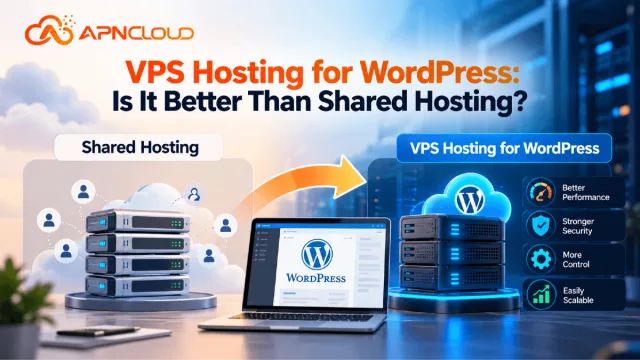
VPS Hosting for WordPress: Is It Better Than Shared Hosting?
Discover whether VPS hosting for WordPress is better than shared hosting. Compare speed, security, costs, scalability, and features to choose wisely.

How to Choose the Right VPS Hosting Plan for Your Website
Learn how to choose VPS hosting for your website. Compare CPU, RAM, storage, managed plans, security, pricing, and scalability before you buy.

How Much RAM Do You Need for a VPS Server? Complete Guide
Understand VPS RAM requirements and learn how much memory your server needs. Compare 1GB to 16GB VPS plans, improve performance, and choose the right RAM.
Never miss a post
Fresh guides, product updates and hosting resources from the APN Cloud team.