How Much Does VPS Hosting Cost in 2026?
Learn VPS hosting cost with this practical guide. Discover key features, costs, benefits, setup tips, and what to consider before choosing the right solution.
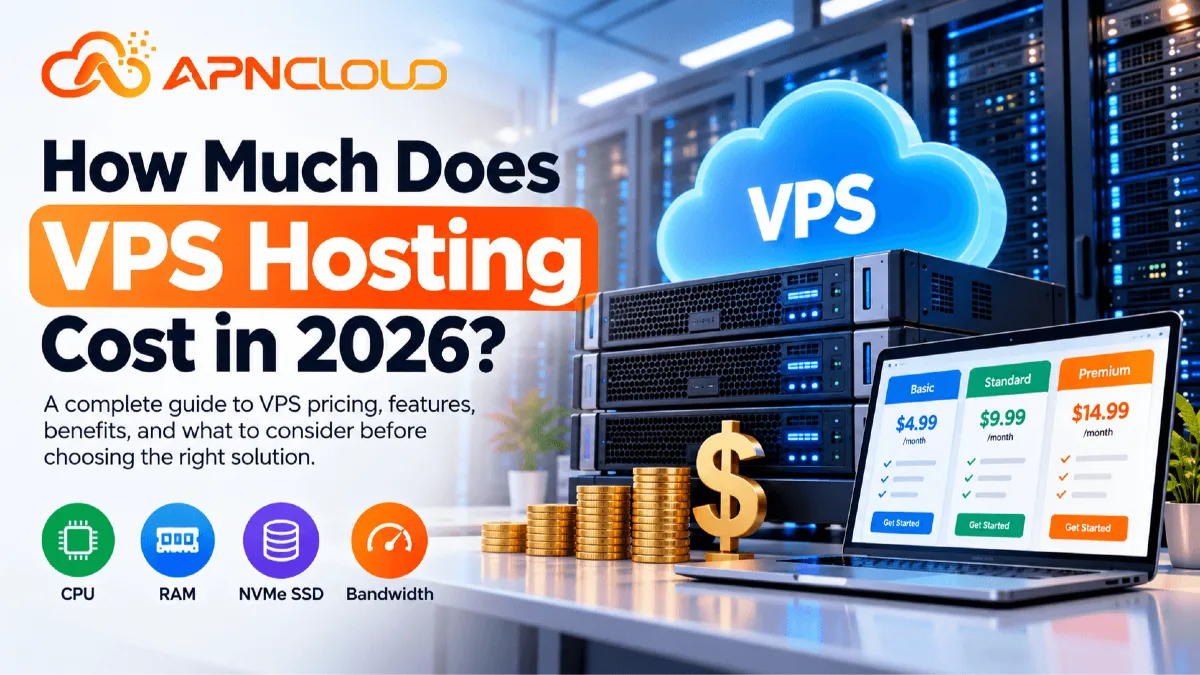
If you are planning to move beyond shared hosting, launch an application, host several websites, or give your growing business more control over server resources, one of the first questions you will probably ask is: how much does VPS hosting cost in 2026? The short answer is that there is no single VPS price that works for every project. Entry-level self-managed virtual private servers can cost only a few dollars per month, while larger servers, managed VPS services, control-panel licenses, backups, extra IP addresses, additional storage, and professional server management can push the monthly cost considerably higher. As a practical planning range, self-managed VPS services in 2026 can start around $4–$15 per month for smaller configurations and rise to $50 or considerably more as resources increase. Managed VPS hosting usually starts higher because part of what you are paying for is not just CPU, RAM, storage, and bandwidth but also technical work such as configuration, security hardening, monitoring, software updates, and support. APNCloud, for example, currently lists its entry-level Cloud VPS at $4.99 per month and its Managed Cloud VPS at $12.99 per month. Those are provider-specific prices rather than universal market rates, but they demonstrate the difference between buying server resources alone and buying those resources together with management services.
Understanding VPS pricing becomes much easier when you stop thinking of a VPS as a single product. A virtual private server is an isolated virtual environment created on physical server infrastructure. Depending on the VPS plan, you receive allocations such as vCPU cores, RAM, NVMe or SSD storage, monthly bandwidth, one or more IP addresses, an operating system, and sometimes additional services. With a self-managed Linux VPS, you may receive root access and responsibility for almost everything inside the operating system. That means installing the web server, configuring databases, applying security updates, setting firewall rules, monitoring services, maintaining backups, optimizing performance, and troubleshooting problems. With a managed VPS, the hosting company handles more of those tasks according to its management policy. This difference is one of the biggest reasons two VPS plans with similar-looking CPU and RAM specifications can have very different prices.
The cheapest VPS is therefore not automatically the best-value VPS, and the most expensive server is not automatically the fastest choice for your website. A small WordPress site might perform perfectly well on quality shared hosting instead of requiring a VPS at all. A busy ecommerce platform, API, SaaS application, development environment, database-heavy website, or collection of customer sites may benefit much more from the isolation and flexibility of VPS hosting. Before comparing prices, decide what problem you are actually trying to solve. If you are still learning the basics, read APNCloud's What Is VPS Hosting? A Beginner’s Guide to Virtual Private Servers. Understanding how VPS hosting works will make the cost comparison in this guide much easier.
Why VPS Hosting Cost Matters in 2026
VPS pricing matters because your hosting bill is only one part of your real infrastructure cost. Beginners sometimes see a server advertised for $5 or $10 per month and assume that is the complete amount they need to budget. It may be, but only when that plan already includes everything the project requires and you are comfortable managing the server yourself. Consider a simple example. Suppose a developer purchases an unmanaged Linux VPS for $10 per month. The server includes adequate CPU, RAM, storage, bandwidth, and an IPv4 address. If that developer is comfortable installing Nginx or Apache, PHP, MySQL or MariaDB, SSL certificates, firewall rules, monitoring tools, backups, and security updates, the $10 infrastructure price may provide excellent value. Now imagine a small business owner purchases exactly the same server but has never used SSH or administered Linux. That business may need to purchase a control-panel license, backup storage, management assistance, or hire someone whenever something goes wrong. The $10 VPS can quickly become a much larger operational expense.
This is why VPS hosting cost should be considered as total cost of ownership rather than only the advertised monthly server price. Total cost may include the VPS itself, management, control panels, backup storage, additional IP addresses, external monitoring, security products, software licenses, email delivery services, object storage, CDN usage, snapshots, extra bandwidth, additional disks, migration work, and technical administration. Not every project needs all of these items. In fact, a simple Linux VPS can often run open-source software without expensive licenses. The important point is to identify what your project actually needs before ordering. Paying for unused resources wastes money, while buying a server that is too small can create performance problems and force you to upgrade sooner than expected.
Cost also matters because VPS requirements can change quickly. A new website may need only a modest amount of RAM and CPU when it launches. Six months later it might be handling more users, scheduled jobs, database queries, API requests, customer accounts, background processes, or several additional websites. Choosing a provider with clear upgrade options can therefore be more useful than simply choosing the lowest introductory price. You should also examine the billing cycle. Monthly billing gives you flexibility, while annual or multi-year billing may lower the effective monthly cost when the provider offers longer-term pricing. However, committing to a long contract before confirming that the server location, performance, support, and management level suit your project can be unnecessary risk.
The type of hosting should also match the workload. VPS hosting usually makes sense when you need root access, custom software, isolated resources, multiple services, more control, or a configuration that ordinary shared hosting cannot provide. If you run a simple company website, portfolio, new blog, or moderate WordPress website, shared hosting may remain the easier and less expensive choice. APNCloud's Shared vs VPS Hosting comparison explains these differences in more detail. The objective should not be to move to a VPS because it sounds more powerful. The objective should be to pay for infrastructure that matches your technical and business requirements.
VPS Hosting Cost in 2026: Practical Price Overview
There is no official industry-wide VPS price because hosting companies package their services differently. One provider might include a large bandwidth allowance but less storage. Another may include automated backups but charge more each month. Some VPS plans use shared or burstable CPU resources, while others advertise dedicated or allocated cores. Some provide NVMe storage, while others use standard SSD storage. Server location, network quality, hardware generation, support level, virtualization technology, IPv4 availability, operating-system choices, billing terms, and management services can also affect pricing. For this reason, the following numbers should be treated as planning ranges, not fixed market prices.
VPS Type | Practical 2026 Budget | Typical Use |
|---|---|---|
Entry-level self-managed VPS | Around $4–$15/month | Test servers, development, small websites, lightweight applications |
Mid-range self-managed VPS | Around $15–$50/month | Growing websites, multiple sites, APIs, business applications |
Higher-resource VPS | Around $50–$150+/month | Larger applications, heavier databases, multiple production services |
Entry-level managed VPS | Around $13–$30+/month | Small businesses needing server-management assistance |
Mid/high managed VPS | Around $30–$100+/month | Businesses, agencies, ecommerce and production workloads |
Specialized or high-resource VPS | $100–$200+ per month | Resource-intensive or specialized infrastructure |
These ranges overlap because a VPS cannot be judged by price alone. For example, APNCloud's current self-managed Cloud VPS Starter is listed at $4.99 per month and includes 1 vCPU core, 4 GB RAM, 50 GB NVMe SSD storage, 4 TB monthly bandwidth, one IPv4 address, Linux operating-system choices, full root access, DDoS protection, and infrastructure support. Its Basic plan is currently $9.99 per month with 2 vCPU cores, 8 GB RAM, and 100 GB NVMe storage, while its Standard plan is listed at $14.99 per month with 4 vCPU cores, 12 GB RAM, and 200 GB NVMe storage. APNCloud's Managed Cloud VPS Starter currently begins at $12.99 per month and adds management-related services such as initial setup, security hardening, monitoring, updates, and control-panel installation assistance. Prices and specifications can change, so users should always verify the current order page before purchasing.
These examples also demonstrate why comparing only the number beside "$/month" can be misleading. Imagine VPS A costs $8 and provides 2 GB RAM, while VPS B costs $10 and provides 4 GB RAM plus a much larger transfer allowance and NVMe storage. VPS A is cheaper, but it may not provide better value for your application. On the other hand, buying 16 GB RAM when your application consistently uses only 2 GB is also unnecessary. A sensible VPS budget gives the server enough capacity for normal activity plus reasonable growth without paying for large amounts of idle infrastructure.
If you want a broader comparison between VPS, shared hosting, managed hosting, and dedicated infrastructure, APNCloud's Web Hosting Cost in 2026 guide provides useful context. The main lesson is simple: start from your workload, compare what is included, calculate the full monthly or annual expense, and then choose the VPS plan that meets those requirements.
What Factors Affect VPS Hosting Cost?
The obvious factor affecting VPS pricing is CPU capacity. Virtual servers usually list resources in vCPU cores. The number of cores alone does not tell the whole performance story. CPU generation, clock speed, how the CPU is allocated the virtualization setup and how competition there is for the underlying hardware can all affect real performance. CPU-heavy applications, large WooCommerce stores, compilation tasks busy databases, high numbers of PHP workers, game servers where supported and certain data-processing jobs may need processing power than lightweight websites. When comparing VPS plans pay attention to how the provider describes CPU resources of assuming that every "4 vCPU" plan performs the same.
RAM is another pricing factor. Memory is used by the operating system, database, web server, caching software, control panel, background services, application processes and other software running on the VPS. A minimal Linux VPS used for testing can work with little memory while a production server hosting multiple websites and a database may require much more. More RAM generally lets you run databases more simultaneous processes, additional applications and heavier workloads without depending too much on swap storage. However unused RAM has no value just because a higher number looks good on a product page.
Storage capacity and storage technology also affect cost. Traditional SSD storage is already much faster than mechanical storage while NVMe storage can offer lower latency and higher throughput for workloads that do lots of disk operations. The difference is especially clear for heavy applications, ecommerce stores, dashboards, search operations, cache files, logs and apps that do many reads and writes. Storage capacity matters too. A website with 10 GB of files doesn't need a 1 TB VPS just because a larger plan exists. Calculate your website files, databases, logs, email if hosted locally application data, backups stored on the server and expected growth.
Bandwidth or monthly transfer is another thing to look at. Some VPS plans include terabytes of monthly traffic while others use different usage or overage models. A normal business website may never come close to a -terabyte limit but file-download services, media platforms, proxy-like workloads where allowed, software distribution, high-traffic apps and large image-heavy websites can use much more. Always read the providers terms and Acceptable Use Policy instead of assuming the number shown means unlimited use in every case.
Management level can create one of the differences in pricing. An unmanaged VPS is cheaper in part because the customer handles most of the server administration. A managed VPS costs more because trained staff may do setup, updates, monitoring, troubleshooting, optimization and security tasks under the providers service scope. Location, dedicated IPv4 addresses, Windows licensing where control panels, backup systems, snapshots, DDoS services, premium support, software licenses and billing period can all increase the final price. The right VPS plan is the mix of resources and services your project actually needs, not the plan, with the specifications list.
Managed VPS vs Unmanaged VPS: Which Costs More?
The difference between managed and unmanaged hosting is one of the most important things beginners should understand before buying a virtual private server. With an unmanaged VPS, the hosting provider normally takes responsibility for the underlying infrastructure, while you are responsible for much of what happens inside your virtual server. Exact responsibilities vary between providers, so always read the service description. In a typical Linux VPS environment, you may need to choose and maintain the operating system, configure SSH, create users, install the web server, install PHP or another runtime, configure databases, set firewall rules, secure exposed services, issue SSL certificates, establish a backup process, monitor disk space, investigate high CPU usage, apply updates, and troubleshoot application-level problems. For an experienced system administrator or developer, this flexibility can be attractive because you control the environment and avoid paying for services you do not need.
Managed VPS hosting changes the cost calculation. Instead of purchasing only virtual server resources, you purchase resources plus an agreed level of server-administration assistance. Depending on the provider, management can include initial configuration, security hardening, monitoring, operating-system updates, web-server configuration, control-panel assistance, malware or security measures, performance tuning, backup help, and troubleshooting. Management policies vary significantly, so never assume that the word "managed" means the provider will manage every application, custom script, third-party integration, or website issue. Read exactly what is included.
Consider a beginner business owner running several WordPress websites. A $10 unmanaged server may initially look more attractive than a $25 managed VPS. However, if the owner spends several hours each month learning Linux administration or pays a technician whenever updates, firewall rules, database problems, or server configuration issues occur, the managed service may deliver better overall value. An experienced developer who already maintains dozens of Linux servers may reach the opposite conclusion and prefer the cheaper unmanaged environment.
APNCloud provides both models. Its self-managed Cloud VPS currently starts at $4.99 per month, while Managed Cloud VPS currently starts at $12.99 per month. The managed service includes server-related assistance such as setup and configuration, security hardening, monitoring and updates, and control-panel installation assistance. You can compare the current configurations directly on the APNCloud Cloud VPS Hosting page and the Managed Cloud VPS page.
There is no universal answer to whether managed or unmanaged VPS hosting is better. If you understand Linux administration and want maximum control at a lower infrastructure price, unmanaged VPS hosting can make sense. If your time is better spent managing customers, products, content, development, or business operations, paying more for management may be worthwhile. Compare both the invoice cost and the time required to maintain the server safely.
Step-by-Step Guide to Calculating Your VPS Hosting Budget
The easiest way to choose a VPS without overspending is to calculate your requirements before comparing plans.
Step 1: Define what you will host. Write down whether the server will run one WordPress website, several business websites, a SaaS application, an API, a database, a staging environment, an ecommerce store, a development server, or multiple services. Different workloads use server resources differently. Ten static websites may require fewer resources than one busy ecommerce application performing large numbers of database queries. Do not select a server based only on visitor numbers.
Step 2: Estimate RAM requirements. Consider the operating system, web server, PHP workers or application runtime, database, caching tools, monitoring services, control panel, and any background jobs. Beginners often underestimate memory because they look only at their website file size. Storage size and memory usage are completely different measurements. A 2 GB website database does not mean the server needs only 2 GB of RAM, nor does a 100 GB disk mean the server has 100 GB of working memory.
Step 3: Estimate CPU needs. A small company website with cached pages normally uses little CPU most of the time. Dynamic ecommerce sites, APIs, large WordPress installations, databases, background jobs, and software compilation can require much more. If you are migrating from existing hosting, check current CPU statistics during normal activity and peak periods. Real usage data is more useful than guessing.
Step 4: Calculate storage. Add website files, database size, application data, logs, email if applicable, and enough free space for normal operation and growth. If you keep local backups on the same server, include them in the calculation, but remember that a backup stored only on the VPS is not sufficient protection against total server loss. An independent backup location is safer.
Step 5: Review bandwidth. Look at your existing monthly data transfer if available. If the website is new, estimate based on page size, expected traffic, downloads, images, APIs, and media usage. You rarely need to buy the largest transfer allowance for a simple website, but bandwidth-intensive projects should examine overage charges carefully.
Step 6: Decide whether you can manage the server. Ask yourself whether you are comfortable using SSH, updating Linux, configuring a firewall, managing databases, troubleshooting services, reviewing logs, and restoring backups. If not, include managed VPS pricing or server-administration costs in your budget.
Step 7: Add optional services. Calculate control panels, automated backups, additional IP addresses, software licenses, external storage, monitoring, CDN services, email delivery platforms, or other tools required by your stack.
Step 8: Compare the monthly and long-term bill. A server costing $15 per month is $180 per year before add-ons. If backups add $5, a control panel adds $10, and management adds another amount, calculate the combined total before ordering. Also compare monthly, annual, and longer billing cycles.
Step 9: Leave reasonable growth capacity. Do not purchase five times your current requirement "just in case," but avoid choosing a plan that already operates near its limits on day one. A moderate capacity buffer makes traffic growth and temporary load spikes easier to manage.
Step 10: Confirm upgrade options. A good VPS path should allow you to move to more CPU, RAM, storage, or bandwidth as your workload grows. Starting smaller and scaling using actual performance data is usually more efficient than paying for oversized infrastructure from the beginning.
How VPS Resources Affect VPS Performance
Price and VPS performance are related, but paying more does not guarantee that every website will become proportionally faster. Server performance is the result of hardware, virtualization, resource allocation, storage, network quality, operating-system configuration, application code, database design, caching, web-server configuration, PHP or application workers, plugins, themes, images, CDN configuration, and many other factors. A properly optimized 4 GB VPS can outperform a badly configured 16 GB VPS for the same website. This is why performance should be measured instead of assumed.
CPU becomes important when your application performs calculations, processes dynamic requests, handles background tasks, runs database operations, compresses files, generates pages, or serves multiple simultaneous processes. If monitoring shows CPU consistently reaching high utilization during normal traffic, upgrading CPU resources may help. However, persistent CPU usage can also indicate poorly optimized code, abusive bots, an inefficient database query, a broken scheduled task, or a plugin problem. Buying more CPU without identifying the cause can increase cost without fixing the underlying issue.
RAM affects how many services and active processes a server can keep in memory. Running out of available memory can lead to swapping, process termination, database instability, or poor application performance. More memory is useful when your server genuinely needs it, particularly for databases, caching systems, many PHP workers, Java applications, containers, control panels, and multiple hosted websites. Again, monitoring should guide the decision.
Storage performance is particularly important for workloads that constantly read or write data. NVMe storage can benefit databases, ecommerce systems, application logs, content-management systems, and other disk-intensive services. However, moving a lightweight cached website from SSD to NVMe does not necessarily make visitors experience a dramatic speed increase if the real bottleneck is slow application code or network latency. Server location should also be considered. Hosting closer to your main audience can reduce network latency, although modern CDNs can help deliver static resources from locations closer to visitors. Network quality, routing, port speed, and congestion all influence the user experience.
For most beginners, the best method is to start with a sensible configuration and monitor CPU, memory, disk usage, disk I/O, network transfer, load averages, web-server activity, and application response time. Upgrade when evidence shows a resource is becoming a consistent bottleneck. This approach keeps VPS hosting cost under control because you spend money where it can actually improve your application rather than continually buying larger specifications without measuring results.
Hidden and Additional VPS Costs You Should Check
The server price displayed on a VPS product page may not be your final monthly expense. Backups are one of the first items to investigate. Some providers include a backup service, some sell backups as an add-on, and others expect customers to create their own backup system. Whatever approach you choose, important production data should have a reliable backup strategy. Ideally, critical backups should not exist only on the same virtual server as the original files. If the VPS becomes inaccessible or data is corrupted, an independent copy can be essential.
Control-panel licensing is another possible cost. A pure Linux VPS can be managed using the command line and free software, but beginners sometimes prefer a graphical panel. Commercial products can require monthly licensing, and license pricing may depend on the number of accounts or server type. Free or open-source control panels also exist, although "free" does not eliminate the time required to configure, maintain, update, and secure them.
Additional IPv4 addresses can cost extra because IPv4 addresses are limited resources. If a project needs multiple addresses, check the provider's allocation policy, justification requirements, and monthly charge. Do not assume every VPS includes several free IPv4 addresses. IPv6 may be available separately depending on the provider and network.
Windows VPS hosting, where available, can also cost more than a basic Linux VPS because Microsoft licensing may be included in the service price. A Linux VPS can often run a complete web stack using open-source software such as Nginx or Apache, PHP, MariaDB, PostgreSQL, Redis, and many other packages without operating-system licensing fees. Your application requirements should determine the operating system rather than choosing one simply because it looks cheaper.
Other possible expenses include extra block storage, object storage, snapshots, off-site backups, CDN usage, software licenses, database services, email delivery, premium monitoring, migration services, professional management, security products, domain registration, SSL products beyond free certificates, and bandwidth overages. Many users will not need most of these.
Finally, compare renewal and billing terms. Some hosting companies advertise introductory prices that later renew at a different rate. Others provide consistent monthly pricing but offer discounts for longer commitments. Read the billing details before purchasing. Calculate what the service will cost over twelve months rather than comparing only the first invoice. A VPS with a slightly higher monthly price but predictable renewal terms and included features can sometimes be cheaper over the full year than an apparently inexpensive service requiring several paid extras.
Common VPS Hosting Cost Mistakes and Buyer Checklist
One of the most common VPS mistakes is buying based only on price. Two servers costing $10 per month can provide completely different amounts of RAM, CPU capacity, bandwidth, storage, support, and management. Compare the entire package. Another mistake is automatically buying the largest VPS available because you expect your website to grow. Growth is good, but unused resources still cost money every month. Start with enough capacity for your current workload plus sensible headroom, monitor usage, and upgrade when real data supports the decision.
A third mistake is treating an unmanaged VPS like ordinary shared hosting. Root access gives you freedom, but it also creates responsibility. If you operate an unmanaged server, someone needs to maintain updates, firewall policies, user permissions, SSH security, services, monitoring, backups, and recovery procedures. Beginners who do not want this responsibility should include managed VPS hosting in their comparison.
Another mistake is focusing exclusively on RAM. RAM matters, but a server with large memory and weak CPU, poor storage performance, limited network capacity, or a badly configured application can still perform poorly. Compare balanced resources. Similarly, do not use disk space as the main indicator of server quality. A project using 15 GB of data may benefit more from reliable NVMe storage and adequate CPU than from hundreds of gigabytes of unused disk space.
Ignoring backups is another serious budgeting error. A VPS is not automatically a backup simply because it is virtualized. Determine how backups are created, where they are stored, how long they are retained, and how restoration works. Test restoration for important systems instead of discovering during an emergency that your backup process was incomplete.
Before ordering, use this practical checklist:
Define exactly what websites or applications the VPS will host.
Estimate CPU requirements based on the workload.
Estimate RAM for the operating system, applications, database, caching, and background processes.
Calculate current storage requirements and future growth.
Check whether the storage is SSD or NVMe.
Review the included monthly bandwidth or transfer limit.
Check bandwidth overage policies.
Verify the server location and available operating systems.
Confirm whether one IPv4 address is included.
Check the cost of additional IP addresses if needed.
Decide between managed and unmanaged VPS.
Review what "managed" actually includes.
Check backup availability and pricing.
Check snapshot and external-storage pricing.
Review control-panel licensing if you want a panel.
Confirm root or administrator access requirements.
Review virtualization technology.
Review DDoS and network-security features.
Check support scope and response channels.
Check monthly, annual, and multi-year pricing.
Review renewal pricing rather than only promotional pricing.
Calculate the complete 12-month cost.
Check upgrade options for CPU, RAM, and storage.
Read the Terms of Service and Acceptable Use Policy.
Leave reasonable performance headroom.
Monitor actual usage after deployment.
If a plan satisfies these points and remains within your budget, you are making a much more informed decision than simply selecting whichever VPS advertisement shows the lowest monthly number.
Frequently Asked Questions About VPS Hosting Cost
1. How much does VPS hosting cost per month in 2026?
A small self-managed VPS can start at roughly $4–$15 per month, while larger configurations can cost $20, $50, $100, or more. Managed VPS hosting generally costs more because server-management services are included. These are planning ranges rather than universal prices. APNCloud currently lists self-managed Cloud VPS from $4.99 per month and Managed Cloud VPS from $12.99 per month.
2. Why is managed VPS hosting more expensive?
Managed VPS hosting combines virtual server resources with technical administration. Depending on the provider's management scope, services may include initial setup, security hardening, updates, server monitoring, troubleshooting, optimization, and control-panel assistance. You pay more because the provider performs work that an unmanaged VPS customer would otherwise need to handle.
3. Is a $5 VPS good enough for a website?
It can be, depending on the resources, application requirements, traffic, and your ability to manage the server. A lightweight website or development project may work well on a small VPS. A busy ecommerce store, large database, resource-heavy application, or multiple production websites may require additional CPU, RAM, and storage. Always match the VPS to measured workload requirements.
4. Is VPS hosting cheaper than dedicated hosting?
VPS hosting is generally less expensive than renting an entire physical dedicated server because virtualization allows physical infrastructure to support multiple isolated virtual environments. Dedicated servers are designed for workloads requiring an entire physical machine and therefore usually involve higher infrastructure costs.
5. Is VPS hosting more expensive than shared hosting?
Usually yes. Shared hosting distributes server infrastructure among many hosting accounts and the provider manages most server-level administration. VPS hosting gives you a more isolated virtual environment, greater control, and defined server resources. However, affordable entry-level VPS plans mean the price difference can sometimes be relatively small.
6. How much RAM do I need for a VPS?
There is no universal amount. A basic Linux server or development environment may use relatively little memory, while WordPress websites, ecommerce applications, databases, control panels, containers, caching systems, and multiple websites can require considerably more. Check your application's recommended requirements and monitor memory usage after deployment.
7. Does more expensive VPS hosting automatically make a website faster?
No. CPU, RAM, storage, network quality, server configuration, database optimization, caching, application code, themes, plugins, images, and visitor location can all affect performance. Increasing server resources helps when a lack of resources is actually the bottleneck. Optimization may be more effective when the problem is inefficient software or configuration.
8. Should beginners choose managed VPS hosting?
Managed hosting can be useful for beginners who need VPS resources but do not want to perform Linux server administration themselves. However, a beginner running only a normal small website may not need a VPS at all. Shared hosting can be simpler when root access or custom server software is unnecessary.
9. What is the cheapest way to reduce VPS hosting cost?
Choose resources based on actual needs, avoid unnecessary licenses and add-ons, use suitable open-source software when appropriate, compare billing periods, monitor CPU/RAM/storage use, and upgrade only when required. Do not remove essential services such as backups or security simply to reduce the bill.
10. What should I check before buying a VPS?
Compare CPU, RAM, storage technology, bandwidth, IP addresses, operating systems, virtualization, server locations, backup options, management level, support scope, DDoS protection, upgrade paths, renewal pricing, billing terms, and any paid add-ons. Also verify that your intended use complies with the provider's Terms of Service and Acceptable Use Policy.
Final Thoughts: Choosing the Right VPS Without Overpaying
The most useful answer to "How much does VPS hosting cost in 2026?" is not a single number. A VPS can begin at only a few dollars each month, but the correct budget depends on what you want the server to do. CPU, RAM, NVMe or SSD capacity, monthly transfer, IP addresses, operating system, location, backups, control panels, security tools, technical support, and management can all affect the final cost. For many developers and technically experienced users, a self-managed Linux VPS provides an affordable way to gain root access and control over the server environment. For businesses that need the same virtual server flexibility without handling every administrative task themselves, managed VPS hosting can make more sense even though the monthly price is higher.
Avoid choosing a VPS simply because it is the cheapest option. At the same time, avoid buying large amounts of CPU, RAM, and storage that your project does not currently need. Start by defining your workload. Estimate resources, calculate additional services, decide how server management will be handled, review the complete annual cost, and make sure you have a practical upgrade path. Once your VPS is running, monitor real CPU, memory, storage, bandwidth, and application-performance data. Those measurements will tell you when an upgrade is genuinely necessary.
APNCloud currently provides both self-managed and managed VPS options for users with different technical requirements. Its Cloud VPS service uses KVM-based virtualization, Linux operating-system options, NVMe storage, root access, allocated server resources, and multiple plan sizes, while Managed Cloud VPS adds server-management services for users who prefer assistance with setup and ongoing administration. Current entry pricing starts at $4.99 per month for Cloud VPS and $12.99 per month for Managed Cloud VPS, although prices and plan specifications should always be verified on the current product page before ordering.
The goal is not to purchase the biggest server. The goal is to choose a virtual private server that delivers the performance, control, support, and scalability your project requires at a cost you can comfortably maintain. Review your needs, compare the available VPS plans, account for the complete cost, and choose infrastructure that gives your website or application enough room to grow without paying for resources you do not use.
CTA: Ready to move beyond shared hosting? Compare APNCloud's current Cloud VPS and Managed Cloud VPS options, review the CPU, RAM, NVMe storage, bandwidth, and management features included with each plan, and select the configuration that matches your workload and technical experience. Start with the resources you need today and scale as your project grows.
Keep reading
Related articles

VPS Hosting for WordPress: Is It Better Than Shared Hosting?
Discover whether VPS hosting for WordPress is better than shared hosting. Compare speed, security, costs, scalability, and features to choose wisely.

How to Choose the Right VPS Hosting Plan for Your Website
Learn how to choose VPS hosting for your website. Compare CPU, RAM, storage, managed plans, security, pricing, and scalability before you buy.

How Much RAM Do You Need for a VPS Server? Complete Guide
Understand VPS RAM requirements and learn how much memory your server needs. Compare 1GB to 16GB VPS plans, improve performance, and choose the right RAM.
Never miss a post
Fresh guides, product updates and hosting resources from the APN Cloud team.