WHM vs cPanel Reseller Hosting: What's the Difference?
WHM and cPanel serve different but complementary purposes in reseller hosting. WHM helps resellers create hosting accounts, manage packages, and allocate resources, while cPanel allows customers to manage their individual websites. This comprehensive guide explains their differences, features, benefits, and practical applications to help beginners establish and manage a successful reseller hosting business.
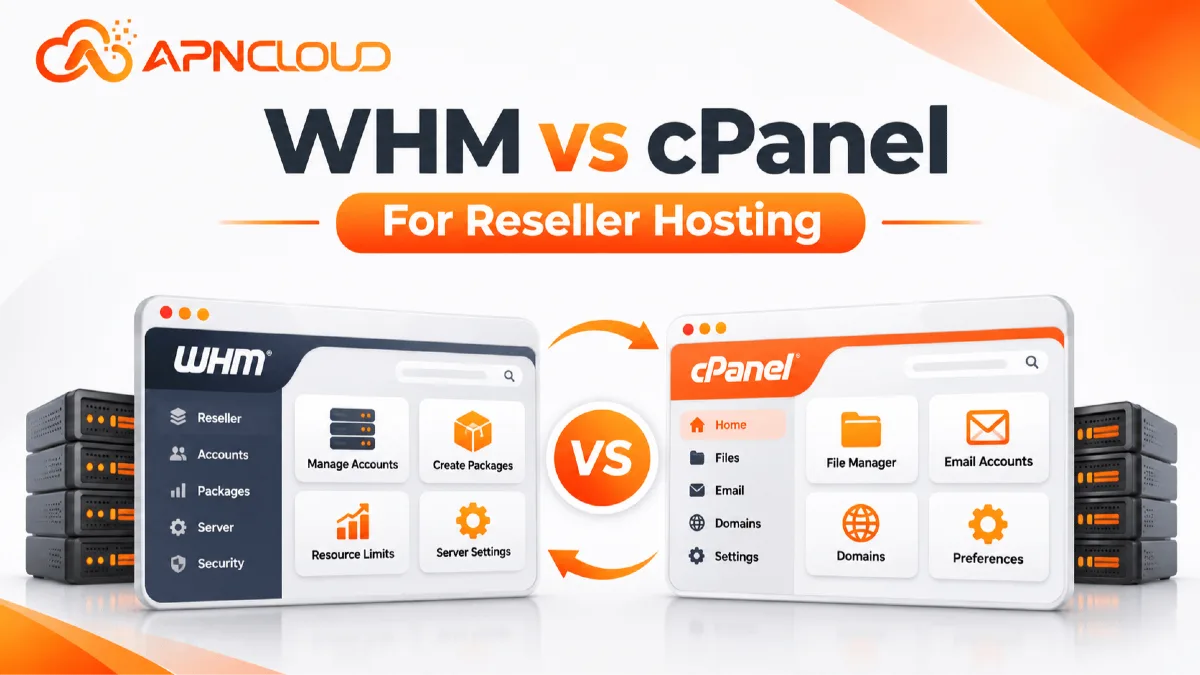
Understanding WHM vs cPanel reseller hosting is one of the most important steps for anyone planning to start a web hosting business. When beginners first explore reseller hosting, they often encounter two popular terms: Web Host Manager (WHM) and cPanel. Although these control panels are closely connected, they serve different purposes and provide different levels of access. Knowing how they work together can help you manage customers, organize hosting packages, maintain account security, and deliver a more professional hosting experience. Reseller hosting allows individuals, web developers, digital agencies, freelancers, and entrepreneurs to purchase hosting resources from an established provider and distribute those resources among their own customers. Instead of purchasing expensive physical servers or building an independent hosting infrastructure, a hosting reseller can focus on developing hosting packages, attracting customers, and providing technical support. In a cPanel-based reseller hosting environment, WHM acts as the administrative platform that allows the reseller to manage multiple hosting accounts from a centralized dashboard. Through WHM, you can create customer accounts, configure hosting packages, allocate available disk space and bandwidth, suspend accounts when necessary, and monitor account usage according to the permissions provided by your hosting provider.
On the other hand, cPanel is designed primarily for individual hosting account owners. Customers use cPanel to manage website files, create email accounts, configure databases, install applications, manage domains, and perform other website-related tasks. For example, imagine that you operate a small hosting business with twenty customers. Without a centralized management system, organizing these customers and their hosting resources could become complicated. WHM allows you to manage their accounts from one administrative interface, while each customer receives an independent cPanel account to manage their own website. This separation makes hosting management more organized and reduces the need for customers to contact you for every minor website adjustment. However, many beginners mistakenly believe that WHM and cPanel are competing hosting products and that they must choose one over the other. In reality, they are complementary components of the same hosting management ecosystem.
WHM provides reseller-level administrative control, whereas cPanel provides website-level management capabilities. Another important consideration is that reseller access to WHM is different from full server administrator access. A reseller generally cannot modify core server configurations, install system-level software, or access unrestricted administrative functions unless additional permissions are granted. The parent hosting provider remains responsible for maintaining the underlying server infrastructure according to the service agreement. This arrangement makes reseller hosting particularly attractive for beginners who want to establish a hosting business without taking responsibility for every aspect of server administration. Before selecting a hosting package, it is important to understand the available control panel, account limits, resource allocation policies, technical support arrangements, backup options, and security features.
Providers such as APNCloud offer hosting solutions that businesses can evaluate according to their technical requirements and growth objectives. Whether you are planning to sell hosting independently or combine hosting services with website development, understanding the relationship between WHM and cPanel will help you make informed decisions. This guide explains their core differences, practical features, business advantages, account management procedures, common mistakes, and essential considerations for building an organized and sustainable reseller hosting business.
What Is WHM in Reseller Hosting?
Web Host Manager, commonly known as WHM, is a web-based administrative control panel that allows hosting providers and resellers to manage multiple hosting accounts within a centralized environment. It is particularly useful for individuals who want to establish a reseller hosting business without manually configuring every customer account through server commands. WHM provides a structured environment where hosting resellers can create individual cPanel accounts, establish hosting packages, manage account permissions, and distribute available hosting resources. When you purchase a WHM-based reseller hosting package, your hosting provider assigns specific permissions and resource limits to your reseller account. These permissions determine which administrative functions you can access and how many customer accounts you can create. One of the most important advantages of WHM is its ability to simplify account management. For instance, if you operate a web development agency with fifteen clients, you can create separate hosting accounts for each client rather than hosting all their websites under a single account. This approach improves organization, simplifies troubleshooting, and provides better account-level separation. WHM also allows hosting resellers to create predefined packages.
A basic hosting package may include 5 GB of storage, five email accounts, and two databases, while a higher-level package may provide additional storage, email accounts, and database capacity. Instead of manually configuring these settings whenever a new customer purchases hosting, you can assign the appropriate predefined package during account creation. This process saves time and helps maintain consistency across your hosting business. Another valuable WHM feature is account lifecycle management. Depending on your permissions, you can modify customer accounts, change hosting packages, suspend accounts, reactivate suspended services, and terminate accounts that are no longer required. However, account termination must be handled carefully because it can permanently remove website files, emails, databases, and associated customer information. Responsible resellers should verify customer authorization, backup availability, and applicable retention policies before performing destructive actions. WHM may also provide access to account usage information, allowing resellers to review storage consumption and bandwidth usage.
These reports can help identify customers who are approaching their allocated limits and may require a package upgrade. However, complete CPU, RAM, and server performance monitoring may require additional tools or permissions from the hosting provider. It is important to distinguish reseller-level WHM access from root-level WHM access. Root administrators generally manage server-wide settings, operating system services, security configurations, software installations, and system updates. Resellers typically receive a restricted version of WHM that focuses on customer accounts within their allocated resources. This limitation is beneficial for beginners because it reduces the complexity associated with maintaining a server. Nevertheless, resellers remain responsible for customer support, account security, billing, and appropriate resource management. WHM can also work with compatible billing platforms such as WHMCS, allowing businesses to automate account provisioning, upgrades, and service suspensions when properly configured.
Automation is optional and requires appropriate licensing, integration, and testing. Beginners can initially manage a small number of customers manually before introducing automation as their businesses expand. Ultimately, WHM functions as the administrative foundation of a cPanel-based reseller hosting environment. It gives hosting entrepreneurs the tools needed to organize customer accounts, develop standardized hosting packages, and maintain operational consistency without requiring unrestricted access to the underlying server infrastructure.
What Is cPanel in Reseller Hosting?
cPanel is a graphical web hosting control panel designed to help individual hosting account owners manage their websites and associated services without requiring advanced server administration knowledge. In a cPanel reseller hosting environment, each customer typically receives an independent cPanel account created by the reseller through WHM. While WHM focuses on administrative account management, cPanel focuses on the practical tasks required to operate websites. Its interface organizes commonly used hosting functions into categories such as files, databases, domains, email, security, software, and website statistics. One of the most frequently used cPanel features is File Manager, which allows customers to upload, download, edit, organize, and manage website files directly through a web browser. This is especially helpful for beginners who are unfamiliar with FTP applications or command-line tools. Customers can also create FTP accounts when the hosting package supports them, making it easier to manage files through compatible desktop applications.
Database management is another important cPanel capability. Many popular websites, including WordPress-based websites and online stores, require databases to store content, user information, settings, and application data. Depending on the hosting environment, cPanel may provide database creation tools and phpMyAdmin access for managing compatible MySQL or MariaDB databases. Customers can create database users, assign appropriate permissions, and configure database connections without requiring reseller-level administrative access. Email management is equally valuable for small businesses. A customer who owns a domain can use cPanel to create professional email addresses such as sales@example.com or support@example.com, subject to package limits. Customers may also configure email forwarding, autoresponders, spam filtering, and webmail access when these features are available. This allows businesses to manage website hosting and domain-based communication from the same control panel. cPanel also includes domain management capabilities that may allow customers to configure subdomains, additional domains, redirects, and DNS records.
The available options depend on the hosting provider's configuration and the customer's assigned package. Website security is another important consideration. Customers may have access to SSL certificate management, directory protection, IP blocking, two-factor authentication, and other security-related tools. However, these features do not eliminate the need to maintain updated applications, use strong passwords, and implement reliable backup practices. Some cPanel hosting environments include third-party application installers that simplify WordPress and other content management system installations. These installers are not necessarily included with every cPanel license or hosting package, so customers should confirm their availability before purchasing hosting. From a reseller's perspective, providing independent customer control panels reduces repetitive technical support requests. Instead of asking the hosting reseller to create every email address or upload every website file, customers can complete routine tasks independently.
This creates a more convenient experience for both parties and allows the reseller to focus on more complex technical issues and business development. Nevertheless, beginners should receive clear onboarding instructions explaining how to access their accounts, manage essential features, and request assistance. A customer should also understand that cPanel provides access only to the resources and services permitted by their assigned hosting package. It does not automatically provide control over other customer accounts or server-wide settings. In summary, cPanel is the customer-facing component of a traditional WHM-based reseller hosting system. Its purpose is to simplify everyday website management while maintaining a clear separation between customer responsibilities, reseller responsibilities, and the infrastructure responsibilities of the parent hosting provider.
WHM vs cPanel Reseller Hosting: Key Differences
The primary difference between WHM and cPanel is the level of management responsibility each platform provides. WHM is intended for hosting administrators and resellers who need to manage multiple hosting accounts, whereas cPanel is intended for individual customers who need to manage their own websites. Understanding this distinction is essential when establishing a hosting business because it determines how administrative privileges, customer access, and technical responsibilities are distributed. For example, consider a hosting reseller who manages thirty customer accounts. The reseller uses WHM to create these accounts, define their hosting packages, and review available resources. Each customer then uses cPanel independently to manage website files, databases, email addresses, and other permitted services. Customers do not ordinarily receive access to the reseller's administrative dashboard, and one customer should not have access to another customer's account. This separation supports a more professional and organized hosting environment. Another major difference involves resource management. WHM allows authorized resellers to define storage quotas, bandwidth allocations, and certain account-level limits within their purchased hosting plan. cPanel allows customers to consume and manage the resources assigned to their individual accounts, but customers generally cannot increase their hosting package limits independently.
If a customer requires additional storage or email capacity, the hosting reseller can review the request and upgrade the associated package where sufficient resources are available. Account creation is another area where these platforms differ significantly. WHM includes functions for creating separate cPanel accounts, whereas ordinary cPanel users cannot create independent reseller-managed hosting accounts. Although a cPanel customer may be able to host multiple domains within the same account, these domains remain associated with that account's underlying permissions and resource limits. Hosting multiple websites under one account is therefore different from maintaining independent hosting accounts for unrelated customers. The platforms also differ in their approach to business operations.
WHM provides the administrative tools needed to support hosting package sales, account provisioning, upgrades, suspensions, and service management. cPanel does not function as a complete hosting business management system because its primary purpose is individual website administration. Similarly, WHM is not a complete billing platform by itself. Resellers may need separate invoicing, payment processing, customer relationship management, and support ticket systems. Security permissions also differ between the two environments. A compromised reseller WHM account may affect multiple customer accounts, while a compromised individual cPanel account generally has a more limited scope, depending on the server's security configuration. As a result, administrative accounts require particularly careful protection, including unique passwords, two-factor authentication where supported, and secure credential management. Another important consideration is that WHM and cPanel are not the only available reseller hosting technologies.
Alternative hosting control panels can provide comparable administrative and customer-level functions using different interfaces and licensing models. For beginners, the most useful approach is to evaluate the underlying capabilities rather than choosing a hosting solution solely because of a particular control panel name. Factors such as account isolation, resource availability, backup policies, technical support, software compatibility, and long-term operating costs can significantly affect the suitability of a hosting plan. The essential principle remains consistent across different platforms: resellers need administrative tools for managing customers, while customers need independent tools for managing their websites. WHM and cPanel represent one established implementation of this principle, and understanding their differences provides a strong foundation for evaluating other reseller hosting platforms.
WHM vs cPanel Comparison Table
Feature | WHM | cPanel |
|---|---|---|
Full name | Web Host Manager | cPanel |
Primary users | Hosting resellers and administrators | Website owners |
Access level | Administrative or reseller | Individual hosting account |
Create hosting accounts | Yes, with permission | No |
Create hosting packages | Yes, with permission | No |
Allocate storage | Yes, within reseller limits | No |
Manage multiple customer accounts | Yes | No |
Manage website files | Through authorized account access | Yes |
Create email accounts | Through customer account access | Yes |
Manage databases | Through authorized account access | Yes |
Suspend hosting accounts | Yes, with permission | No |
Change hosting packages | Yes, with permission | No |
Server administration | Root-level access only | No |
Billing automation integration | Supported | Not its primary function |
Primary purpose | Hosting business management | Website management |
Complete billing system | No | No |
Why WHM and cPanel Matter for a Reseller Hosting Business
Operating a successful reseller hosting business requires more than purchasing server resources and selling hosting packages. It also requires a reliable system for managing customer accounts, maintaining security, organizing support requests, and delivering a consistent service experience. WHM and cPanel contribute to these objectives by establishing separate administrative and customer management environments. Without this separation, a hosting reseller may struggle to organize multiple clients, monitor resource consumption, and protect customer information. Consider a digital agency that develops websites for restaurants, educational institutions, retail stores, and professional service providers. Each customer has different website requirements, email needs, storage consumption, and maintenance schedules. Hosting all these customers under a single shared account could create unnecessary operational complications. Independent hosting accounts allow the agency to assign appropriate resources and provide customers with access to their own hosting environments. WHM helps simplify this arrangement by providing centralized reseller administration, while cPanel allows customers to manage routine website operations independently. This structure also supports business scalability.
A hosting entrepreneur may initially begin with five customers and gradually expand to twenty, fifty, or more accounts, depending on the available reseller resources. Managing every account manually without standardized packages becomes increasingly inefficient as customer numbers grow. WHM allows the business to establish repeatable processes for account creation, package assignment, upgrades, and service management. Standardized packages also help customers understand exactly what they are purchasing. Instead of creating unrelated configurations for every customer, a reseller can offer clearly defined entry-level, business, and advanced hosting packages. Each package should reflect actual resource availability and customer requirements. Another significant benefit is improved customer support efficiency. Customers who understand how to use their hosting control panels can independently perform basic activities such as creating email addresses, uploading website files, and managing databases. This reduces the number of repetitive support requests and allows the hosting reseller to focus on service reliability, troubleshooting, customer acquisition, and business development. However, providing a control panel does not eliminate the need for customer support.
Beginners may still require assistance with DNS configuration, WordPress installation, website migration, SSL certificates, and account recovery. A responsible hosting business should maintain accessible support channels and provide clear documentation. Financial planning is equally important. Reseller hosting creates opportunities for recurring revenue, but profitability depends on subscription expenses, customer acquisition costs, support costs, software licensing, payment processing fees, and customer retention. WHM helps organize hosting account operations, but it does not guarantee business profitability. Resellers should develop realistic pricing models that account for both direct hosting expenses and operational responsibilities. Security also becomes increasingly important as customer numbers grow. A single administrative account may provide access to several hosted websites, making credential protection and careful permission management essential. Regular backups, account isolation, software maintenance, and transparent incident communication should form part of the business's operating procedures. Businesses can explore the APNCloud Reseller Program to understand how an alternative reseller control panel supports customer management, hosting packages, and white-label services. The APNCloud reseller program currently describes a DirectAdmin-based environment rather than a WHM-based platform. This illustrates that the core business benefits of reseller hosting are not exclusive to one control panel. Ultimately, choosing the appropriate hosting infrastructure and management tools helps resellers provide a more organized customer experience, manage resources responsibly, and develop sustainable operational processes.
5. How WHM and cPanel Work Together in Reseller Hosting
WHM and cPanel operate through a hierarchical account management structure that connects the hosting provider, the reseller, and individual website owners. At the highest level, the parent hosting provider maintains the underlying server infrastructure and determines which resources and permissions are assigned to each reseller. The reseller then uses WHM to distribute portions of those resources among individual customer accounts. Customers access their assigned cPanel environments to manage websites and associated services. Understanding this workflow helps beginners recognize how hosting responsibilities are shared between different parties. Imagine a reseller purchases a hypothetical hosting package that includes 100 GB of storage, 1,000 GB of monthly bandwidth, and permission to create up to thirty customer accounts. The reseller decides to develop three hosting packages based on different customer requirements. The entry-level package includes 2 GB of storage and 20 GB of bandwidth, the business package includes 5 GB of storage and 50 GB of bandwidth, and the advanced package includes 10 GB of storage and 100 GB of bandwidth.
When a new small business customer purchases the business package, the reseller signs in to WHM, creates a hosting account using the customer's domain name, and assigns the predefined business package. Once the account is successfully created, the customer receives secure instructions for accessing their individual cPanel dashboard. The customer can then upload website files, create email addresses, install compatible applications, and configure available hosting services. If the customer later requires additional storage, the reseller can evaluate their existing resource usage and upgrade the account where permitted. This demonstrates how WHM provides administrative flexibility while cPanel offers independent website management. However, resellers must carefully distinguish between allocated resources and actual resource consumption. For example, assigning 5 GB of storage to a customer does not necessarily mean that the customer immediately consumes 5 GB of physical storage. Nevertheless, allocating more resources than the reseller plan can support may create future capacity problems, especially when customer usage increases simultaneously.
Some providers permit controlled overselling, while others restrict package allocations according to purchased limits. Beginners should understand their provider's exact policies before creating hosting packages. The same principle applies to billing automation. When a compatible billing system is integrated with WHM, the system may automatically create a customer account after a successful order and payment verification. It may also process package changes and service suspensions according to configured rules. Without automation, the reseller can complete these tasks manually through WHM. Both approaches can be suitable depending on business size, order volume, and available technical expertise. Account security is another shared responsibility within this structure. The parent provider maintains infrastructure-level protections according to the hosting agreement, the reseller protects administrative credentials and customer information, and customers maintain the security of their own websites and login details. No single control panel can eliminate all hosting security risks. When a technical problem occurs, identifying the responsible management layer helps improve troubleshooting.
A missing website file is usually an account-level issue, an incorrect package allocation may require reseller-level action, and a server-wide network outage generally requires assistance from the parent provider. By maintaining these clear operational boundaries, WHM and cPanel help create an efficient hosting management environment. Businesses should document their account provisioning procedures, customer responsibilities, support escalation process, and resource monitoring practices so that hosting operations remain manageable as customer numbers and service requirements increase.
Step-by-Step Guide to Using WHM and cPanel for Reseller Hosting
Starting a cPanel reseller hosting business becomes easier when you follow a structured setup process. The first step is to select a reseller hosting provider that explicitly offers WHM and cPanel access, sufficient account capacity, appropriate resource limits, and suitable technical support. Review storage, bandwidth, licensing arrangements, CPU and memory restrictions, backup policies, and migration options before placing an order. Once your service is activated, your provider should supply the necessary reseller login instructions.
Sign in to WHM using the secure access address provided by your hosting company. WHM commonly uses secure port 2087, although your provider may offer a branded or alternative login address. After signing in, familiarize yourself with the available dashboard sections and confirm which reseller permissions have been enabled. The next step is to create hosting packages. Navigate to the package management area, typically called Add a Package, and define appropriate storage quotas, bandwidth limits, email accounts, databases, and other available features. Give each package a clear name that corresponds to your intended commercial offering, such as Starter, Business, or Professional. Avoid assigning resources that exceed your reseller plan or making promises about features that your provider has not confirmed. Once your packages are ready, prepare your hosting brand and nameserver configuration. If your provider supports private nameservers, request the necessary DNS information and configure the required records through your domain registrar and hosting interface. Proper DNS configuration is important because incorrect nameserver settings can prevent customer websites and email services from functioning. After completing the initial configuration, create a test hosting account before accepting customer orders.
In WHM, locate the Create a New Account function and enter a test domain, username, secure password, contact email address, and selected hosting package. Review the settings carefully before submitting the account creation request. Once the account has been created successfully, access its cPanel dashboard through the authorized account management interface or the secure customer login address, commonly associated with port 2083. Test essential functions, including file uploads, database creation, email account setup, DNS management, and SSL certificate availability. If your hosting provider includes an application installer, test a WordPress installation on an appropriate test domain. Confirm that the website operates correctly and that the selected package limits are applied as expected. After completing technical testing, prepare customer onboarding instructions containing the hosting login address, nameserver details, support contact information, and secure account activation or credential delivery instructions.
Do not include administrative WHM credentials in customer welcome messages. As your hosting business begins receiving orders, maintain accurate records of customer account ownership, subscription status, billing dates, package assignments, and support history. You may manage these processes manually initially or integrate a compatible billing system after testing the required automation settings. Finally, monitor resource consumption regularly and establish procedures for upgrades, service suspensions, cancellations, and backups. Before performing account termination, verify the applicable agreement, confirm customer authorization where required, and follow your documented retention policy. A careful setup process reduces operational errors and helps establish a professional hosting service from the beginning. Remember that available menu names and functionality can vary between software versions and provider permissions, so always follow your hosting provider's specific documentation when configuring production customer accounts.
Practical Setup Steps at a Glance
Choose a reseller hosting plan: Verify WHM access, cPanel account limits, resources, and support.
Log in to WHM: Use your provider's secure administrative login address.
Create hosting packages: Configure storage, bandwidth, email, database, and feature limits.
Configure your hosting brand: Prepare nameservers and supported white-label settings.
Create a test hosting account: Assign a package and verify the provisioning process.
Log in to the customer cPanel: Test individual website management features.
Test website functionality: Verify DNS, SSL, email, databases, and application compatibility.
Prepare customer onboarding: Provide secure login instructions and hosting documentation.
Configure billing and support: Establish manual or automated order management procedures.
Monitor and maintain accounts: Review resource usage, backups, security, and customer requirements.
Practical Hosting Packages and Resource Management
Creating properly structured hosting packages is one of the most important responsibilities of a hosting reseller because package design directly affects resource management, customer satisfaction, and business operating costs. WHM makes it possible to create reusable package configurations, but the reseller must determine which resources are suitable for different customer groups. Beginners often make the mistake of creating hosting packages based entirely on competitor pricing or attractive marketing claims without considering the limitations of their own reseller hosting service. A more practical approach begins with identifying the types of customers you expect to serve. Personal blogs, portfolio websites, and small informational websites may require relatively modest storage and processing resources. Business websites with several email accounts, larger media libraries, or more frequent traffic may require additional hosting capacity.
E-commerce websites and resource-intensive applications can have more demanding database, CPU, memory, and storage requirements that may eventually exceed the suitability of ordinary reseller hosting. For example, suppose your reseller plan includes 100 GB of usable storage and supports a maximum of thirty individual hosting accounts. You could create a Starter package with 2 GB of storage, a Business package with 5 GB, and a Professional package with 10 GB. If you sell ten Starter packages, eight Business packages, and three Professional packages, the total allocated storage becomes 90 GB across twenty-one customer accounts. This leaves 10 GB of unallocated storage, assuming the provider measures limits in this way and there are no additional relevant allocations. However, storage is only one part of resource planning. You must also review bandwidth allowances, account limits, email storage, inode usage, database capacity, CPU limits, memory restrictions, and other provider-specific policies.
A customer with a small website may consume significant processing resources if the website uses inefficient plugins or receives frequent automated requests. Similarly, a customer who frequently sends large email attachments may consume storage faster than expected. Monitoring these usage patterns helps resellers identify problems before they affect business operations. Pricing must also reflect operational costs rather than storage allocation alone. If your monthly reseller hosting expense is $30 and you have twenty paying customers generating $4 each per month, your gross monthly revenue is $80. Subtracting the reseller hosting expense leaves $50 before accounting for software licensing, payment processing, customer support, advertising, taxes, refunds, and other operating expenses. This is an illustrative calculation rather than a guarantee of profitability. Hosting businesses should also consider whether software licenses are included in the provider's price or require additional payment.
Customers should receive transparent information about resource limits and upgrade requirements before purchasing a package. Avoid describing services as unlimited when meaningful restrictions apply, and do not promise dedicated CPU or memory resources unless the hosting architecture genuinely provides them. You can review APNCloud's understanding reseller hosting guide to learn more about how customer accounts consume an allocated reseller resource pool. Resellers should maintain a consistent procedure for reviewing account usage, responding to capacity alerts, and identifying customers who may benefit from an upgrade. Effective resource management protects the quality of customer services while supporting sustainable business growth. Rather than focusing exclusively on creating as many accounts as possible, prioritize reliable hosting packages, predictable operating expenses, reasonable customer expectations, and adequate capacity for future requirements.
Example Reseller Hosting Packages
Features | Starter | Business | Professional |
|---|---|---|---|
Storage | 2 GB | 5 GB | 10 GB |
Monthly bandwidth | 20 GB | 50 GB | 100 GB |
Websites | 1 | 3 | 5 |
Email accounts | 5 | 15 | 30 |
Databases | 2 | 5 | 10 |
Hosting account | Independent | Independent | Independent |
Suggested customer | Personal blog | Small business | Growing business |
These packages are hypothetical examples for educational purposes and do not represent APNCloud's current commercial hosting packages.
Common Mistakes to Avoid When Using WHM and cPanel
Many beginners experience unnecessary difficulties when starting a reseller hosting business because they misunderstand the responsibilities associated with their control panels or fail to establish appropriate operating procedures. One common mistake is assuming that reseller-level WHM access provides complete server administration privileges. Resellers may attempt to configure server-wide software, modify security services, or access settings that are restricted by their hosting provider. Understanding the distinction between reseller permissions and root access prevents confusion and helps resellers contact the appropriate technical support team when necessary. Another frequent mistake is hosting unrelated customer websites under a single cPanel account instead of creating independent accounts through WHM. Although this approach may initially appear to reduce account usage, it creates complications involving customer access, website migration, resource allocation, and security. If multiple unrelated websites share the same account, a compromised application may potentially affect other websites within that account. Independent hosting accounts provide clearer ownership and better account-level separation, although additional server security measures remain necessary.
Poor password management is another significant risk. Resellers should never reuse the same administrative password across multiple services or share WHM credentials with customers. Separate, strong passwords and two-factor authentication where available help reduce unauthorized access risks. Customer passwords should also be delivered through secure methods rather than being stored or distributed carelessly. Resource overselling is another issue that can negatively affect service quality. Offering hosting packages with unrealistic storage, bandwidth, or processing allowances can create capacity problems when customer demand increases. Resellers should understand the difference between permitted package allocations and actual usage, review their provider's overselling policies, and maintain reasonable capacity for unexpected growth. Failure to establish reliable backup procedures is equally concerning. Some beginners assume that every hosting account automatically includes complete daily backups and that restoration is always free and immediately available. Backup frequency, retention periods, storage locations, restoration procedures, and associated charges can vary between providers and hosting packages. Before promising backup services to customers, confirm the exact arrangements and maintain independent copies of important website data where appropriate. Improper account termination is another avoidable mistake.
Terminating a hosting account through WHM can remove website files, databases, email messages, and related configuration data. Resellers must carefully review account identity, cancellation requests, applicable retention policies, and backup availability before initiating permanent deletion. Beginners also frequently underestimate the time required for customer support. Providing a cPanel dashboard does not mean every customer understands website management. Customers may require help with email configuration, application installation, DNS propagation, migrations, or website errors. Charging prices that do not account for support responsibilities can make a hosting business difficult to sustain. Another common issue is using billing automation without conducting proper testing. Incorrect module settings or automated suspension rules may lead to provisioning failures or disruption of legitimate customer accounts. Automation should be tested with nonproduction accounts before it is used for real customer services.
Resellers should additionally avoid misleading marketing by promising guaranteed profitability, unrestricted server access, unlimited resources, or perfect uptime without supporting service terms. A responsible business provides accurate service descriptions and maintains transparent communication when problems occur. By avoiding these common mistakes, hosting resellers can reduce unnecessary operational difficulties, protect customer information, improve service consistency, and develop a more dependable hosting business. Successful reseller hosting depends not only on understanding WHM and cPanel functionality but also on maintaining responsible administrative procedures throughout the entire customer account lifecycle.
Essential Checklist Before Launching Your Reseller Hosting Business
Preparing a reseller hosting business requires careful planning across technical configuration, customer management, security, billing, and support operations. A comprehensive launch checklist helps beginners identify missing requirements before accepting paying customers. Start by reviewing your hosting provider's reseller plan specifications. Confirm the available control panel, maximum customer account capacity, storage allocation, bandwidth restrictions, per-account processing limits, and applicable software licensing arrangements. Ensure that the hosting platform supports the applications your intended customers need, including supported PHP versions, database systems, WordPress compatibility, and any additional software requirements. Next, review your reseller administrative permissions. If you are using WHM, confirm that you can create hosting accounts, define packages, change account limits, suspend accounts, and access the necessary customer management functions.
If your provider uses an alternative control panel, identify the equivalent reseller features. After confirming administrative capabilities, configure a practical set of hosting packages based on your purchased resources and intended customer requirements. Each package should have a clearly defined name, resource allocation, commercial price, billing period, and support arrangement. Avoid unnecessary package complexity when launching a new business because too many similar options can confuse customers and increase administrative work. Branding is another important preparation area. Register or configure your business domain, establish appropriate nameservers if supported, prepare your logo, and create professional contact channels. Your hosting website should clearly explain the services you provide, relevant package limitations, payment terms, acceptable use requirements, privacy arrangements, and cancellation conditions. Technical testing should be completed before publishing your hosting packages. Create at least one independent test customer account and verify website file uploads, database connectivity, SSL certificate installation, DNS records, email sending and receiving, and application installation. Test available backup and restoration procedures using appropriate test data so that you understand what happens when a customer requests assistance.
Security preparation should include unique administrative passwords, two-factor authentication where supported, safe credential storage, limited account permissions, and documented account recovery procedures. Billing and customer support arrangements must also be operational before launch. Determine how customers place orders, how payments are confirmed, how hosting accounts are activated, and how renewal reminders are delivered. If you use a compatible automation platform, test the complete order and provisioning process before connecting it to production customer accounts. Establish clear procedures for failed payments, service upgrades, refunds, cancellations, and account suspensions. Customer support should include an accessible contact method and a documented process for escalating infrastructure issues to your hosting provider.
Your responsibilities should remain consistent with the services you advertise. Review the APNCloud hosting and billing FAQ as an example of how hosting businesses can communicate common service and billing questions to customers. Finally, develop a routine for evaluating business performance and technical capacity. Monitor active customer accounts, monthly revenue, operational expenses, storage usage, support requests, and customer retention. These records help identify when package changes, service improvements, or additional hosting resources may be necessary. A reseller hosting checklist should not be treated as a one-time document that becomes irrelevant after launch. Instead, review and update your procedures as customer numbers increase and service requirements change. Maintaining organized technical and business processes helps resellers respond more effectively to customer needs, minimize preventable errors, and build a hosting business that can adapt to future growth without making unrealistic commitments.
Reseller Hosting Launch Checklist:
Confirm reseller hosting resources and account limits
Verify the available administrative control panel
Check software licensing and renewal costs
Create clearly defined hosting packages
Configure domain and private nameservers if supported
Prepare business branding and hosting website
Create and test an independent customer account
Test DNS, SSL, email and database functionality
Verify backup and restoration procedures
Enable available administrative security features
Prepare customer terms and privacy information
Configure billing and account provisioning
Test automation before production use
Establish customer support channels
Prepare a resource monitoring and upgrade process
10. Frequently Asked Questions About WHM and cPanel Reseller Hosting
What is the main difference between WHM and cPanel?
WHM is an administrative control panel used by hosting providers and resellers to manage multiple hosting accounts, create packages, and allocate hosting resources. cPanel is an individual website management control panel that customers use to manage their files, databases, domains, email accounts, and other permitted services.
Do I need both WHM and cPanel for reseller hosting?
If you choose a traditional cPanel-based reseller hosting service, both platforms generally work together. WHM provides reseller-level account administration, while cPanel provides customer-level website management. However, alternative reseller hosting platforms can deliver similar functionality without using WHM or cPanel.
Can I create multiple cPanel accounts using WHM?
Yes. Authorized hosting resellers can create multiple independent cPanel accounts through WHM, subject to their provider's account limits, available resources, and assigned permissions. Each customer can receive an individual login and hosting package.
Is WHM free with reseller hosting?
WHM and cPanel are commercial hosting software products. Some providers include the applicable licensing costs within reseller hosting subscriptions, while others may have different licensing arrangements. Always review the provider's pricing and account limits before purchasing a hosting plan.
Can WHM manage hosting payments automatically?
WHM does not provide a complete customer billing system by itself. However, compatible billing platforms such as WHMCS can integrate with WHM to automate supported hosting account provisioning, package changes, renewal-related actions, and service suspensions.
What happens when a customer exceeds their hosting limits?
The outcome depends on the hosting provider's configuration and the specific resource involved. Customers may experience restricted uploads, reduced performance, service errors, or limitations on certain functions. Resellers should investigate the cause and recommend optimization or a suitable package upgrade when necessary.
Can I run a reseller hosting business without cPanel?
Yes. Hosting resellers can use alternative control panels that provide independent customer accounts, administrative package management, resource allocation, and website management functionality. A business should evaluate the platform based on its features, operating costs, usability, and customer requirements.
Does reseller hosting provide root access?
Traditional reseller hosting generally does not include unrestricted root access. The parent hosting provider maintains server-level administration, while resellers receive account management permissions. Businesses requiring complete server administration may need a suitable VPS or dedicated server.
Is WHM the same as WHMCS?
No. WHM is primarily responsible for hosting account and package administration. WHMCS is a separate business automation platform used for customer billing, invoicing, order management, support tickets, and integrations with hosting control panels.
Does WHM make reseller hosting profitable?
WHM can improve operational efficiency by simplifying account management, but profitability depends on pricing, customer acquisition, operating expenses, technical support, and customer retention. A control panel alone cannot guarantee commercial success.
Which control panel does APNCloud use for reseller hosting?
APNCloud's advertised reseller hosting platform uses DirectAdmin reseller access. It provides administrative tools for creating customer accounts, managing hosting packages, allocating resources, and supporting white-label hosting operations according to the selected plan.
Is reseller hosting suitable for beginners?
Reseller hosting can be suitable for beginners because it allows them to manage customer hosting accounts without independently maintaining the entire server infrastructure. However, beginners should develop basic knowledge of domains, DNS, SSL, databases, website security, backups, and customer support before launching their services.
Choosing the Right Reseller Hosting Control Panel
Understanding WHM vs cPanel reseller hosting helps beginners make better decisions when planning and developing a web hosting business. Although these two platforms are closely connected, their individual responsibilities are different. WHM provides the administrative tools needed to create customer accounts, define hosting packages, manage account permissions, and allocate available resources. cPanel provides customers with the tools necessary to manage their individual websites, email addresses, databases, domains, and other hosting services. Together, they create a structured hosting management environment that allows resellers to operate multiple customer accounts without providing customers with unrestricted administrative access. However, building a reliable hosting business requires more than learning how to use a particular control panel. Resellers must also understand customer requirements, resource limitations, pricing strategies, security practices, backup policies, and technical support responsibilities.
A hosting platform should be evaluated according to its overall suitability rather than its brand recognition alone. Some hosting businesses prefer WHM and cPanel because they are familiar with the interfaces and existing integrations. Other businesses choose alternative reseller hosting control panels because of their resource management capabilities, licensing arrangements, operational simplicity, or provider-specific features. The appropriate solution depends on your customer's technical requirements, available budget, desired administrative functions, and long-term business objectives. Before selecting a reseller hosting package, verify the maximum number of customer accounts, available storage, bandwidth allowances, software compatibility, migration arrangements, and backup services. Confirm whether white-label branding and private nameservers are supported if you intend to establish your own hosting identity. Understand how technical support responsibilities are distributed between you and the parent hosting provider.
A dependable reseller hosting service should support organized account management while allowing you to focus on customer relationships and service quality. Beginners should avoid purchasing unnecessarily large hosting packages before they understand their initial resource requirements. Starting with a suitable plan, testing essential features, and expanding when customer demand increases can help reduce avoidable operating expenses. Similarly, establishing transparent hosting prices, accurate package descriptions, and reasonable customer expectations supports better long-term relationships. Security must remain an ongoing priority rather than an activity performed only during initial setup. Protect administrative credentials, maintain independent customer accounts, verify backups, review resource usage, and document important account management procedures. Whether you choose a WHM and cPanel environment or another reseller control panel, these operational principles remain important.
APNCloud provides a reseller hosting platform designed to help businesses establish their own hosting brand, organize customer accounts, and manage hosting packages within purchased resource limits. Its current reseller environment uses an alternative control panel to WHM and cPanel, demonstrating that different technologies can support the same fundamental reseller business model. When comparing available hosting solutions, focus on practical capabilities, transparent service terms, and the ability to support your customers effectively. A well-organized hosting business develops through consistent technical practices, responsible resource management, dependable customer communication, and realistic growth planning. With an appropriate hosting platform and a clear understanding of administrative and customer-level responsibilities, you can establish a more manageable foundation for delivering professional website hosting services. The ultimate goal is not simply to operate a control panel but to provide a hosting experience that customers can understand, use, and rely on.
Keep reading
Related articles

Is Reseller Hosting Profitable? Pros, Cons & Potential
Is reseller hosting profitable for beginners and small businesses? Discover how reseller hosting works, what affects profit margins, the advantages and disadvantages, realistic financial examples, and practical steps for building a sustainable web hosting business.

How Much Does Reseller Hosting Cost in 2026?
Planning to start a web hosting business in 2026? Learn how much reseller hosting costs, what affects pricing, which hidden expenses to consider, and how to calculate potential profits. This beginner-friendly guide explains hosting packages, billing options, startup budgets, and practical ways to build a sustainable reseller hosting business with APNCloud.
Reseller Hosting vs Shared Hosting: What's the Difference?
Learn the key differences between reseller hosting and shared hosting, including features, pricing, performance, and benefits. Discover which hosting solution is best for your website, web development agency, or hosting business with APNCloud.
Never miss a post
Fresh guides, product updates and hosting resources from the APNCloud team.