Reseller Hosting vs Shared Hosting: What's the Difference?
Learn the key differences between reseller hosting and shared hosting, including features, pricing, performance, and benefits. Discover which hosting solution is best for your website, web development agency, or hosting business with APNCloud.
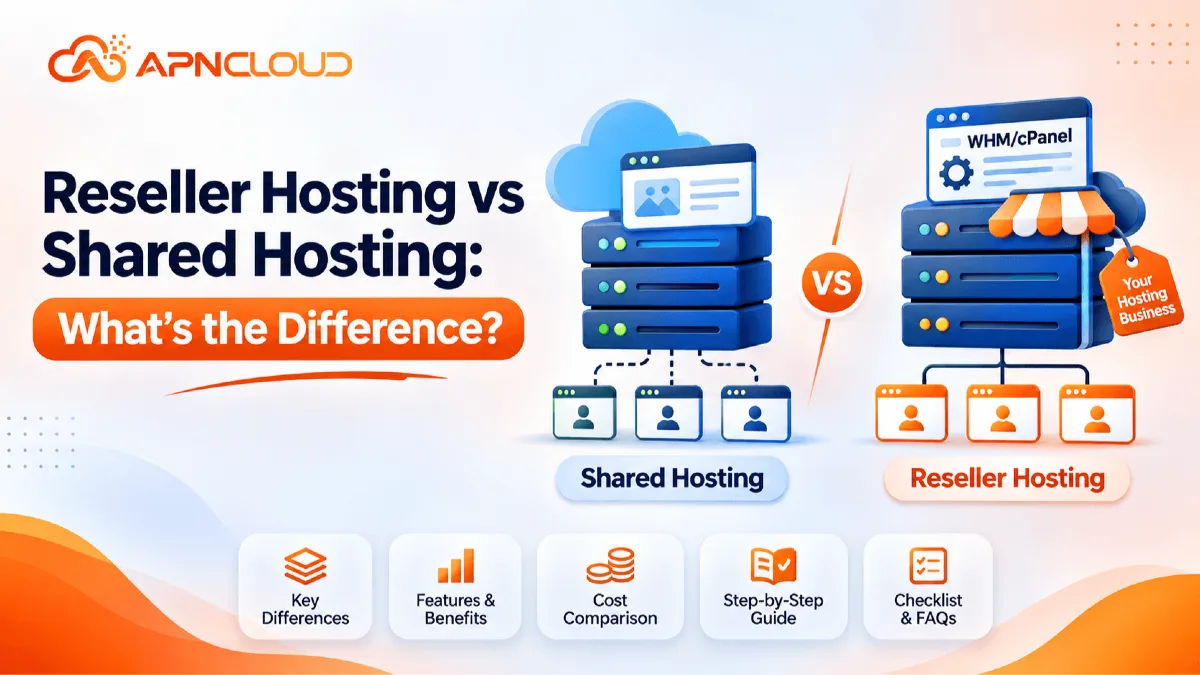
Choosing the right web hosting service is one of the most important decisions when starting an online business, launching a website, or building a digital service company. However, many beginners find it difficult to understand the difference between reseller hosting and shared hosting. Both services allow websites to run on a hosting server, both can be affordable, and both are suitable for different types of users. Despite these similarities, they serve different purposes. Understanding reseller hosting vs shared hosting can help you avoid unnecessary expenses, select the right hosting environment, and make a better long-term business decision. Shared hosting is generally designed for individuals, bloggers, small businesses, and website owners who need hosting for their own websites.
Multiple customers share resources from the same physical server, while each customer manages their own hosting account. It is a straightforward solution because the hosting provider handles the server infrastructure and most of the technical maintenance. Reseller hosting, on the other hand, is designed for people who want to offer hosting services to other customers. Instead of purchasing a separate hosting plan for every client, a reseller purchases a larger hosting package with allocated resources and divides those resources into smaller customer accounts. The reseller can create individual packages, assign storage and other limits, manage customer accounts, and sell hosting under their own business name, depending on the provider's features. For example, imagine that you are a freelance web developer who builds websites for local businesses. You may initially purchase shared hosting to operate your own portfolio website. However, after completing websites for ten different clients, you might want to provide hosting services to those clients as well. A reseller hosting account can make this easier by allowing you to create separate hosting accounts for your customers and manage them through a reseller management interface. This arrangement can also help you offer domain assistance, professional email, website maintenance, and hosting through one business relationship.
The important point is that reseller hosting does not automatically make your websites faster or provide unlimited server resources. It provides a different account-management and service-delivery model. Your actual performance depends on the server, allocated resources, workload, software configuration, and hosting provider. Similarly, shared hosting is not necessarily unsuitable for business websites. Many small businesses operate successfully on shared hosting when their traffic and resource requirements are within the plan limits. Therefore, the right choice depends on what you want to accomplish. If you need a place to host your own website, shared hosting may be enough. If you want to manage separate hosting accounts and build a hosting reseller business, reseller hosting is usually the more appropriate option. This guide explains the differences in simple language, explores practical business examples, and provides a step-by-step approach to choosing the right service.
What Is Shared Hosting?
Shared hosting is a web hosting service in which multiple customer accounts operate on the same physical server and share its available infrastructure resources. These resources can include processor capacity, memory, storage systems, network connectivity, and other server facilities. Each customer receives an individual hosting account with specific limits and permissions. The hosting provider maintains the underlying server, manages the hosting environment, and provides access to tools for managing websites, databases, email accounts, domains, and files. This arrangement makes shared hosting a practical and affordable choice for beginners because customers do not need to purchase or maintain an entire server. For example, someone launching a personal blog may not need a dedicated server with extensive resources. A small shared hosting plan may provide everything necessary to install WordPress, publish articles, configure a domain, create a business email address, and manage website files.
The same approach can work for a portfolio website, a small company website, a local service business, or a simple informational website. When you purchase shared hosting, you normally receive access to a customer hosting account and a control panel. Depending on the provider, this may include features such as file management, database creation, email configuration, SSL certificates, domain management, backups, and application installers. Some providers also offer website migration assistance and technical support. However, the exact features depend on the selected package, so it is important to check the specifications before ordering. One major advantage of shared hosting is simplicity. You do not normally need to manage server operating systems, configure virtualization, maintain physical hardware, or administer the underlying network. The hosting provider takes care of those infrastructure responsibilities. You can concentrate on website development, content publishing, customer communication, and business operations. Shared hosting also has limitations. Since the server infrastructure is shared, the provider must manage resource allocation among multiple accounts.
A website experiencing unusually high traffic or running resource-intensive applications may reach its allocated limits. Performance can also be affected by the overall server environment, depending on how the provider manages workloads. Shared hosting accounts generally do not provide the same administrative flexibility as VPS or dedicated server environments. You should also understand that hosting multiple websites in one shared account is different from creating independent customer hosting accounts. Some shared plans allow multiple domains, but those domains may still be managed within one primary account. This is useful for managing your own websites, but it does not necessarily provide the account separation and customer management required by a hosting reseller. For instance, if you own three websites for different projects, a multi-domain shared hosting plan may be sufficient. If you want to provide three different clients with separate login credentials, individual hosting packages, and independent account management, a reseller plan may be a better fit. Shared hosting is therefore best understood as a service for hosting websites rather than a complete business platform for selling hosting to other people. It offers an accessible starting point for website owners who want dependable hosting without taking on server administration responsibilities.
What Is Reseller Hosting?
Reseller hosting is a hosting service that allows a customer to purchase a larger hosting allocation and distribute its available resources among multiple individual hosting accounts. The person or company purchasing the reseller plan becomes responsible for offering hosting services to their own customers. The hosting infrastructure is provided and maintained by the upstream hosting provider, while the reseller manages customer packages and account-level services within the permissions of the plan. This business model is particularly useful for web developers, digital agencies, freelancers, IT service providers, and entrepreneurs who want to add web hosting to their existing services. Instead of asking every client to purchase hosting independently, a developer can provide website development and hosting together. For example, imagine that a small web design agency creates websites for restaurants, educational institutions, online stores, and local businesses. Every customer needs a hosting environment to keep their website accessible. The agency can purchase reseller hosting and create individual accounts for each customer. It can then offer different packages according to the website's requirements.
A basic business website may receive a smaller package, while an online store may need more storage, databases, or other resources. The reseller determines the customer-facing prices and service packages, subject to the reseller agreement and the upstream provider's terms. One important feature of reseller hosting is account separation. Instead of managing all customer websites inside one shared hosting account, the reseller can create separate hosting users. Each customer can receive their own login details and manage permitted website settings independently. This makes account administration more organised and can reduce the risk of accidentally changing another customer's website configuration. Reseller hosting platforms often provide management tools that allow resellers to create packages, allocate resources, suspend accounts when necessary, and manage customer hosting users. The exact tools depend on the provider and control panel. WHM is commonly associated with cPanel reseller hosting, where Web Host Manager provides reseller-level administration and cPanel provides individual customer account management. Other platforms, including DirectAdmin, offer their own reseller-level account management systems. Therefore, you should not assume that every reseller hosting plan includes WHM or cPanel.
Always verify the actual control panel before purchasing. Reseller hosting also creates business responsibilities. You are not simply buying a website hosting account for personal use. You are creating a service relationship with your customers. You may need to handle invoices, renewals, technical questions, account setup, website migrations, and basic troubleshooting. The upstream provider may assist with infrastructure-related issues, but your customers will generally contact you first. You should also understand that reseller hosting does not mean owning a physical server or receiving unrestricted root access. Your reseller account operates within the resources and permissions assigned to it. You cannot promise customers more storage, memory, or processing capacity than your reseller allocation can reasonably support. For a beginner who wants to start a small hosting business without purchasing server hardware, reseller hosting can provide a more manageable entry point. It allows you to focus on branding, packages, customer relationships, and service quality while the hosting provider operates the underlying infrastructure.
Reseller Hosting vs Shared Hosting: Key Differences
The main difference between reseller hosting and shared hosting is the purpose of the service. Shared hosting is primarily purchased to host websites, whereas reseller hosting is purchased to create and manage hosting accounts for other customers. Although both services may operate on shared server infrastructure, their account structures and management responsibilities are different. In a shared hosting environment, you generally receive one hosting account with a defined set of resources and permissions. You use that account to manage your own website or multiple websites if your plan permits it. In a reseller environment, you receive a reseller-level account that allows you to create multiple separate customer hosting accounts using the available resource allocation. This distinction affects how you manage websites, customers, packages, billing, and technical support. Consider a practical example. A freelancer owns a website called ExampleDesign.com and builds websites for five clients. With shared hosting, the freelancer may host several permitted websites under one account. This can be convenient when the freelancer personally manages all the websites. However, if every client wants an independent login, separate hosting settings, and their own account management experience, the freelancer needs a more suitable account structure.
A reseller plan can provide that structure. Another major difference is the business model. Shared hosting is normally an operating expense for a website owner. Reseller hosting can be an infrastructure expense for a small hosting business. The reseller purchases resources from a provider and creates customer packages at prices that make commercial sense. For example, suppose a reseller pays a fixed monthly amount for a reseller package. They might create ten customer accounts and charge each customer an agreed monthly or annual hosting fee. The difference between revenue and expenses may contribute to business income, but only after accounting for payment fees, taxes, support time, software licences, marketing, refunds, and other operating costs. There is no automatic profit guarantee. Management access is another important distinction. Shared hosting customers normally receive access to their own hosting control panel. Resellers receive additional account-management permissions that allow them to create and manage customer hosting users. The exact permissions depend on the hosting provider. WHM and cPanel are common in cPanel reseller environments, while DirectAdmin has a separate reseller management structure. Resource allocation also works differently. Shared hosting plans specify what the individual customer can use.
A reseller plan specifies the overall resource pool and any account or package limits. The reseller then distributes available resources among customer accounts. This requires careful planning because the combined usage of all accounts must remain within the reseller plan's limits. Customer support responsibilities also differ. Shared hosting customers generally contact their hosting provider directly for hosting assistance. Resellers usually act as the first point of contact for their own customers and escalate infrastructure-related issues to their upstream provider when necessary. Branding is another benefit of reseller hosting. Many reseller services offer white-label options, allowing the reseller to use their own company name, custom nameservers, and customer-facing identity. Shared hosting is usually sold directly under the provider's brand. The following table summarises the differences:
Feature | Shared Hosting | Reseller Hosting |
|---|---|---|
Main purpose | Host your websites | Sell and manage hosting |
Account structure | Individual hosting account | Reseller account with customer accounts |
Customer accounts | Usually one main account | Multiple separate accounts |
Resource management | Provider sets account limits | Reseller allocates permitted resources |
Business model | Website hosting expense | Potential hosting business |
Branding | Provider's brand | White-label options may be available |
Management tools | Customer control panel | Reseller management tools |
WHM access | Not normally included | Available with suitable cPanel reseller plans |
Customer support | Provider supports customer | Reseller supports their own customers |
Pricing control | Provider sets hosting price | Reseller may set customer prices |
Best suited for | Website owners | Agencies, developers, hosting entrepreneurs |
The table provides a general comparison, not a guarantee that every provider offers identical features. Always check the individual product specifications, resource limits, software licences, and service responsibilities before making a decision.
How Hosting Resources and Account Management Work
Understanding how hosting resources are distributed is essential before choosing between shared hosting and reseller hosting. A hosting server has a limited amount of processing capacity, memory, storage, and network capacity. The hosting provider divides the available infrastructure among customer services according to its technical design and product limits. In shared hosting, the customer receives an account with defined limits. Those limits may include storage, databases, email accounts, website count, CPU usage, memory usage, and file limits. The customer can use the resources available to that account but normally cannot create unrestricted independent hosting accounts for other people. In reseller hosting, the reseller receives a larger allocation with the ability to divide it into smaller packages. Think of this as managing a storage facility. The facility owner provides a total amount of space, and the reseller divides that space into individual units for customers. One customer may receive a smaller unit, while another may receive a larger one. The total allocation still has a limit. For example, suppose a reseller plan provides 100 GB of storage. The reseller might create ten packages with different storage allowances. However, the reseller should not allocate more than the plan permits without understanding whether the provider uses strict quotas, flexible limits, or other resource controls.
Even where account limits allow higher advertised allocations, actual storage usage and other resource consumption must be monitored. Storage is only one part of the equation. CPU and RAM are important because websites use processing capacity and memory when executing scripts, handling database queries, generating pages, and processing visitors' requests. A website with a large product catalogue or complex application may use more resources than a simple informational website. Similarly, email activity, backups, scheduled tasks, and background processes can contribute to resource consumption. Bandwidth is another consideration. It represents the amount of data transferred between websites and visitors. A website with many visitors or large downloadable files may consume more bandwidth than a small blog. However, an unmetered bandwidth label should not be interpreted as unlimited CPU, RAM, storage, or permission to run any type of service. Fair-use conditions and acceptable-use policies still apply. Account isolation is equally important. In a reseller environment, separate customer accounts can provide independent login credentials and account-level permissions.
This helps organise customer websites and limits accidental access between accounts. However, separate accounts do not necessarily mean separate physical servers or fully isolated hardware resources. The underlying server may still be shared with other customers. Backups also require attention. A reseller should understand whether backups are included, how frequently they run, how long they are retained, and whether customers can restore their own data. Never assume that a backup feature guarantees recovery in every situation. Test restoration procedures and maintain additional copies of important business data where appropriate. Finally, remember that account management tools do not replace technical planning. Before selling packages, estimate the number of customers, typical website size, expected traffic, database usage, and email requirements. Start with realistic allocations and monitor actual usage over time. This approach helps prevent resource shortages, unnecessary upgrades, and customer dissatisfaction. Good resource management is one of the foundations of a reliable reseller hosting business.
Understanding WHM, cPanel Reseller, and DirectAdmin
Control panels make web hosting easier by providing graphical tools for managing websites, files, databases, email accounts, domains, and other hosting functions. Two names that beginners frequently encounter are WHM and cPanel. They are commonly used together in cPanel reseller hosting environments, but they serve different purposes. WHM stands for Web Host Manager. It is the administrative interface used by authorised server administrators and resellers to manage hosting accounts, packages, and certain account-level settings. A reseller with suitable WHM permissions may create individual customer accounts, assign packages, manage account limits, and perform other permitted operations. cPanel is the customer-facing hosting control panel. It allows individual website owners to manage files, databases, email accounts, domains, SSL settings, backups, and other supported features. In a typical cPanel reseller environment, the reseller uses WHM to create a customer's account, and the customer uses cPanel to manage their own website. This separation makes the service easier to organise. For example, a hosting company may create a package named Starter Website Hosting. The package could include a defined amount of storage, a certain number of databases, email accounts, and other features.
The reseller can then assign that package to a new customer account through the reseller management interface. The customer receives their own login details and can access the features permitted by the package. However, WHM and cPanel licences, supported versions, account limits, and included features depend on the provider and product. They should always be confirmed before purchasing a reseller plan. Another important control panel is DirectAdmin. DirectAdmin supports hosting account management and provides different access levels, including administrator, reseller, and user-level access, depending on the installation and permissions. In a DirectAdmin reseller environment, the reseller can manage hosting users and packages through the reseller interface without necessarily using WHM or cPanel. This distinction is important because some people assume that all reseller hosting services must include WHM. That is incorrect. A reseller plan can use DirectAdmin or another supported platform. The right control panel depends on your technical familiarity, customer expectations, software compatibility, licensing costs, and provider support. If most of your customers already understand cPanel, a cPanel reseller plan may be convenient. If you want a different account-management environment, DirectAdmin may be suitable.
You should compare the features rather than choosing based only on the panel name. Consider questions such as whether the panel supports individual customer accounts, package creation, account suspension, custom nameservers, backup management, email administration, and the features your clients need. Also check whether the provider includes the required software licences in the advertised price or charges them separately. A low introductory price may not represent the full long-term operating cost if essential licences are billed separately. Security is another consideration. Reseller access should be protected with strong, unique credentials and multi-factor authentication where supported. Never share your main reseller login with customers. Create individual accounts and provide each customer with only the access they need. Keep the control panel updated where the provider manages updates, follow recommended security settings, and avoid granting permissions that are not required. A good control panel should make customer management easier, but the quality of the service also depends on the hosting infrastructure, provider support, resource limits, and your own operating procedures.
Benefits of Shared Hosting for Website Owners
Shared hosting remains one of the most practical hosting solutions for beginners because it provides an accessible way to publish a website without requiring advanced server administration knowledge. Its greatest advantage is simplicity. A customer can select a hosting package, connect a domain, install a supported application, and begin building a website through a graphical control panel. The provider takes responsibility for the underlying server environment, including the physical infrastructure and the hosting platform within the scope of its service. This allows website owners to spend more time on their actual goals instead of managing server operations. Affordability is another important benefit. A new blog, portfolio, or small business website may not need the resources of a VPS or dedicated server. Paying for a large server before the website attracts meaningful traffic can create unnecessary expenses. A suitable shared hosting package can provide enough capacity for the early stage of a project. For example, a local photography business may need a website containing service information, contact details, a portfolio gallery, and a simple enquiry form. A well-configured shared hosting account may be sufficient for this purpose. The business can upgrade later if its traffic, storage, or application requirements increase.
Shared hosting also reduces the technical responsibilities of the website owner. Customers generally do not need to install a server operating system, configure virtualization, manage hardware, or maintain a complete server stack. The hosting provider manages the underlying platform, while the customer works through the available hosting tools. This is particularly useful for people who are learning WordPress, publishing articles, creating business websites, or running small online projects. Many hosting providers include features such as SSL certificates, website installers, database management, email accounts, and backup tools. However, included features differ between packages, so users should compare specifications rather than assume every plan offers the same services. Another benefit is that shared hosting can support multiple types of websites, including personal blogs, business websites, portfolios, and some small e-commerce projects. Whether a particular website is suitable depends on the application's technical requirements, expected traffic, security needs, and the resources provided by the plan. A small online store, for example, may start on a suitable shared hosting package, but a growing store with heavy traffic or complex processes may eventually need a more powerful environment.
Shared hosting can also be a useful learning environment. Beginners can learn how domains, DNS, databases, email, SSL, and website files work without taking responsibility for a complete server. These skills are valuable even if they later move to reseller hosting, VPS hosting, or dedicated infrastructure. Nevertheless, users should understand the limitations. Shared hosting does not normally provide reseller-level account creation, full root access, or unrestricted control over server configuration. A plan may allow several websites, but this is not necessarily the same as providing individual customer hosting accounts. Resource limits also matter. If a website consistently exceeds its permitted capacity, the owner may need to optimise the application or upgrade. The best approach is to choose a package that matches current requirements while leaving a reasonable path for future growth. Shared hosting is not an inferior product simply because it is designed for beginners. It is a purpose-built solution for website owners who want a manageable and affordable hosting environment.
Benefits of Reseller Hosting for a Hosting Business
Reseller hosting offers a set of benefits because it is designed to support customer‑facing hosting services. Of buying hosting only for personal websites a reseller can create many customer accounts and sell hosting packages under their own business name following the providers rules. This makes reseller hosting useful for web developers, digital marketing agencies, IT consultants, freelancers and entrepreneurs who already serve website customers. One of the advantages of reseller hosting is the ability to combine related services. A web developer can build a website, arrange hosting set up the domain create email and give basic maintenance all through one business relationship. Customers may like having one contact for these services because it cuts out the need to coordinate with providers. For the reseller this opens a chance to build longer‑term customer relationships of finishing a website project and then ending the relationship.
White‑label branding is another advantage when the plan supports it. A reseller can use a custom business name, branded nameservers and their own customer‑facing service identity. This means customers can buy hosting from the reseller without having to deal with the upstream infrastructure provider for routine account management. The exact branding options depend on the provider. Another important benefit of reseller hosting is package flexibility. The reseller can design packages for different customer groups. A basic package may fit a portfolio a business package may fit a company website and a larger package may fit a growing online store. These packages should match the resources and features available in the reseller account. For example a reseller could create a package that includes a set amount of storage a number of databases email accounts and other supported features. Customers can then pick the package that matches their needs.
Recurring revenue is a benefit of reseller hosting. Hosting is usually sold with annual billing, which can give predictable revenue when customers renew. However revenue is not the same, as profit. A reseller must pay for the reseller plan, billing software, payment processing, marketing, customer support, taxes, refunds and the time needed to keep customers happy. Customer retention is also very important because losing customers cuts down recurring revenue. A successful hosting business therefore depends on service, clear pricing, reliable communication and proper technical support.
Reseller hosting can also help agencies organise their clients. Each customer can get a hosting account, which makes it easier to manage account ownership, login details, usage and service status. If a client later wants to switch to another provider a separate account may make migration and handover easier long as the platforms rules and data access allow it. There are limits to keep in mind. A reseller is not automatically a server administrator and a reseller plan does not always give root access. The upstream provider still owns the hosting infrastructure under the service agreement. The reseller still owns the customer relationship. The promises made to customers. This split of responsibility should be explained clearly in the resellers service terms. Reseller hosting is therefore a way to enter the hosting market without buying physical server equipment. It can support a hosting business but it should be treated as a real service operation instead of a passive income shortcut.
Cost Comparison: Which Hosting Option Is More Affordable?
The cost difference between shared hosting and reseller hosting depends on the provider, available resources, billing period, control panel, included licences, and the number of customer accounts you intend to manage. Shared hosting usually has a lower starting price because it is designed for individual website owners. A customer pays for a package and uses it to host one or more permitted websites. Reseller hosting generally costs more because it includes additional account-management capabilities and a larger allocation of hosting resources. However, comparing only the starting prices can be misleading. You should compare the total cost against the purpose of the service. Suppose you are building a personal website. A shared hosting package may be the most economical option because you do not need reseller management features. Paying extra for a reseller account would not necessarily provide meaningful value if you only need to manage your own website. Now consider a web agency that manages twenty client websites. If every client requires a separate hosting account, the agency may find reseller hosting more convenient. Instead of purchasing and managing many unrelated hosting subscriptions, it can use a suitable reseller package to organise customer accounts. The actual financial benefit depends on the plan price, the resources consumed, and the amount charged to each customer.
A useful way to evaluate a reseller business is to calculate its break-even point. Start by identifying the total monthly operating cost. Include the reseller hosting fee, any separate control panel or software licences, billing system costs, payment processing fees, marketing expenses, support tools, and other recurring expenses. Then estimate the number of customers you can realistically serve. For example, imagine that the total monthly operating cost is $50 and you charge each customer $10 per month. Five paying customers would generate $50 in monthly revenue before any additional expenses not already included in the calculation. This does not automatically mean the business is profitable, because customer support, taxes, refunds, and unexpected costs may still affect the final result. The example simply illustrates why a reseller should calculate costs before advertising packages. Resource planning is equally important. A low-cost reseller package may look attractive, but it might not provide enough storage, account capacity, or processing resources for your expected customer base. Buying a larger plan too early can also increase unnecessary costs. The ideal approach is to estimate your initial customer requirements and select a package that provides reasonable capacity without paying for resources you are unlikely to use. You should also consider annual billing carefully. Some providers offer lower effective prices for longer billing periods, but paying for a long period in advance creates a larger financial commitment. Before selecting an annual plan, check the provider's renewal pricing, refund conditions, upgrade process, and service terms.
Do not base your financial calculations only on introductory promotional prices. Another cost consideration is customer support. A reseller who promises 24/7 direct technical assistance must have a realistic support arrangement. If you are working alone, consider how you will handle customer questions outside your normal working hours. You should also budget for migration assistance and occasional troubleshooting. Finally, compare the value of the complete service rather than the cheapest advertised figure. A slightly more expensive package with appropriate account limits, reliable backups, clear support responsibilities, and suitable management tools may be more practical than a cheaper package that does not meet your operational needs. The most affordable hosting service is the one that meets your requirements at a sustainable total cost.
Performance, Security, and Reliability Considerations
I see that performance, security and reliability matter in both reseller hosting and shared hosting.. The type of hosting account does not decide how fast or secure a website will be. A websites performance depends on things: server hardware, allocated resources, storage technology, network quality, software setup, caching database speed, website code and visitor traffic. A well‑managed shared hosting account can perform better than a set up reseller account. Likewise a reseller plan does not promise that every customer website will load fast. When I look at a hosting service I check the resource specs and infrastructure details. I look at storage type, resource limits, web server tech, PHP versions, database support, backup plans and network info. For WordPress sites caching and good optimisation tools matter too. A website with unoptimised images, useless plugins and slow database queries can perform badly even on a good server.
Thus choosing hosting and optimising a website are. Separate tasks. Security needs the care. Hosting providers usually keep the base infrastructure. Add platform‑level security.. Website owners and resellers must guard their own accounts, apps, passwords and customer data. Use passwords, turn on multi‑factor authentication when possible keep website software up to date and delete useless plugins and themes. Never share the password across many customer accounts. In a reseller business make customer accounts instead of one master login for everyone. That keeps accounts tidy. Cuts extra access. I also set up a plan for security incidents. If a customers website gets compromised I find the affected account call the customer check the security details and work with the provider if infrastructure help is needed. I avoid saying that every attack can be stopped. No hosting can promise protection from all threats.
Backups are a part of reliability. A provider may give backups but I check the schedule, how long backups are kept where they are stored and how to restore. A backup never tested may not give the confidence I want. Resellers should explain duties to customers and suggest extra backups for vital sites. Customers should also keep copies of business data outside the main hosting account when it makes sense. Uptime is another factor. Providers may show a promise but I read the service terms to see what is counted which exclusions exist and what fixes are offered if the promise fails. A reseller should not promise an uptime than the upstream service can give.
For customers, with business apps I think about tools that monitor website availability and warn when a site stops working. I also plan how to talk to customers during maintenance or surprises. Good communication is part of reliability because customers want info when a service is down. In the end both reseller hosting and shared hosting can back websites when chosen and handled right. The best choice comes from technical specs, realistic resource needs, security duties and the providers support rules not just the hosting label.
Which Hosting Option Should You Choose?
Choosing between reseller hosting and shared hosting becomes easier when you begin with your actual requirements rather than the product names. If your main goal is to publish and manage your own website, shared hosting is often the more appropriate starting point. It gives you the tools needed to operate a website without requiring you to manage multiple customer accounts. For example, a student portfolio, personal blog, local business website, small company website, or simple service website may work well on an appropriate shared hosting package. You can start with a smaller plan and upgrade when your website needs additional resources or features. You should check the supported applications, storage allowance, databases, email accounts, SSL availability, backups, and migration options before ordering. If you are a web developer or agency that manages websites for several clients, reseller hosting may be more suitable. It provides a structured way to create separate customer accounts and manage them through a reseller interface. You can offer website hosting alongside development, domain assistance, business email, and maintenance services. This approach can make your service offering more complete and help establish ongoing customer relationships. However, you should be prepared to handle account setup, billing, customer communication, basic troubleshooting, and service renewals.
If you want to start a hosting reseller business from the beginning, consider whether you have a realistic customer acquisition plan. Purchasing a reseller package is only the infrastructure part of the business. You still need a business identity, a clear service description, a pricing structure, customer support arrangements, billing procedures, and an understanding of hosting limitations. A hosting reseller should never advertise unlimited resources unless the provider's actual terms support that statement. Instead, describe the package specifications clearly and explain any fair-use conditions. If your business manages only a few websites but customers do not need independent hosting logins, a suitable multi-domain shared plan may be sufficient. This can be a lower-cost way to manage your own projects. However, if customers need individual credentials and separate account administration, reseller hosting offers a more appropriate structure. You should also consider whether reseller hosting is the right level of technical control. If you need root access, custom server software, specialised application environments, or greater control over operating-system configuration, a VPS or dedicated server may be more suitable. Reseller hosting is designed for managing hosting accounts within an existing platform, not for unrestricted server administration. Another useful decision factor is future growth. A freelancer who expects to add more website clients may benefit from starting with reseller hosting once separate customer account management becomes necessary.
On the other hand, a beginner who is still learning how to create websites may be better off starting with shared hosting and moving to a reseller plan when there is a genuine business requirement. There is no need to purchase a more complex service before you can use its features. Before ordering, write down how many websites you need to host, whether each website requires a separate login, how much storage you expect to use, whether customers will manage their own accounts, and how you plan to provide support. Compare those requirements against the provider's package specifications. The best hosting solution is not necessarily the most expensive or the one with the largest number of features. It is the solution that matches your current needs, supports your responsibilities, and provides a sensible upgrade path as your project or business grows.
Step-by-Step Guide: How to Choose the Right Hosting Service
Choosing the right web hosting service is an important decision for anyone planning to launch a website, manage multiple online projects, or start a hosting business. With different hosting options available, beginners often find it challenging to determine which service will best meet their requirements. Understanding the differences between shared hosting and reseller hosting can help you select a suitable package, avoid unnecessary expenses, and prepare for future growth.
A reliable hosting service should provide sufficient resources, appropriate management tools, dependable technical support, and a clear upgrade path. Instead of choosing a package based only on its advertised price, consider your website requirements, expected traffic, business objectives, and long-term plans.
Follow these ten practical steps to make an informed hosting decision.
Step 1: Identify Your Hosting Purpose and Business Goals
Before purchasing any hosting package, clearly identify why you need web hosting and what you expect to achieve. Your hosting requirements will depend on whether you want to operate a personal website, manage a business website, develop websites for clients, or establish your own hosting business. Understanding your primary purpose will help you decide between shared hosting and reseller hosting.
If you are planning to launch a personal blog, portfolio website, educational website, or small business website, shared hosting may be the most suitable starting point. Shared hosting provides an affordable environment where you can upload website files, manage databases, configure professional email accounts, and install supported applications without managing an entire server. The hosting provider handles the underlying infrastructure, allowing you to focus on website development and business activities.
However, if you are a freelance web developer, digital marketing agency, or entrepreneur planning to sell hosting services, reseller hosting may offer greater flexibility. A reseller hosting account allows you to create separate hosting accounts for different customers and manage their allocated resources through a reseller management interface.
For example, imagine that you develop websites for ten local businesses. Instead of asking every customer to purchase hosting independently, you could offer website development and hosting as a combined service. With reseller hosting, you can create individual accounts for customers, assign suitable packages, and manage their hosting services under your business brand when the provider supports white-label features.
You should also consider your long-term business goals. If you only need to maintain a few websites that you own, purchasing reseller hosting may create unnecessary expenses. However, if you expect to expand your client base and provide recurring hosting services, investing in a suitable reseller package may be worthwhile. The key is to choose a hosting service based on actual requirements rather than purchasing advanced features that you do not currently need.
Step 2: Calculate the Number of Websites and Customer Accounts
The next step is to determine how many websites you need to host and whether those websites require separate hosting accounts. This is one of the most important factors when comparing reseller hosting vs shared hosting because the two services handle website and account management differently. Many shared hosting packages allow customers to host more than one website under a single hosting account. This can be convenient for individuals who own several websites and prefer to manage them through one control panel. For example, a business owner might operate a company website, a personal blog, and a portfolio website using one suitable multi-domain shared hosting package.
However, hosting multiple websites under one account is not the same as creating independent hosting accounts. When several websites share one primary hosting account, they may also share account-level permissions and resource limits. This arrangement may not be suitable when different customers need separate access to their hosting environments. Reseller hosting provides a different account structure. It allows authorised resellers to create individual hosting accounts for customers, assign packages, and manage account-level settings according to the available permissions. Each customer can receive separate login credentials and access the features included in their hosting package.
For example, suppose you manage websites for fifteen different businesses. Some customers may operate simple informational websites, while others may run WordPress blogs or small online stores. With reseller hosting, you can create separate accounts and allocate resources based on each customer's requirements. Before purchasing a hosting plan, prepare a simple list of your existing websites and expected customers. Estimate how many additional websites or hosting accounts you may need during the next six to twelve months. You should also check whether the hosting provider limits the number of domains, websites, or customer accounts. Some reseller plans may include specific account limits, while others may use different resource allocation policies.
Selecting a hosting package with an appropriate account structure will make website management easier and help you avoid unnecessary migrations as your business grows.
Step 3: Estimate Storage, Bandwidth, CPU, and RAM Requirements
Understanding hosting resource requirements is essential for choosing a package that can support your websites without unnecessary performance problems or expenses. Every website consumes server resources, including storage, processing capacity, memory, and network bandwidth. The amount required depends on the website's design, applications, traffic, and daily activities. Start by estimating storage requirements. Storage is used for website files, images, videos, databases, email messages, and other account data. A simple business website containing a few pages and images may require relatively little storage, while a large WordPress website with extensive media files may require significantly more. Next, consider bandwidth. Bandwidth usage is influenced by the amount of data transferred between your website and its visitors. Websites with large images, downloadable files, or substantial visitor traffic may transfer more data than small informational websites.
CPU and RAM are also important. CPU resources help process website requests and execute application code, while RAM supports active processes and application operations. Dynamic websites, database-heavy applications, and online stores may require more processing resources than basic static websites. For shared hosting, review the resources allocated to your individual account. Some providers specify CPU, RAM, inode, process, or other usage limits. Make sure the package is suitable for your website's expected workload. For reseller hosting, resource planning becomes more important because multiple customer accounts operate within the reseller service's overall allocation and applicable limits. You should estimate the combined requirements of your customers and create packages that reflect the resources available.
For example, suppose you plan to provide hosting to twenty customers. Ten customers may operate small business websites, while the remaining customers may require more storage or processing capacity. Instead of assigning identical resources to everyone, you can create different hosting packages according to their actual requirements. Avoid assuming that unlimited or unmetered bandwidth means unrestricted access to every server resource. Hosting providers may still apply CPU, memory, storage, process, or fair-use limits. Choose a package that meets your current needs while providing a reasonable upgrade path for future growth.
Step 4: Compare Hosting Control Panels and Management Features
A hosting control panel is an important part of the hosting experience because it provides the tools needed to manage websites, databases, email accounts, domains, and other hosting functions. Before selecting a hosting service, check which control panel is included and whether it provides the management features you require.
In shared hosting, customers generally receive access to a user-level hosting control panel. This interface allows them to upload website files, create databases, configure email accounts, manage domains, install supported applications, and perform other routine hosting tasks. For beginners, a user-friendly control panel can make website management much easier because it reduces the need to work directly with server commands. Reseller hosting includes additional account-management capabilities. A reseller needs to create customer hosting accounts, assign packages, manage resource allocations, and perform account-level administrative tasks.
Different hosting providers use different control panel platforms. WHM, which stands for Web Host Manager, is commonly used in cPanel reseller hosting environments. WHM allows authorised resellers to manage hosting accounts, while cPanel provides individual customers with tools for managing their websites. DirectAdmin is another hosting control panel that supports reseller-level account management. It provides tools for creating hosting users, managing packages, and administering customer accounts within the permissions assigned to the reseller. For example, a web development agency using a suitable DirectAdmin reseller hosting package can create individual hosting accounts for its customers. Each customer can then manage their own website through the user-level interface.
Before ordering, verify whether the hosting provider includes the required control panel licence, reseller permissions, account limits, and package management tools. You should also check whether the control panel supports SSL management, database administration, email configuration, backups, file management, and application installation. Do not assume that every reseller hosting package includes WHM or cPanel. The available software depends on the hosting provider and selected service. Choose a control panel that matches your technical experience, customer requirements, and preferred account-management workflow.
Step 5: Review Hosting Features, Technology, and Security
After comparing account structures and control panels, carefully review the technical features included in each hosting package. A hosting plan should be evaluated based on its complete specifications rather than one advertised feature. Start by checking the storage technology. Many hosting providers offer SSD or NVMe storage, which can provide advantages over traditional mechanical hard drives for suitable workloads. However, storage technology alone does not determine website performance. Server configuration, resource allocation, application optimisation, and database efficiency also influence loading speed.
Next, review the web server technology and supported software. If you plan to host WordPress websites, confirm that the hosting environment supports the required PHP versions, databases, and other dependencies. If your project uses Laravel or another framework, verify its technical requirements before purchasing. SSL certificates are another important consideration. SSL helps protect data transmitted between visitors and websites through encrypted HTTPS connections. Check whether SSL certificates are included and how they are installed or renewed.
Backup availability should also be reviewed. Some hosting providers include scheduled backups, while others may offer backups as an additional service. Confirm the backup frequency, retention period, restoration options, and any applicable limitations. Security features are equally important. Look for appropriate account permissions, authentication options, server security measures, and supported software updates. If you operate a reseller hosting business, customer accounts should be managed separately, and access should be restricted to authorised users.
For example, a reseller hosting twenty customer websites should avoid sharing one master account password with every customer. Instead, each customer should receive individual credentials for their own hosting account. You should also review email hosting features, database limits, file limits, application installers, DNS management, and website migration options.
Finally, consider the provider's server location and network connectivity. Hosting infrastructure closer to your main audience may help reduce network latency, although actual performance depends on several factors. Choose a hosting package that provides the features your websites genuinely require, with clear specifications and suitable security arrangements.
Step 6: Evaluate Customer Support and Technical Assistance
Technical support is an important factor when choosing a hosting provider, especially if you are a beginner or plan to manage websites for customers. Even well-configured websites can occasionally experience problems involving domains, DNS records, SSL certificates, databases, email services, or application settings. Before purchasing a hosting package, review the provider's available support channels. These may include support tickets, email, live chat, or other communication methods. Check the advertised support hours and understand what types of assistance are included. For shared hosting customers, technical support is usually more straightforward because the customer communicates directly with the hosting provider. If a website becomes inaccessible or an email service stops working, the customer can contact the provider for assistance within the scope of the hosting service.
Reseller hosting introduces additional responsibilities. When you sell hosting under your own brand, your customers will generally contact you first when they experience problems. You may need to investigate account-level issues and communicate with the upstream provider when infrastructure-related assistance is required. For example, imagine that a customer reports that their WordPress website is displaying a database connection error. As the reseller, you should first check the available account information, identify whether the problem appears to involve website configuration or the hosting environment, and escalate the issue when necessary. You should also prepare a simple support process for common customer requests. These may include password resets, domain configuration, SSL installation, email setup, website migration, and backup restoration.
If you operate a hosting business, consider creating a knowledge base containing step-by-step instructions for routine tasks. This can help customers solve simple problems independently and reduce repetitive support requests. Avoid promising technical support services that you cannot realistically deliver. For example, if you advertise 24/7 assistance, you should have an arrangement that can support that commitment. Reliable customer communication is an important part of a professional hosting service. Choose a provider whose support policies match your needs and establish clear responsibilities before accepting customers.
Step 7: Compare Hosting Prices, Renewal Fees, and Operating Costs
Hosting prices can vary depending on the provider, available resources, control panel, billing period, and included services. Although price is important, selecting the cheapest package without reviewing its limitations can lead to additional expenses later. Shared hosting generally has a lower starting cost because it is designed for individual website owners. A small business or personal website may not require the additional account-management capabilities included in reseller hosting. Reseller hosting usually involves a higher initial expense because it provides resources and tools for managing multiple customer hosting accounts. However, the additional cost may be justified when you plan to sell hosting services.
Before purchasing, compare the monthly and annual prices of suitable packages. Check whether the advertised price is introductory or represents the standard renewal rate. You should also review possible additional charges, including control panel licences, billing software, domain registration, payment processing, migrations, and optional security or backup services. For example, suppose a reseller hosting package costs $30 per month. If you sell hosting to ten customers at $6 per month, your total monthly hosting revenue would be $60. After subtracting the $30 hosting fee, $30 would remain before accounting for other operating expenses.
This example does not represent guaranteed profit. You must also consider customer support, payment fees, marketing, taxes, software licences, refunds, and other costs. If you are starting a reseller hosting business, calculate your break-even point before advertising packages. Estimate how many customers you need to cover your recurring expenses. It is also important to understand upgrade pricing. Your business may eventually require additional storage, more customer accounts, or a larger resource allocation. Choose a hosting package that provides reasonable value based on your current requirements and expected growth rather than focusing only on the lowest advertised price.
Step 8: Read Hosting Terms, Resource Policies, and Refund Conditions
Before ordering shared hosting or reseller hosting, carefully review the hosting provider's service terms and policies. These documents explain the conditions under which you can use the hosting service and describe important responsibilities for both the provider and the customer. Start with the Terms of Service. This document may explain billing conditions, renewal procedures, account responsibilities, service restrictions, and circumstances under which an account may be suspended or terminated. Next, review the Acceptable Use Policy. Hosting providers commonly restrict activities that may affect server security, network stability, or other customers. Understanding these restrictions is especially important for resellers because their customers' activities may also affect the reseller service.
Resource usage policies should also be checked. A hosting package may advertise generous storage or unmetered bandwidth while applying limits to CPU usage, RAM, file counts, database operations, or other resources. For example, a website that consumes excessive processing resources may exceed its allocated limits even if it has not reached its storage allowance. Review the provider's backup policy as well. Confirm whether backups are included, how frequently they are created, and what restoration options are available. Do not assume that every hosting provider offers identical backup guarantees.
Refund conditions are another important consideration. Some hosting services may offer a refund period, while others may have exclusions for particular products, setup fees, or service types. If you are purchasing reseller hosting, verify that commercial reselling is permitted and understand any restrictions on customer account creation, branding, or resource allocation.
You should also review renewal policies, service-level commitments, and account cancellation procedures. Taking time to understand these conditions can help prevent misunderstandings and unexpected charges. It also allows you to communicate accurate service terms to your own customers.
Step 9: Set Up Your Hosting Account and Configure Essential Services
After selecting a suitable hosting package, the next step is to configure your account and prepare your website or hosting business for operation. The exact setup process depends on whether you purchased shared hosting or reseller hosting. For shared hosting, begin by accessing your hosting control panel using the credentials provided by your hosting company. Make sure your account details are stored securely and enable additional authentication features where supported. Next, connect your domain to the hosting service. This may involve updating nameservers or DNS records through your domain registrar. DNS changes can take time to become visible across different networks.
Once the domain is connected, configure SSL so that your website can use HTTPS. Then upload your website files or install a supported content management system such as WordPress. Create the necessary databases, configure email accounts if required, and test your website to confirm that pages, forms, and other features work correctly. For reseller hosting, additional setup steps are required. Begin by accessing the reseller management interface and reviewing your available resource allocation.
Create hosting packages based on the resources and features you intend to provide. For example, you may offer separate packages for personal websites, small businesses, and customers with larger requirements. Next, configure your business branding and custom nameservers if these features are supported by your provider. Create a test customer account and verify that the account receives the correct package limits and permissions. Check whether the customer can access their hosting control panel and manage the expected features.
If you plan to automate hosting orders, configure a suitable billing and provisioning system and test the process before accepting real customer orders. Finally, verify SSL functionality, DNS settings, email delivery, backup arrangements, and website accessibility. A careful setup process helps reduce configuration mistakes and provides a more professional experience for your customers.
Step 10: Monitor Hosting Performance and Prepare for Future Growth
Choosing and configuring a hosting package is only the beginning. Regular monitoring is important for maintaining website performance, managing resources, and identifying when your hosting requirements change. Start by reviewing your website's availability and loading performance. If pages become unusually slow, investigate possible causes such as large images, inefficient applications, database queries, caching configuration, or resource limitations. Monitor storage usage and other available resource statistics through your hosting control panel. This can help you identify when an account is approaching its allocated limits.
For shared hosting, review your website's traffic and resource consumption periodically. If your website grows significantly or requires additional software flexibility, you may eventually need to upgrade to a larger hosting package or another hosting environment. For reseller hosting, monitoring is more complex because you manage multiple customer accounts. Review individual account usage and the overall reseller allocation to understand how your available resources are being consumed. For example, if several customer websites begin using more storage or processing capacity, you may need to adjust package allocations, recommend suitable upgrades, or increase your reseller resources.
Security monitoring is also important. Encourage customers to maintain updated website applications, use strong passwords, and protect their login credentials. Review backup status regularly and test restoration procedures where possible. Backups should be treated as part of an ongoing data protection strategy rather than a one-time configuration.
If you operate a reseller hosting business, monitor customer renewals, support requests, service cancellations, and recurring expenses. These business indicators can help you understand whether your service is growing sustainably. You should also maintain a clear upgrade plan. Before your current package reaches its limits, review the available upgrade options and any migration requirements.
Regular monitoring and responsible resource management can help you maintain a stable hosting environment and prepare your websites or hosting business for future growth.
How to Start a Reseller Hosting Business
Starting a reseller hosting business can be a practical opportunity for people who already work in website development, digital services, or IT support. However, it should be treated as a real business with clear responsibilities, not simply as a way to purchase hosting at a lower price and sell it at a higher price. The first step is to identify your target customers. You might focus on freelancers, local businesses, WordPress website owners, small online stores, professional service providers, or organisations that need basic website hosting. Choosing a target market helps you design packages and communicate your services more clearly. The second step is to select a suitable reseller provider. Compare available resources, account limits, control panel features, white-label options, custom nameservers, backups, support, and upgrade policies. Make sure the provider permits commercial reselling under its terms. The third step is to create your business identity. Choose a professional business name, register a suitable domain, prepare a logo, and create a website that explains your hosting services. Your website should clearly describe the available packages, technical specifications, billing periods, renewal conditions, support arrangements, and terms of service. Avoid using misleading claims such as unlimited CPU or guaranteed performance without evidence.
The fourth step is to design your hosting packages. You could offer a basic package for portfolio websites, a business package for company websites, and a larger package for customers with higher storage or application requirements. Each package should specify its limits, including storage, databases, email accounts, supported domains, and other relevant features. The fifth step is to configure customer account management. Use the reseller management panel to create and test customer accounts. Check that customers can log in, access their own website files, manage databases, and use the features included in their packages. Test the account separation and permissions before selling the service. The sixth step is to establish billing procedures. Customers should receive clear invoices, renewal reminders, payment instructions, and service information. You can use a suitable billing platform to organise subscriptions and service records. If you use automation, test the order and provisioning process carefully so that customers receive the correct package. The seventh step is to prepare a support process. Create a knowledge base covering common topics such as domain connection, DNS updates, SSL installation, email configuration, WordPress installation, backups, and website migration. Explain how customers can contact you and what types of support are included. You should also establish an escalation process for issues that require assistance from the upstream hosting provider.
The eighth step is to plan customer acquisition. You can promote your services through your existing website development customers, business network, educational content, and appropriate online marketing. Offering hosting to an existing client base can be easier than trying to acquire completely new customers because those clients may already trust your development services. The ninth step is to maintain service quality. Monitor resource usage, keep customer records organised, review renewal dates, and communicate clearly about maintenance or service changes. The tenth step is to review business performance. Track customer numbers, recurring revenue, expenses, cancellations, support workload, and customer satisfaction. Upgrade your reseller package when actual resource usage and customer demand justify the additional cost. Remember that your upstream provider supplies the infrastructure, but you remain responsible for the customer relationship and the promises you make. A professional reseller hosting business grows through transparency, suitable packages, responsible account management, and consistent customer service.
Common Mistakes to Avoid When Choosing Hosting
Many hosting problems begin before a customer even orders a package. Beginners often choose a plan based on its advertised price or a single feature without checking whether it matches their actual requirements. One common mistake is purchasing shared hosting when the real requirement is independent customer account management. A multi-domain shared hosting plan may allow several websites, but it does not necessarily provide separate customer hosting accounts. If you want to give different clients their own login credentials and account-level permissions, you should check reseller hosting instead. The opposite mistake also happens. Some beginners purchase reseller hosting even though they only need to operate one personal website. In that situation, the extra reseller management features may not provide enough value to justify the higher cost. Another mistake is assuming that all reseller plans include WHM and cPanel. Some providers use DirectAdmin or another control panel. Before ordering, confirm the exact software, licence arrangements, account limits, and available management permissions. A related mistake is confusing account separation with dedicated hardware. Separate reseller customer accounts do not automatically mean each website has its own physical server or dedicated CPU and RAM. The underlying infrastructure may still be shared.
Always review the resource allocation and technical specifications. Another common problem is overselling resources. A reseller might advertise large customer packages without calculating the total available storage, memory, processing capacity, or other limits. This can create problems when several customers use their websites heavily at the same time. Create packages that match the actual reseller allocation and monitor usage regularly. Beginners may also underestimate customer support responsibilities. When selling hosting under your own brand, customers will generally expect you to answer questions about account access, email, domains, website errors, and billing. If you do not have a support process, even simple problems can become difficult to manage. Another mistake is ignoring renewal pricing. Introductory prices may differ from standard renewal prices, and separate software licences may add to the long-term cost. Always calculate the total expense before committing to a long billing period.
Backup assumptions can also create serious problems. Some customers assume that an automated backup system guarantees complete data recovery. In reality, backup frequency, retention, restoration access, and exclusions vary by provider. Check those details and test the restoration process. Security should not be overlooked either. Sharing a master reseller login with customers, using weak passwords, or failing to update website applications can expose accounts to unnecessary risks. Provide individual customer access and use strong authentication. Another mistake is promising unlimited hosting resources. Even if a plan advertises unmetered bandwidth, it may still have storage, CPU, memory, inode, process, or fair-use limitations. Read the provider's terms and describe packages accurately. Finally, avoid choosing a provider based only on marketing claims. Review its service specifications, support policies, migration arrangements, and terms. If a feature is important to your project, obtain confirmation before ordering. Avoiding these mistakes helps website owners select suitable hosting and helps resellers build a more sustainable service operation.
Hosting Selection Checklist
Before purchasing shared hosting or reseller hosting, use a checklist to confirm that the service meets your requirements. Start with the purpose of the account. Are you hosting your own website, or do you need to create separate accounts for multiple customers? This question determines which type of hosting you should investigate. Next, consider the number of websites and customer accounts you expect to manage. If you only operate one website, a suitable shared hosting plan may be sufficient. If you provide hosting to several customers, look for a reseller package that supports the required number of accounts. Check the resource allocation carefully. Storage, CPU usage, RAM policies, databases, email accounts, website limits, and bandwidth conditions should all be reviewed. Do not assume that a package provides unlimited access simply because one resource is described as unmetered. Review the control panel. If you need WHM and cPanel, confirm that the provider includes the relevant reseller-level and customer-level interfaces. If you prefer DirectAdmin, check that the reseller plan supports creating and managing hosting users. Review the branding features.
For a reseller business, custom nameservers, white-label branding, and the ability to use your own business identity may be valuable. Check whether these features are included or available as additional services. Examine the backup arrangements. Confirm backup frequency, retention, restoration procedures, and whether backups are included in the plan. Review security features, including SSL availability, account isolation, authentication options, and the provider's infrastructure security practices. Check website compatibility. Make sure the hosting environment supports your required application, programming language, PHP version, database system, and other technical dependencies. For WordPress, consider supported caching options and the ability to manage website files and databases. Review the provider's customer support channels and operating hours. For resellers, clarify which technical problems the provider handles and which customer issues you must manage yourself. Check migration assistance if you are moving existing websites from another hosting provider. Review the billing structure, including introductory prices, standard renewal prices, billing periods, taxes, software licences, upgrade charges, and refund conditions. If you are starting a hosting business, calculate the break-even point and prepare a realistic customer pricing structure.
Finally, read the terms of service and acceptable-use policy. Understand the restrictions on resource usage, customer content, backups, account suspension, and commercial reselling. Keep a record of the package specifications you promise to customers so that your advertising and actual service remain consistent. Once you have checked these areas, compare two or three suitable packages and choose the one that matches your requirements. You do not need every advanced feature from day one. Select a service that offers the account structure, resources, support, and flexibility you genuinely need. A careful selection process can reduce unnecessary spending and make hosting management easier as your website or customer base grows.
Frequently Asked Questions
1. What is the main difference between reseller hosting and shared hosting?
Shared hosting is designed for customers who want to host their own websites within an individual hosting account. Reseller hosting allows customers to create and manage multiple separate hosting accounts using the resources allocated to their reseller package. The main difference is therefore account management and business purpose. Shared hosting is primarily for website owners, while reseller hosting is suitable for people who want to offer hosting services to other customers.
2. Is reseller hosting better than shared hosting?
Neither service is universally better. Shared hosting is often more suitable for individuals and businesses that need hosting for their own websites. Reseller hosting is more suitable for developers, agencies, and entrepreneurs who want to create separate customer accounts and sell hosting under their own brand. Your requirements should determine the choice.
3. Can I start a hosting business with reseller hosting?
Yes. A suitable reseller hosting plan can provide the infrastructure and account-management tools needed to begin offering hosting services. You will still need a business website, customer packages, pricing, billing procedures, customer support, and a clear understanding of the provider's terms and resource limits.
4. What is WHM in reseller hosting?
WHM stands for Web Host Manager. It is an administrative interface commonly used in cPanel reseller hosting. Depending on the reseller permissions, it allows authorised users to create and manage customer hosting accounts, configure packages, and perform other account-management tasks.
5. Is WHM the same as cPanel?
No. WHM and cPanel have different purposes. WHM is generally used for reseller or server-level account management, while cPanel is designed for individual hosting customers to manage websites, databases, email accounts, files, and domains. They are commonly provided together in cPanel reseller environments.
6. Does every reseller hosting plan include cPanel?
No. Different hosting providers use different control panels. Some reseller plans include WHM and cPanel, while others use DirectAdmin or another platform. Always confirm the control panel and software licence before purchasing.
7. Can I host multiple websites with shared hosting?
Some shared hosting packages allow multiple websites or addon domains. However, these websites may be managed within one primary hosting account. If you need independent hosting accounts for different customers, reseller hosting is generally more appropriate.
8. Can I give my customers separate login details?
Yes, reseller hosting is designed to support separate customer hosting accounts when the selected platform and package provide this feature. Each customer can receive their own login details and manage the features permitted by their account.
9. Is reseller hosting profitable?
Reseller hosting can support a profitable business, but profit is not guaranteed. It depends on your customer base, pricing, resource usage, hosting costs, payment fees, marketing, support workload, and other expenses. Calculate your break-even point before launching your service.
10. Do I need technical knowledge to use reseller hosting?
Basic hosting knowledge is helpful. You should understand domains, DNS, hosting accounts, email, databases, SSL, backups, and basic website troubleshooting. You do not necessarily need to be a server administrator because the upstream provider manages the underlying infrastructure within the service agreement.
11. Can I use reseller hosting for WordPress websites?
Yes, provided the hosting environment supports the WordPress requirements. You can create separate hosting accounts for customers and install WordPress where the package includes the necessary features. Performance depends on the available resources, website configuration, and traffic.
12. Is reseller hosting the same as VPS hosting?
No. Reseller hosting provides account-management capabilities for creating and managing customer hosting accounts. VPS hosting provides a virtual server with allocated resources and, depending on the service, administrative access. A VPS may offer greater software and server configuration flexibility, but it also involves additional administration responsibilities.
13. Can I upgrade my reseller hosting plan later?
Many providers offer reseller plan upgrades, allowing customers to increase available resources as their business grows. Upgrade availability, pricing, migration requirements, and timing depend on the provider. Confirm the upgrade policy before ordering.
14. Who provides technical support in reseller hosting?
The upstream hosting provider generally supports the reseller service and underlying infrastructure according to its service terms. The reseller normally handles first-line customer communication, account questions, billing, and routine website assistance. The exact division of responsibilities should be confirmed with the provider.
15. Which hosting is best for a web development agency?
A web development agency that manages independent hosting accounts for multiple clients may benefit from reseller hosting. It can combine website development, hosting, domain assistance, and maintenance services. If the agency only manages its own websites, a multi-domain shared hosting plan may be sufficient.
16. Can I use my own company name for reseller hosting?
Many reseller hosting providers offer white-label features. These may include custom nameservers and branded customer-facing services. The available branding options depend on the provider and selected plan, so check the specifications before ordering.
17. Does reseller hosting provide dedicated server resources?
Not necessarily. Reseller hosting generally operates within an allocated resource pool on the provider's hosting infrastructure. Separate customer accounts do not automatically mean dedicated physical hardware or exclusive CPU and RAM. Check the exact resource allocation and service description.
18. Should beginners choose shared hosting or reseller hosting?
Beginners who want to launch a personal website or small business website can usually start with shared hosting. Beginners who already have a clear plan to sell hosting services to customers may consider reseller hosting. The best choice depends on the intended use rather than experience level alone.
Choose the Hosting That Matches Your Goals
Understanding reseller hosting vs shared hosting is important because both services solve different problems. Shared hosting offers a straightforward way to publish and manage websites without taking responsibility for a complete server environment. It is a practical choice for individuals, bloggers, freelancers, and small businesses that need an affordable hosting solution for their own projects. Reseller hosting is designed for a different purpose. It provides the ability to create and manage separate customer hosting accounts, allocate resources within the purchased plan, and offer hosting services under your own business identity when white-label features are available. For web developers, digital agencies, and IT service providers, this can be a useful way to expand their service offerings and build longer-term relationships with customers.
However, choosing reseller hosting also means accepting additional business responsibilities. You need to plan customer packages, understand resource limits, manage account access, handle billing, provide first-line support, and communicate clearly about service conditions. A reseller should never promise more than the upstream hosting infrastructure can deliver. Before purchasing any hosting plan, consider your current requirements, expected growth, control panel preferences, support needs, and total operating costs. If you are hosting one or a few websites for yourself, a suitable shared hosting package may be all you need. If you want to create individual hosting accounts for clients and develop a hosting business, reseller hosting is worth considering. APNCloud provides hosting solutions for different requirements, including shared hosting, reseller hosting, and cloud VPS hosting. Its reseller offering is designed to help developers, agencies, and entrepreneurs manage customer hosting accounts through DirectAdmin, create packages, use white-label features, and build their own hosting brand.
You can explore the available options and review the specifications before choosing a suitable plan. Whether you are launching your first website or planning to offer hosting to multiple customers, start with the right account structure, understand the service limitations, and choose a provider that supports your long-term goals. A well-planned hosting decision can make website management simpler and create a stronger foundation for future growth.
Keep reading
Related articles
How to Start a Web Hosting Business With Reseller Hosting
Starting a web hosting business does not require owning expensive servers or building a data center. Reseller hosting allows entrepreneurs, freelancers, and web developers to sell hosting services under their own brand while using infrastructure managed by an established provider. This beginner-friendly guide explains how to choose reseller hosting, create hosting packages, set competitive prices, build a professional website, manage customers, avoid common mistakes, and grow a sustainable hosti

Best Reseller Hosting for Starting a Web Hosting Business
Starting a web hosting business does not always require expensive servers or advanced technical knowledge. The right reseller hosting solution lets entrepreneurs create hosting packages, manage customer accounts, establish their own brand, and build recurring revenue. This guide explains how to choose reliable reseller hosting, calculate costs, avoid common mistakes, and launch a sustainable hosting business.

How Reseller Hosting Works: Everything You Need to Know
Reseller hosting allows individuals, freelancers, and businesses to sell web hosting services under their own brand without owning physical servers. This beginner-friendly guide explains how reseller hosting works, how hosting resources are distributed, how customer accounts are managed, and how to build a profitable hosting business. Learn about pricing, technical responsibilities, common mistakes, and practical steps for getting started.
Never miss a post
Fresh guides, product updates and hosting resources from the APNCloud team.