Managed vs Shared WordPress Hosting: Which Is Better?
Choosing between managed and shared WordPress hosting can significantly influence your website's performance, security, maintenance, and operating costs. This comprehensive guide explains the key differences, advantages, disadvantages, and practical considerations to help beginners and business owners select the right WordPress hosting solution.
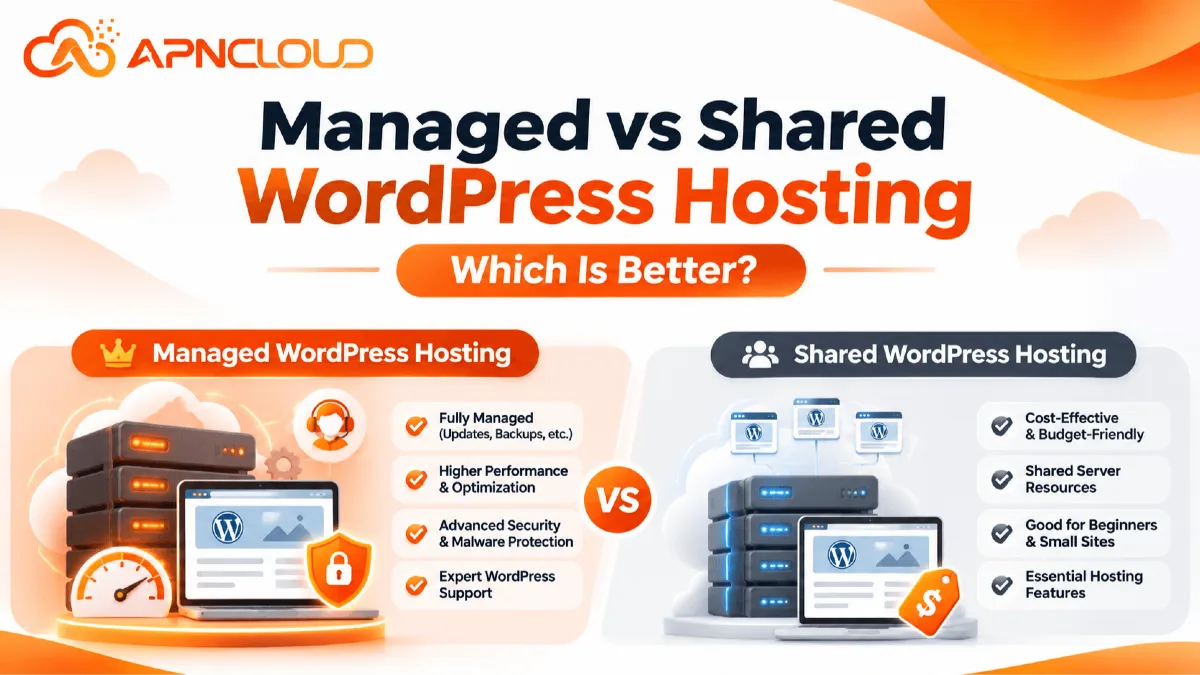
Choosing the right hosting service is one of the most important decisions when launching a WordPress website. Whether you are creating a personal blog, developing a small business website, building an online store, or establishing a professional digital presence, your hosting environment directly influences how your website performs and operates. Among the many hosting options available, shared WordPress hosting and managed WordPress hosting are two popular choices. However, understanding the differences between managed vs shared WordPress hosting can be challenging for beginners who are unfamiliar with server management, website optimization, technical maintenance, and hosting infrastructure. Both solutions allow you to build and operate a WordPress website, but they differ in their management responsibilities, resource allocation, technical features, security configurations, and overall pricing structures. Shared WordPress hosting generally provides an affordable environment where multiple websites operate on the same physical or virtual server infrastructure.
This arrangement allows hosting providers to distribute infrastructure costs among several customers, making hosting more accessible to individuals, startups, and small businesses with limited budgets. Managed WordPress hosting, on the other hand, typically includes additional WordPress-specific management services designed to simplify website administration and improve operational efficiency. Depending on the provider and selected plan, these services may include automated backups, WordPress updates, server-level caching, security monitoring, performance optimization, staging environments, and specialized technical support. However, managed hosting does not necessarily mean that your website operates on a dedicated server. Many managed WordPress hosting providers also use shared infrastructure while offering additional management features and optimized configurations.
Understanding this distinction is essential because the term managed describes the level of service rather than a specific infrastructure model. For example, imagine that you are launching a website for a local clothing business. Initially, your website may contain a homepage, product information, contact details, customer testimonials, and several blog articles. A reliable shared hosting plan could provide sufficient resources for these requirements while helping you control your initial expenses. As your business expands, however, you may introduce an online store, receive more visitors, install additional plugins, and process customer orders. These developments can increase the technical demands placed on your website. A managed WordPress hosting solution may then become attractive because it can reduce maintenance responsibilities and provide additional optimization features. Nevertheless, upgrading should be based on actual website requirements rather than marketing terminology alone. A well-configured shared hosting environment can sometimes deliver better results than a poorly configured managed hosting service. Similarly, purchasing an expensive hosting package does not automatically guarantee excellent WordPress performance if your website contains inefficient plugins, oversized images, outdated software, or poorly developed themes.
The most effective approach involves evaluating hosting resources, support quality, management features, security practices, and future growth requirements together. At APNCloud, website owners can explore hosting solutions according to their technical needs and business objectives. Before selecting a package, it is important to review the current specifications, included services, renewal prices, and applicable resource limits. Throughout this comprehensive guide, you will learn how shared and managed WordPress hosting work, why their differences matter, how to compare their features, and which solution may be more suitable for different website types. You will also discover practical selection steps, common hosting mistakes, a preparation checklist, and answers to frequently asked questions. By understanding these essential concepts, you can make an informed hosting decision that supports your website's reliability, usability, security, and long-term development without paying unnecessarily for features that your business does not currently require.
What Is Shared WordPress Hosting?
Shared WordPress hosting is a type of web hosting service in which multiple websites operate on the same server infrastructure while maintaining separate hosting accounts, website files, databases, and administrative access. Instead of purchasing an entire physical server or maintaining an independent virtual server, website owners rent a portion of the available hosting environment. The hosting provider manages the underlying infrastructure, including server hardware, networking, operating systems, and essential server software, while customers generally remain responsible for managing their WordPress installations, themes, plugins, website content, and individual security settings. This hosting model is particularly popular among beginners because it offers an affordable and relatively straightforward way to establish an online presence without requiring advanced server administration knowledge. Most modern shared WordPress web hosting services provide a user-friendly control panel through which customers can install WordPress, create databases, configure professional email accounts, manage domains, upload website files, and access various hosting tools.
Depending on the selected package, additional features may include SSL certificates, automated backups, SSD or NVMe storage, caching technologies, malware scanning, and technical support. Although multiple hosting accounts operate within the same server environment, reputable hosting providers implement account isolation and resource management mechanisms to reduce the risk of one website interfering with another. Nevertheless, each hosting account typically has defined resource limitations, including CPU usage, RAM allocation, disk input and output, storage capacity, concurrent processes, and database activity. These limitations help maintain stability across the shared infrastructure. When a WordPress website consistently exceeds its allocated resources, visitors may experience slower loading times, temporary errors, or reduced responsiveness until the website is optimized or upgraded to a more suitable hosting package. For example, consider a freelance graphic designer who wants to publish a professional portfolio containing service descriptions, previous projects, a contact form, and occasional blog posts. This type of website generally does not require extensive server resources or complex management services. A properly selected shared WordPress hosting plan may provide everything necessary to establish and maintain the website at a reasonable cost.
The designer can install WordPress, select a lightweight theme, optimize images, activate caching, and perform regular software updates without purchasing a premium hosting package. Shared hosting is also useful for students learning website development, local businesses creating informational websites, bloggers publishing articles, and entrepreneurs testing new business ideas. However, website owners should understand that affordable pricing does not eliminate their responsibility for maintaining the application itself. WordPress core updates, plugin compatibility, administrator account protection, independent backup verification, and website optimization remain important tasks unless the provider explicitly includes these services. Another advantage of shared hosting is its flexibility for customers who need additional applications alongside WordPress. Some shared hosting packages support custom PHP websites, multiple databases, business email accounts, and other compatible content management systems.
This flexibility can be beneficial for freelancers or small organizations managing several digital projects from one hosting account. Before purchasing shared hosting, customers should review the available server resources, website limits, backup policies, software compatibility, technical support scope, renewal pricing, and upgrade options. They should also avoid assuming that an unlimited bandwidth advertisement means unlimited processing power because CPU, memory, storage, and other operational restrictions may still apply. Ultimately, shared WordPress hosting is an economical starting point for websites with manageable resource requirements and owners who are comfortable performing basic website maintenance. Its suitability depends on the quality of the hosting infrastructure, the efficiency of the website, and the level of administrative responsibility the customer is prepared to accept.
What Is Managed WordPress Hosting?
Managed WordPress hosting is a specialized hosting service designed to simplify the technical operation, maintenance, security, and performance management of WordPress websites. Unlike conventional shared hosting, where customers generally handle most WordPress-specific maintenance activities themselves, managed WordPress hosting typically includes additional tools and professional services that help website owners maintain a more efficient and organized hosting environment. The exact responsibilities handled by the hosting provider vary considerably between companies and individual WordPress hosting plans. Therefore, customers should carefully examine what the term managed means before purchasing a service. Common managed hosting features may include automatic WordPress core updates, scheduled backups, server-level caching, security monitoring, optimized PHP configurations, staging environments, database optimization tools, and access to technical support personnel familiar with WordPress-related issues.
Some providers also offer assistance with website migration, performance troubleshooting, malware remediation, and plugin compatibility problems, although these services may be subject to specific limitations or additional charges. One of the primary benefits of managed WordPress hosting is that it allows website owners to dedicate more time to their business activities rather than technical administration. For example, a small accounting firm may operate a WordPress website that publishes professional services, educational articles, appointment booking forms, and business contact information. The company's employees may have limited experience managing website security, software compatibility, and server performance. A suitable managed WordPress hosting package could help reduce these technical responsibilities while allowing the team to concentrate on serving customers and publishing useful content.
However, managed hosting does not mean that website owners can completely ignore their websites. They must still use secure passwords, manage administrator permissions, maintain appropriate privacy practices, review website functionality after updates, and ensure that third-party plugins and themes remain suitable for their business requirements. Another important characteristic of managed hosting is its potential to provide a more specialized WordPress performance environment. Hosting providers may configure server software, database settings, PHP workers, and caching systems specifically to support WordPress workloads. These configurations can reduce unnecessary processing and improve the efficiency of frequently accessed website pages. Nevertheless, actual performance depends on several factors, including resource availability, website architecture, plugin quality, visitor behavior, and geographic distance between the hosting server and its audience. A poorly optimized WordPress website can still experience performance problems on a managed hosting platform. Managed hosting may also impose certain restrictions on plugins, custom server configurations, scheduled tasks, or non-WordPress applications.
These limitations are sometimes introduced to maintain compatibility with the provider's optimization and security systems. Consequently, developers requiring unusual server configurations should confirm compatibility before selecting a managed package. Managed WordPress hosting is particularly attractive to established businesses, professional bloggers, marketing agencies, online publications, and website owners who prefer a more structured maintenance process. It may also be suitable for organizations whose websites generate inquiries, subscriptions, bookings, or product sales, where technical interruptions can create additional business costs. Customers should compare managed hosting services based on measurable features rather than promotional descriptions. Important considerations include the frequency of backups, available restore options, update management policies, staging functionality, resource limits, support responsibilities, and the procedure for handling website emergencies. The APNCloud Hosting FAQ provides additional information about its WordPress hosting services and management features. Ultimately, managed WordPress hosting offers convenience and specialized assistance, but its value depends on whether the included services genuinely address the website owner's technical requirements.
Why Choosing the Right WordPress Hosting Matters
Selecting an appropriate WordPress hosting solution is important because hosting forms the technical foundation of every WordPress website. Even when a website has an attractive design, valuable content, effective marketing campaigns, and useful functionality, an unsuitable hosting environment can negatively influence the experience of visitors and the efficiency of website administration. One of the most significant considerations is website loading speed. When visitors open a webpage, the hosting server must process incoming requests, retrieve the required information from files or databases, and deliver the resulting content to the browser. Insufficient server resources, inefficient database queries, or poorly configured caching can increase the time required to complete these operations. Visitors may become frustrated when pages respond slowly, particularly when browsing product catalogs, completing contact forms, or accessing important business information. Website availability is another essential consideration.
Businesses increasingly depend on their websites to communicate with customers, generate sales inquiries, display service information, and maintain their professional reputation. Hosting interruptions can prevent potential customers from accessing these resources and may interfere with important business activities. Although no hosting service can eliminate every possibility of downtime, choosing a provider with reliable infrastructure, appropriate monitoring, transparent service policies, and responsive technical support can help website owners manage operational risks more effectively. Security is equally important because WordPress websites frequently depend on third-party themes, plugins, administrator accounts, and database systems. Outdated software, weak credentials, misconfigured permissions, and vulnerable extensions can create opportunities for unauthorized access. A suitable hosting environment can provide additional layers of protection, such as account isolation, network monitoring, SSL certificates, automated backups, and security tools.
However, these protections should complement responsible website management rather than replace it. The differences between managed vs shared WordPress hosting become particularly important when evaluating the amount of technical work a business can realistically perform. A knowledgeable website administrator may be comfortable managing backups, updates, caching, and troubleshooting independently. In this situation, shared WordPress hosting may provide an effective balance between affordability and flexibility. Conversely, a business owner who lacks technical experience or has limited time for website maintenance may benefit from managed services that reduce routine responsibilities. Another important factor is scalability. Websites often evolve as businesses introduce new products, publish additional content, expand their marketing activities, or attract larger audiences. A hosting package that comfortably supports a new website may become insufficient when traffic and application complexity increase. Selecting a hosting provider with practical upgrade options can reduce the difficulties associated with future growth. Search engine optimization should also be considered because website performance and accessibility contribute to the overall user experience.
While purchasing managed WordPress hosting does not automatically improve search engine rankings, a technically reliable website can support broader SEO efforts by providing consistent access, responsive pages, and improved usability. Website owners should also evaluate long-term operating costs rather than focusing exclusively on introductory hosting prices. Expenses associated with premium backup plugins, security services, technical assistance, maintenance time, and emergency recovery can affect the actual cost of operating a WordPress website. In some cases, a managed hosting package may provide better overall value by combining services that would otherwise require separate purchases. In other cases, shared hosting may remain more economical because the owner already possesses the necessary technical skills. Ultimately, choosing the right WordPress web hosting service requires a clear understanding of business priorities, technical requirements, available resources, and future growth expectations. A thoughtful hosting decision can support a more reliable website while reducing unnecessary expenses and administrative complications.
Managed vs Shared WordPress Hosting: Key Differences
Understanding the practical differences between managed and shared WordPress hosting requires examining several important areas rather than concentrating on a single feature or price comparison. The first major difference involves management responsibilities. With traditional shared hosting, the hosting provider operates and maintains the underlying server infrastructure, while the customer usually manages the WordPress application, including software updates, plugin installations, website configuration, and routine troubleshooting. Managed WordPress hosting commonly extends the provider's responsibilities to include specific application-level maintenance services, although the exact scope depends on the hosting agreement. The second difference concerns technical optimization. Shared hosting environments are often designed to accommodate a variety of compatible websites and applications, making them flexible for customers with different requirements. Managed WordPress hosting is generally configured around the needs of WordPress, potentially offering integrated caching, optimized database configurations, and specialized performance tools. However, premium shared hosting packages can also include many of these features, meaning that customers should compare actual specifications rather than relying exclusively on hosting categories. Resource allocation represents another significant consideration. Shared hosting accounts operate within an infrastructure used by multiple customers and may have limits on processing power, memory, concurrent requests, and storage operations.
Managed WordPress hosting can operate on similar shared infrastructure or use cloud and virtual server environments with different resource arrangements. Therefore, managed hosting does not automatically provide dedicated resources. Customers seeking greater isolation or predictable resource allocation should verify these characteristics independently. Security management may also differ between hosting solutions. Shared hosting providers typically implement server-level security measures, while customers remain responsible for securing their WordPress installations. Managed WordPress hosting may include additional monitoring, update automation, application-specific firewall configurations, or recovery assistance. The availability and effectiveness of these services should be confirmed before purchasing. Backup management is another area where differences frequently arise. Although many shared hosting plans include scheduled backups, managed services may provide additional restoration tools, restore points, or staging functionality that simplify recovery and development workflows.
Both hosting types can be suitable for professional websites when backup arrangements are properly understood and independently verified. Customer support is equally important because technical problems can involve both the hosting infrastructure and the WordPress application itself. Shared hosting support may focus primarily on hosting-related issues, such as connectivity, databases, email configurations, and server errors. Managed WordPress support may provide broader assistance with application performance or WordPress configuration. Nevertheless, custom development, theme redesign, and complex plugin repairs are not necessarily included. Pricing represents one of the most visible differences because managed services generally require additional operational resources, specialized tools, and technical assistance. Consequently, managed WordPress hosting often costs more than entry-level shared hosting. However, comparing annual operating expenses can reveal whether the additional services provide meaningful value for a particular business.
Flexibility should also be considered because shared hosting may allow a wider variety of supported applications, while managed WordPress platforms sometimes implement restrictions to maintain compatibility and stability. Finally, ease of use differs according to the customer's experience and the quality of the provider's management tools. Beginners may appreciate automated maintenance and simplified WordPress administration, while experienced developers may prefer greater control over configurations and software choices. Neither hosting category is universally superior. Shared WordPress hosting generally prioritizes affordability and flexibility, while managed WordPress hosting emphasizes convenience and specialized services. The better choice depends on how closely the selected package matches the website's technical needs, maintenance expectations, business importance, and available budget.
Managed vs Shared WordPress Hosting Comparison Table
Feature | Shared WordPress Hosting | Managed WordPress Hosting |
|---|---|---|
Hosting cost | Generally lower | Generally higher |
Server management | Managed by provider | Managed by provider |
WordPress maintenance | Usually customer-managed | Partially or extensively managed |
WordPress optimization | Depends on plan | Typically WordPress-specific |
Website performance | Depends on resources and configuration | Depends on resources and optimization |
Automatic updates | Available on some plans | Commonly included |
Security monitoring | Primarily server-level | May include application-level monitoring |
Automated backups | Depends on plan | Commonly included |
Staging environment | Available on selected plans | Often included |
Resource allocation | Shared infrastructure | Shared, cloud, or isolated infrastructure |
Technical support | General hosting support | Often WordPress-focused |
Custom applications | Generally more flexible | May be restricted |
Scalability | Depends on upgrade options | Depends on hosting architecture |
Administrator workload | Generally higher | Generally lower |
Best for | Blogs, portfolios, startups | Businesses and professional websites |
WordPress Performance, Speed, Security, and Reliability
WordPress performance is influenced by the combined effectiveness of hosting infrastructure, website configuration, application development, network connectivity, and ongoing maintenance. When comparing managed vs shared WordPress hosting, website owners should understand how these factors interact rather than assuming that purchasing a more expensive hosting package will automatically resolve every technical problem. One important performance factor is storage technology. Modern SSD and NVMe storage can provide efficient access to website files and databases, particularly when compared with older mechanical storage systems. However, storage speed alone cannot determine overall website responsiveness because processing power, memory availability, database efficiency, and application behavior also contribute to loading times. Server-level caching is another valuable feature that can reduce the processing required to deliver frequently requested content. Instead of generating the same WordPress page repeatedly for every visitor, a caching system may store a previously generated version and deliver it when appropriate. Both shared and managed WordPress hosting can support effective caching technologies, although managed environments may include more automated configurations.
Dynamic content, such as shopping carts, customer dashboards, and personalized account information, requires greater care because inappropriate caching can expose incorrect or private information. Website owners should use compatible caching configurations and follow the recommendations provided by their hosting service and application developers. Content delivery networks can also improve the delivery of static files by distributing resources across geographically dispersed servers. This may benefit websites serving visitors from different countries, although a CDN cannot directly eliminate every delay associated with dynamic website processing. Server location remains relevant because physical distance and network routing can influence communication delays. Website owners should consider where most of their visitors are located when evaluating available hosting locations.
Security is another area where hosting infrastructure and website management must operate together. SSL certificates help protect information transmitted between visitors and the website, but they do not prevent all malware infections, unauthorized logins, or vulnerable plugin exploitation. Strong authentication, appropriate administrator permissions, trusted software sources, regular updates, and verified backups remain necessary regardless of hosting type. Managed WordPress hosting may offer additional security monitoring and maintenance assistance, while shared hosting can also provide robust server-level protection when configured effectively. Website reliability depends partly on the provider's infrastructure management practices, capacity planning, monitoring systems, and recovery procedures. Customers should review any advertised uptime commitments and understand how availability is measured, which exclusions apply, and what remedies are available when service commitments are not met. Performance monitoring can help website owners identify whether a particular hosting package is meeting their requirements.
Tools such as browser developer utilities, PageSpeed Insights, application error logs, and hosting resource dashboards provide useful information about response times and potential bottlenecks. Rather than testing a website only once, owners should review performance across different devices, network conditions, and periods of typical traffic. For example, an online store may load its homepage quickly while experiencing slow checkout responses due to database queries or resource limitations. Identifying the actual bottleneck is more useful than immediately upgrading the hosting package without investigation. Businesses that need additional technical control or more isolated resources may eventually consider solutions such as APNCloud Managed VPS Hosting, depending on their workload and management requirements. Ultimately, reliable WordPress performance requires a balanced combination of suitable hosting resources, efficient website development, appropriate caching, security maintenance, and continuous monitoring.
Advantages and Disadvantages of Shared and Managed WordPress Hosting
Both shared and managed WordPress hosting offer meaningful advantages, but each solution also introduces limitations that website owners should evaluate before making a purchasing decision. The most obvious advantage of shared WordPress hosting is affordability. Because server infrastructure is distributed among multiple customers, hosting providers can offer entry-level packages at comparatively accessible prices. This makes shared hosting attractive to individuals launching personal blogs, freelancers creating professional portfolios, startups validating business ideas, and local businesses establishing informational websites. Another benefit is flexibility. Many shared hosting services support multiple compatible applications, email accounts, databases, subdomains, and website development tools, allowing customers to manage different aspects of their online presence within one hosting account.
Shared hosting also provides opportunities for beginners to learn practical WordPress administration skills, including managing plugins, configuring website settings, reviewing resource usage, and maintaining backups. However, these responsibilities can become disadvantages for customers who lack the time or experience required to maintain their websites consistently. Shared hosting may also introduce resource limitations that affect demanding applications, especially when a website uses resource-intensive plugins, receives substantial uncached traffic, or processes complex database operations. Although upgrading to a higher shared hosting tier can sometimes resolve these issues, certain workloads may eventually require a different infrastructure model. Another consideration is that general hosting support may not cover every application-level problem, leaving customers responsible for troubleshooting custom WordPress functionality or arranging professional development assistance.
Managed WordPress hosting addresses some of these challenges by offering additional maintenance and optimization services. Its principal advantage is convenience because routine administration can become more structured and less time-consuming. Automated update systems, scheduled backup tools, integrated caching, and WordPress-focused support may help business owners maintain their websites more efficiently. Staging environments, when included, can make it easier to evaluate software changes before publishing them on the live website. Managed hosting can also be valuable for organizations that rely on their websites for customer communication, appointments, memberships, or commercial transactions because technical support and recovery tools can reduce the administrative burden associated with unexpected problems.
Nevertheless, managed WordPress hosting has several potential disadvantages. Higher subscription costs may be difficult to justify for small websites that require minimal maintenance. Some managed platforms impose restrictions on certain plugins, custom configurations, or additional applications because these components may interfere with the provider's management systems. Customers who prefer complete control over their hosting environment may find these restrictions inconvenient. Managed hosting also creates a dependency on the provider's processes, making it important to understand update schedules, support boundaries, security policies, backup retention, and migration procedures. Furthermore, the term managed can sometimes create unrealistic expectations.
A customer may assume that the hosting provider will redesign website pages, repair every third-party plugin, recover all lost information, or guarantee uninterrupted website operation. These responsibilities are not automatically included in managed WordPress hosting and should be verified in advance. A useful approach is to evaluate each hosting option according to the actual business value it provides. A technically experienced freelancer may obtain excellent results from an optimized shared hosting package, while a busy small business owner may prefer managed hosting because it reduces routine maintenance activities. Similarly, an established online store may require specialized hosting resources that go beyond the capabilities of either an entry-level shared plan or a basic managed package. Ultimately, the advantages and disadvantages should be assessed in relation to the website's workload, available budget, maintenance capacity, technical requirements, and long-term business objectives.
Step-by-Step Guide to Choosing the Best WordPress Hosting Plan
Choosing the most suitable WordPress hosting plan becomes easier when website owners follow a structured evaluation process based on practical requirements.
Step 1: Identify your website type
Determine whether you are creating a personal blog, business website, portfolio, online store, membership platform, educational website, or another type of WordPress application. Different website types generate different workloads, and understanding these requirements helps prevent purchasing an unsuitable hosting package.
Step 2: Establish your hosting budget
Calculate how much you can reasonably spend on hosting, domain registration, software licenses, website maintenance, and technical assistance over an entire year. Compare renewal costs instead of focusing exclusively on introductory discounts.
Step 3: Evaluate your technical experience
Consider whether you are comfortable managing WordPress updates, plugin configurations, backups, security settings, and performance monitoring. If you prefer to perform these activities independently, shared hosting may be appropriate. If you would rather reduce routine maintenance responsibilities, managed WordPress hosting may be worth considering.
Step 4: Review hosting resources
Examine CPU allocation, RAM limits, storage capacity, bandwidth policies, database restrictions, concurrent processing limits, and the number of websites supported. Websites with dynamic content or complex functionality may require additional resources even when their visitor numbers appear relatively modest.
Step 5: Compare performance features
Look for relevant technologies such as SSD or NVMe storage, compatible PHP versions, caching systems, object caching, and support for content delivery networks. Confirm that the available features are compatible with your intended plugins and website configuration.
Step 6: Examine security arrangements
Review SSL certificate availability, account isolation, security monitoring, update management, malware response policies, and available authentication options. Determine which responsibilities remain with the website owner and which are handled by the provider.
Step 7: Verify backup and restoration policies
Ask how frequently backups are generated, how long they are retained, whether complete website restoration is supported, and whether backups can be downloaded for independent storage. For websites that change frequently, consider whether the backup frequency matches the amount of information you can reasonably afford to lose.
Step 8: Evaluate technical support
Find out whether support is limited to hosting infrastructure or also includes WordPress configuration and performance troubleshooting. Confirm the available contact methods and the process for reporting urgent technical problems.
Step 9: Review scalability and migration options
Determine whether you can upgrade to a larger hosting package without unnecessary administrative complications. Ask whether migration assistance is included and how moving your website might affect email services, DNS settings, and application availability.
Step 10: Compare shortlisted plans
Select two or three suitable WordPress hosting plans and compare their features, restrictions, support policies, and total costs. The cheapest package may not provide the necessary resources, while the most expensive plan may include features you do not need.
Step 11: Test your website after deployment
Once hosting has been activated, install or migrate WordPress, configure SSL, verify backups, test forms, review mobile usability, and monitor performance under normal usage conditions.
Step 12: Review hosting suitability periodically
As traffic, content, and business requirements evolve, monitor resource usage and evaluate whether your hosting package continues to provide adequate service. You can consult the APNCloud web hosting documentation for additional hosting guidance. Following this process helps website owners select a hosting solution based on actual requirements rather than promotional terminology or assumptions about managed and shared hosting services.
Common WordPress Hosting Mistakes You Should Avoid
Many beginners encounter avoidable hosting problems because they select a service without fully understanding their website's requirements, the provider's policies, or the responsibilities associated with website management. One of the most common mistakes is choosing hosting exclusively according to the lowest advertised price. Although affordability is important, an inexpensive package may include resource restrictions, limited backup retention, or fewer support features than a particular business requires. Customers should compare the complete service offering and annual renewal expenses before making a decision. Another frequent mistake is assuming that managed WordPress hosting automatically provides unlimited resources or guaranteed superior performance. Managed hosting describes a level of service, and the underlying infrastructure can still impose CPU, memory, storage, and processing limitations. Website owners should verify the actual resources included in their packages and monitor usage after deployment. Ignoring website optimization is another significant problem. Large uncompressed images, unnecessary plugins, complex themes, inefficient database queries, and excessive third-party scripts can negatively influence WordPress performance regardless of the hosting environment.
Before upgrading hosting, website owners should investigate whether application improvements could resolve existing problems. Installing multiple caching plugins that perform overlapping functions can also create conflicts, unexpected behavior, or inconsistent performance. Customers should use caching tools that are compatible with their hosting environment and follow recommended configurations. Neglecting backups represents another serious mistake because website data can be lost through accidental deletion, software conflicts, security incidents, or unexpected technical problems. Even when automated backups are included, owners should confirm that recovery procedures work and maintain appropriate independent copies of important information. Businesses frequently underestimate the importance of software maintenance. Outdated WordPress installations, unsupported themes, and abandoned plugins may introduce compatibility or security concerns. Conversely, installing every update immediately without considering compatibility can create operational problems on complex websites. Testing significant changes in a staging environment can help identify issues before they affect visitors. Another common mistake involves misunderstanding the scope of technical support. Customers may expect general hosting support to include custom website design, advanced plugin development, marketing services, or complete application maintenance.
These activities often fall outside standard hosting agreements. Reviewing support responsibilities before purchasing can prevent misunderstandings and help businesses budget for additional professional services when necessary. Website owners should also avoid overlooking email hosting requirements. Some managed WordPress platforms focus exclusively on website infrastructure and may not include professional email services. Businesses should confirm whether email accounts, storage limits, spam filtering, and migration assistance are included or require separate subscriptions. Ignoring geographic server location can also affect website responsiveness, particularly when most customers are concentrated in a specific region. Nevertheless, server location should be evaluated alongside network quality, caching, and infrastructure reliability rather than treated as the only performance factor. Another mistake is delaying hosting upgrades despite sustained evidence of resource shortages.
Frequent CPU limitations, recurring memory errors, slow dynamic pages, and repeated service interruptions should be investigated carefully. If website optimization does not resolve these issues, upgrading to a more suitable hosting environment may become necessary. Finally, businesses should avoid remaining dependent on a hosting platform without understanding how to export their websites, databases, and essential business information. Maintaining control over website data and documenting recovery procedures can simplify future migrations. Avoiding these common mistakes requires realistic expectations, regular monitoring, careful maintenance, and informed hosting decisions. Both shared and managed WordPress hosting can provide effective results when the selected service matches the website's requirements and the owner understands the associated responsibilities.
Practical WordPress Hosting Checklist Before Purchasing
Before purchasing shared or managed WordPress hosting, website owners should complete a practical evaluation checklist to ensure that their selected service supports both their immediate requirements and future business development. Begin by documenting the purpose of your WordPress website, including its primary functionality, expected audience, publishing frequency, and anticipated growth. A simple informational website may require considerably fewer server resources than a membership platform or WooCommerce store that processes frequent database requests. Next, establish a realistic hosting budget that includes initial subscription fees, renewal charges, domain registration, premium software, technical maintenance, and possible future upgrades. Review whether promotional offers have eligibility requirements, minimum subscription periods, or additional renewal conditions. Examine the technical specifications of the hosting package, paying particular attention to processing power, memory availability, storage technology, disk space, database capacity, and limits affecting concurrent requests.
Do not assume that a package offering unmetered bandwidth automatically supports unlimited application activity. Confirm that the hosting service supports the WordPress version, PHP configuration, database software, themes, and plugins required by your website. Check whether the provider offers suitable performance technologies, including page caching, object caching, compression, and CDN compatibility. Not every website requires every optimization feature, but the available tools should support the intended workload. Review the hosting provider's security arrangements and determine whether SSL certificates, account isolation, monitoring systems, and application-specific protections are included. Website owners should also establish their own security practices, including strong authentication, appropriate user permissions, regular software reviews, and responsible plugin selection. Backup arrangements deserve particular attention because restoring a website successfully depends on the availability and integrity of its data.
Confirm the backup schedule, retention period, restoration process, and options for downloading independent copies. If your WordPress website handles frequent customer transactions or content updates, determine whether the available backup schedule meets your recovery requirements. Ask whether a staging environment is provided and whether it supports safe testing of themes, plugins, and major WordPress updates. Review technical support availability, communication channels, escalation procedures, and the exact scope of included assistance. If you are selecting managed WordPress hosting, obtain a clear understanding of which maintenance activities the provider performs and which remain your responsibility. Evaluate email hosting availability, domain management features, DNS tools, and migration services, especially when transferring an established business website. Confirm whether upgrading to a higher plan requires a migration, service interruption, or additional configuration changes.
Read hosting terms, acceptable usage policies, refund conditions, and any advertised service-level commitments. Understanding these policies can prevent unexpected difficulties after activation. Finally, create a plan for testing your website immediately after deployment. Verify that important pages load correctly, SSL works, contact forms deliver messages, administrator access functions, backups are available, and mobile visitors receive a suitable browsing experience. Establish a schedule for reviewing website performance and resource usage as traffic changes. If your business depends heavily on website-generated revenue or customer communication, consider documenting essential recovery procedures and maintaining independent copies of critical business information. Completing these preparations helps ensure that your hosting decision is based on practical business requirements rather than marketing descriptions. Whether you choose affordable shared WordPress hosting or a more specialized managed solution, a thorough evaluation process can reduce unnecessary costs, improve operational preparedness, and support a more sustainable website management strategy over time.
WordPress Hosting Purchase Checklist
Identify your website type and resource requirements
Compare introductory and renewal pricing
Check CPU, RAM, storage, and resource limits
Confirm WordPress and PHP compatibility
Review caching and performance features
Verify SSL certificate availability
Check security monitoring and update policies
Confirm backup frequency and retention
Review website restoration options
Check WordPress staging availability
Understand technical support responsibilities
Confirm email and domain management features
Review migration assistance and upgrade options
Read refund, uptime, and acceptable usage policies
Test website functionality after deployment
Frequently Asked Questions About Managed and Shared WordPress Hosting
What is the main difference between managed and shared WordPress hosting?
The main difference is the level of WordPress-specific management included in the hosting service. Shared hosting generally provides the infrastructure and essential hosting tools, while managed WordPress hosting may additionally include application maintenance, automated updates, optimization, and specialized technical support.
Is managed WordPress hosting faster than shared hosting?
Managed WordPress hosting can provide performance advantages through specialized server configurations and caching technologies. However, actual speed depends on allocated resources, infrastructure quality, website optimization, and visitor behavior. A high-quality shared hosting package can outperform a poorly configured managed service.
Is shared WordPress hosting suitable for beginners?
Yes. Shared WordPress hosting is a practical option for beginners who want to launch blogs, portfolios, informational business websites, or other relatively straightforward projects. Many shared hosting providers offer user-friendly control panels and simplified WordPress installation tools that reduce the complexity of getting started.
Is managed WordPress hosting worth the additional cost?
Managed hosting may provide good value for businesses that benefit from reduced technical maintenance, specialized support, integrated backup tools, and WordPress-specific optimization. Website owners who already possess the necessary technical knowledge may find that shared hosting provides sufficient functionality at a lower cost.
Can I upgrade from shared hosting to managed WordPress hosting?
Yes, provided that your selected provider supports the requested upgrade or migration. Before moving your website, create a verified backup, confirm software compatibility, and understand how the migration may affect DNS settings, email accounts, and website availability.
Which hosting is better for WooCommerce websites?
The appropriate hosting solution depends on the store's product catalog, visitor activity, payment integrations, database workload, and operational requirements. Managed WordPress hosting may provide useful maintenance and optimization features, but an appropriately configured shared hosting package can also support smaller stores.
Does managed WordPress hosting include complete website security?
No hosting service can guarantee complete protection against every security threat. Managed hosting may include additional monitoring, updates, and security configurations, but website owners must still maintain secure administrator accounts, trustworthy plugins, appropriate permissions, and reliable backups.
Can I install any plugin on managed WordPress hosting?
Plugin availability depends on the hosting provider's policies and technical configurations. Some managed WordPress services restrict plugins that conflict with built-in caching, security, or backup systems. Always verify compatibility before installing important business software.
Does shared hosting negatively affect SEO?
Shared hosting does not automatically harm SEO. A reliable shared hosting environment that delivers responsive pages and consistent website availability can support an effective SEO strategy. Website content, technical optimization, accessibility, and user experience remain important regardless of hosting type.
How many visitors can shared WordPress hosting handle?
There is no universal visitor limit because resource consumption depends on caching efficiency, website complexity, concurrent requests, and hosting specifications. A lightweight, cached blog may support significantly more visitors than a resource-intensive website operating within the same hosting limits.
Do managed WordPress hosting plans include professional email?
Some managed hosting packages include email hosting, while others focus exclusively on WordPress infrastructure. Businesses should confirm whether professional email accounts and associated storage are included before purchasing.
Which WordPress hosting should a small business choose?
A small business with straightforward website requirements and a limited budget may find shared hosting sufficient. Businesses requiring more specialized maintenance, performance tools, or technical support may benefit from managed WordPress hosting. The final decision should reflect the website's actual requirements and the available management resources.
Which WordPress Hosting Should You Choose?
The decision between managed vs shared WordPress hosting ultimately depends on your website's technical requirements, business priorities, available budget, and ability to manage ongoing maintenance. Both hosting solutions provide practical advantages, and neither should be considered universally superior without examining the individual circumstances in which it will be used. Shared WordPress hosting remains an accessible and flexible solution for individuals, startups, freelancers, bloggers, and small businesses that require dependable website infrastructure without substantial initial expenses. It allows website owners to establish an online presence, install WordPress, publish content, manage professional email accounts on compatible plans, and gradually develop their administrative skills.
A properly optimized WordPress website operating on a reliable shared hosting platform can provide an effective experience for visitors while keeping operating costs manageable. Nevertheless, website owners should remain aware of resource limitations and their responsibility for maintaining the WordPress application. Managed WordPress hosting offers a different approach by placing greater emphasis on maintenance convenience, specialized configurations, and additional technical assistance. This can be particularly valuable for businesses that prefer to spend their time managing customers, developing services, publishing content, and expanding commercial activities instead of performing routine website administration. The potential benefits of managed hosting include more structured update processes, integrated performance tools, backup management, staging functionality, and WordPress-focused assistance. However, these benefits should be evaluated against the subscription cost and any restrictions associated with the selected platform. Website owners should also remember that purchasing managed hosting does not automatically guarantee excellent website performance, complete security, or unlimited scalability.
Efficient website design, responsible application management, appropriate security practices, and regular monitoring remain relevant regardless of hosting type. When evaluating WordPress hosting plans, prioritize the features that directly support your website's objectives rather than selecting a package solely because it contains an extensive list of promotional benefits. For a new blog or small service website, a reliable shared hosting package may represent the most practical starting point. For an established business website that requires consistent maintenance and specialized assistance, managed WordPress hosting may provide greater operational convenience. If your website eventually requires more isolated resources, advanced configurations, or additional processing capacity, a managed or unmanaged VPS may become a suitable alternative. The important consideration is to select a hosting environment that can accommodate your current workload while providing an achievable upgrade path for future development.
APNCloud offers different hosting categories to support a range of website requirements, including shared hosting, WordPress hosting, and virtual server solutions. Before purchasing, customers should review current service specifications, compare available resources, and confirm which management features are included in their preferred package. Businesses with unusual application requirements or uncertainty about expected traffic should discuss their needs with the hosting support team before making a commitment. Explore the available hosting options and discover a solution that aligns with your website's performance, security, maintenance, and budget requirements. Whether you are building your first website or expanding an established online business, choosing suitable WordPress web hosting is an important foundation for sustainable digital development. Visit the APNCloud service selection guide to learn more about the available hosting categories and determine which solution is appropriate for your project. Start with the resources you genuinely need, maintain your website responsibly, and upgrade your hosting environment when measurable business and technical requirements justify the transition.
Keep reading
Related articles
Best WordPress Hosting for Small Business Websites in 2026
Choosing the best WordPress hosting is an important step toward building a successful small business website. This comprehensive guide explains how to compare hosting plans, improve website performance, strengthen security, reduce unnecessary costs, and select a reliable WordPress hosting solution that supports your business growth in 2026.
What Is WordPress Hosting? A Complete Guide for Beginners
WordPress hosting is a web hosting service designed to support the performance, security, reliability, and management of WordPress websites. This comprehensive beginner's guide explains how WordPress hosting works, its different types, essential features, benefits, pricing considerations, and the steps to choose the right hosting plan for your website or online business.

Best Web Hosting in BD: A Complete Guide for 2027
Choosing the right web hosting in Bangladesh can make a significant difference to your website's speed, security, reliability, and long-term growth. This complete 2027 guide explains hosting types, important features, pricing considerations, common mistakes, and practical steps to help beginners, entrepreneurs, and small businesses select a suitable hosting solution.
Never miss a post
Fresh guides, product updates and hosting resources from the APNCloud team.