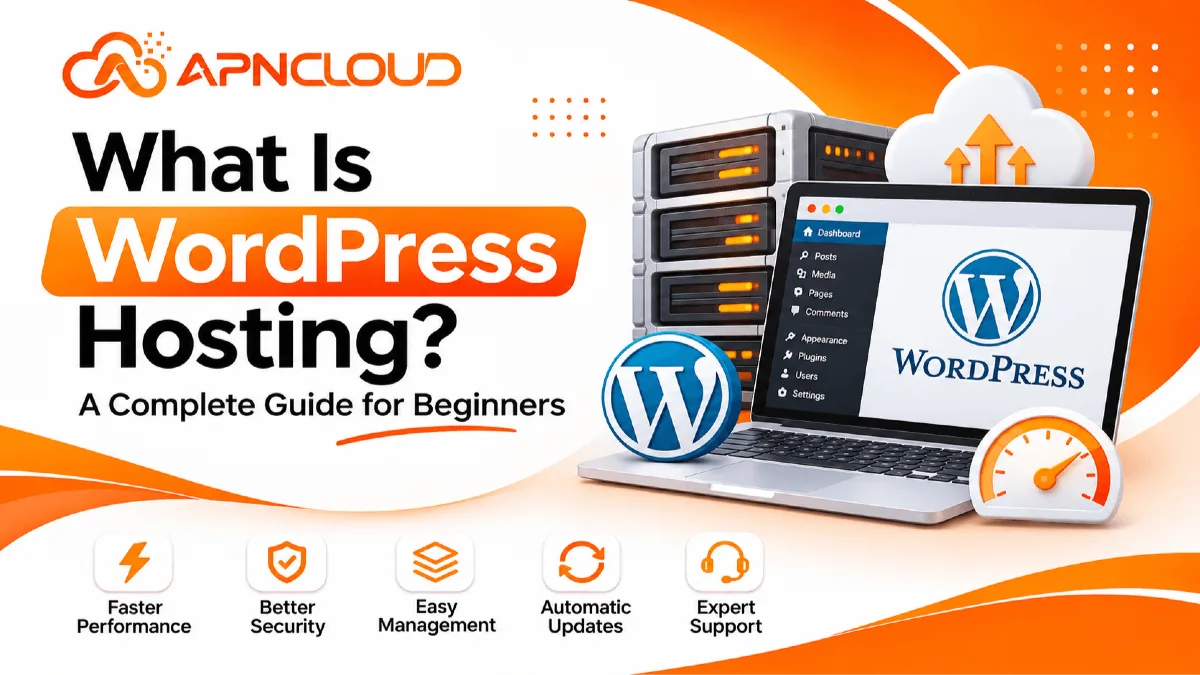
What Is WordPress Hosting? A Complete Guide for Beginners
WordPress hosting is a web hosting service designed to support the performance, security, reliability, and management of WordPress websites. This comprehensive beginner's guide explains how WordPress hosting works, its different types, essential features, benefits, pricing considerations, and the steps to choose the right hosting plan for your website or online business.
Building a website has become an important step for businesses, entrepreneurs, bloggers, freelancers, and individuals who want to establish a professional online presence. Whether you are planning to launch a personal blog, create a business website, develop an online store, or showcase your professional portfolio, WordPress provides a flexible platform that makes website development more accessible. However, before you can publish your website and make it available to visitors worldwide, you need a reliable hosting environment. This is where an important question arises: what is WordPress hosting, and why should you consider it instead of choosing an ordinary web hosting service? WordPress hosting is a type of web hosting designed specifically to accommodate the technical requirements of websites built with WordPress. It may include server configurations, caching technologies, security tools, database management features, automatic installation options, and other resources that help WordPress websites operate efficiently. Unlike traditional hosting services that support many different applications without necessarily optimizing their environments for a particular platform, WordPress web hosting generally focuses on delivering a more suitable experience for WordPress users.
For beginners, this can reduce the complexity associated with website installation, configuration, maintenance, and troubleshooting. Imagine that you are starting a small clothing business and want to create a website where customers can browse products, learn about your company, and contact your team. Without a suitable hosting environment, your website could experience slow loading times, resource limitations, unexpected downtime, or technical difficulties as your business grows. A properly selected WordPress hosting plan can help address these challenges by providing resources that match your website's requirements. However, it is important to understand that hosting alone does not guarantee excellent WordPress performance. Your website theme, plugins, image sizes, database structure, traffic patterns, and maintenance practices also influence the overall experience.
Many beginners make the mistake of purchasing hosting based entirely on the lowest advertised price without reviewing storage capacity, processing resources, security features, backup policies, or technical support. Although an affordable hosting plan may be suitable for a small website, it is equally important to consider whether the service can support future growth. Another common misunderstanding is that WordPress itself includes hosting automatically. The self-hosted WordPress software available through WordPress.org is free to download and use, but you generally need a separate hosting service and domain name to publish a publicly accessible website. WordPress.com, on the other hand, provides a hosted website-building service with its own plans and limitations. Understanding this distinction helps beginners make better decisions when establishing their online presence. Hosting providers may offer shared WordPress hosting, managed WordPress hosting, cloud hosting, virtual private servers, and other solutions designed for different website requirements. Each option has advantages, limitations, and responsibilities that should be evaluated carefully.
By exploring the available web hosting solutions, website owners can begin identifying the resources and services that align with their goals. Throughout this comprehensive guide, you will learn how WordPress hosting works, why it matters, which hosting features deserve your attention, how to launch your first WordPress website, and how to avoid common hosting mistakes. The objective is to help you make an informed decision without requiring advanced technical knowledge or unnecessary spending on features your website does not currently need.
What Is WordPress Hosting and How Does It Work?
WordPress hosting is a specialized website hosting solution that provides the server environment, storage, processing power, database access, and internet connectivity required to operate a WordPress website. To understand how it works, imagine that your domain name is the address of your business, your hosting server is the building where your business operates, and WordPress is the system used to organize and display everything inside that building. When someone enters your domain name into a web browser, the Domain Name System, commonly known as DNS, directs the request toward your hosting server. The server processes the request, retrieves the appropriate website files and database information, and delivers the requested page to the visitor's browser. WordPress primarily uses PHP to process website functionality and MySQL or MariaDB to store information such as articles, pages, user accounts, product details, and website settings. Your hosting environment must support these technologies and provide sufficient resources to handle website requests effectively.
For example, when a visitor opens a blog article, WordPress may retrieve the article content from its database, load the active theme, process relevant plugins, and generate an HTML page that the browser can display. Without optimization, repeatedly performing these operations can increase server workload, particularly when several visitors access the website simultaneously. WordPress hosting may address this challenge through page caching, browser caching, object caching, optimized PHP configurations, and efficient database management. Page caching allows the server to deliver previously generated versions of suitable pages instead of rebuilding them for every visitor. However, dynamic sections such as shopping carts, checkout pages, and private account dashboards require appropriate caching exclusions to ensure that customers receive accurate and personalized information. Another important component of WordPress web hosting is storage technology. Traditional hard disk drives generally provide slower data access than modern solid-state drives, while NVMe storage can offer faster read and write operations under suitable conditions.
Nevertheless, storage speed is only one part of website performance, and resources such as CPU capacity, RAM, network quality, and software optimization also matter. WordPress hosting providers typically offer a management interface through which website owners can configure domains, databases, SSL certificates, email accounts, backups, and application installations. This makes website management more accessible to beginners who do not have experience with server administration. Some providers also include one-click installation tools that automate the process of creating a database, configuring WordPress files, and establishing administrative access. Website owners can then sign in to their WordPress dashboard and begin customizing their website without manually performing every technical installation task.
Security is another important consideration because WordPress websites require regular maintenance and updates. A suitable hosting environment may include firewall protection, malware monitoring, SSL certificates, account isolation, and automated backup options, although the availability and scope of these features vary between providers and plans. Managed WordPress services may simplify additional maintenance activities by handling specified updates, monitoring responsibilities, and server-level optimization. However, website owners must still use strong passwords, select trustworthy plugins, maintain appropriate administrative permissions, and review their security practices regularly. Understanding how WordPress hosting works helps beginners recognize that hosting is not simply a place where website files are stored. It is an interconnected environment responsible for processing requests, managing data, supporting software, and delivering website content. When these components work together effectively, WordPress websites can provide a more consistent and dependable experience for visitors while remaining easier for website owners to maintain.
Why WordPress Hosting Matters for Your Website
Choosing an appropriate WordPress hosting service is important because the hosting environment directly influences how your website operates, how visitors interact with your content, and how effectively you can manage your online business. One of the most noticeable benefits of suitable hosting is improved WordPress performance. Visitors generally expect websites to load quickly, display correctly on mobile devices, and respond smoothly when they navigate between pages. When a hosting server has insufficient processing resources or experiences performance bottlenecks, even a well-designed website may become slow during periods of increased activity. Consider a small bakery that uses WordPress to display its menu, accept customer inquiries, and publish promotional offers. During a seasonal campaign, the business may receive significantly more visitors than usual. If its hosting plan cannot accommodate the increased workload, potential customers may experience delayed page loading or temporary errors.
A hosting plan with appropriate resources and effective optimization can help reduce these problems. Reliability is equally important because website availability affects customer confidence and business operations. Although no hosting provider can eliminate every possible interruption, responsible infrastructure management, monitoring, maintenance, and recovery procedures can help reduce unnecessary downtime. Website owners should review uptime commitments carefully and understand how the provider measures availability rather than assuming that an advertised guarantee means their website will never experience an interruption. Security is another reason why WordPress web hosting deserves careful consideration. Websites may contain valuable information, including business records, customer inquiries, account credentials, and order details.
An insecure hosting environment or outdated website plugin can introduce vulnerabilities that compromise this information. Hosting features such as SSL certificates, secure file access, account isolation, and backup restoration tools can contribute to a stronger security foundation. However, effective website security requires cooperation between the hosting provider and the website owner. Search engine optimization is also connected to hosting quality. Search engines consider various signals when evaluating website experiences, and technical performance can contribute to how easily visitors and search engine crawlers access your content. Nevertheless, purchasing optimized hosting does not automatically guarantee higher search rankings.
Content quality, search intent, website structure, accessibility, mobile usability, and relevant links remain essential parts of an effective SEO strategy. WordPress hosting can also improve operational efficiency by simplifying routine website management. Instead of spending hours configuring server software or resolving infrastructure issues, beginners can use available management tools to install WordPress, manage backups, configure domains, and monitor resource consumption. Businesses that choose managed WordPress hosting may also benefit from additional maintenance assistance, depending on the service agreement. This can be valuable for entrepreneurs who prefer to concentrate on their products, customers, and marketing activities rather than technical server administration. Scalability is another important advantage because website requirements often change over time.
A newly launched personal blog may initially need only modest hosting resources, while an established online store could require additional processing power, memory, storage, and database capacity. Selecting a provider with clear upgrade options can reduce the difficulties associated with future expansion. Furthermore, dependable technical support can help beginners understand whether a problem originates from server configuration, WordPress settings, plugins, or other website components. The overall value of WordPress hosting therefore extends beyond website speed. It includes reliability, security, usability, maintenance, growth opportunities, and operational convenience. By evaluating these factors together, website owners can choose a hosting service that supports both their immediate requirements and their long-term objectives without relying entirely on promotional claims or purchasing decisions based solely on price.
Different Types of WordPress Hosting Plans
WordPress hosting plans are available in several categories, and understanding their differences can help beginners select an appropriate service without paying for unnecessary resources or choosing an environment that cannot support their website properly. Shared WordPress hosting is one of the most accessible options for beginners because multiple hosting accounts operate within the same physical server infrastructure. The provider manages the underlying server, while individual customers receive hosting accounts with defined resource limits and management tools. Shared hosting is generally suitable for personal blogs, professional portfolios, small business websites, and other projects with moderate requirements. Its main advantages include affordability, straightforward management, and reduced responsibility for server administration. However, resource limitations may become noticeable when websites receive substantial traffic or run resource-intensive applications. Managed WordPress hosting is another popular option designed to reduce certain technical responsibilities associated with operating a WordPress website.
Depending on the provider, managed services may include automated updates, performance monitoring, caching configuration, security maintenance, backup management, staging environments, and WordPress-focused technical assistance. It is important to understand that the word managed does not have a universally identical definition across hosting companies. One provider may include extensive application maintenance, while another may primarily manage infrastructure and selected WordPress-related tasks. Reviewing the exact service inclusions is therefore essential before purchasing a plan. Cloud WordPress hosting generally uses infrastructure built around virtualized computing resources. Depending on its architecture, cloud hosting may offer flexible resource allocation, infrastructure redundancy, and convenient upgrade options. However, not every cloud hosting product automatically includes high availability, and customers should verify whether redundancy and failover are actually part of their selected service. VPS hosting provides a virtual server environment with allocated computing resources and greater administrative control. This option can be suitable for growing websites, established WooCommerce stores, agencies, and projects that require custom configurations.
Unmanaged VPS hosting places substantial responsibility on the website owner, including operating system maintenance, server security, software installation, troubleshooting, and backup management. Businesses that need greater resources but lack server administration experience can consider managed VPS hosting, where specified infrastructure management responsibilities are handled by the hosting team. Dedicated server hosting provides access to an entire physical server rather than operating within a shared hosting account or smaller virtual environment. Dedicated infrastructure may be appropriate for large websites, demanding applications, substantial databases, or businesses with particular configuration and resource requirements. Nevertheless, dedicated servers are usually unnecessary for beginners launching ordinary websites because their costs and management responsibilities may exceed the project's actual needs. WooCommerce hosting is another specialized category that focuses on WordPress websites operating online stores. Because e-commerce websites involve dynamic product information, shopping carts, customer sessions, payment integrations, and database operations, their hosting requirements can differ from those of simple blogs.
Appropriate WooCommerce hosting should provide sufficient resources, secure connectivity, suitable database performance, and caching configurations that respect private customer information. When comparing these hosting types, beginners should remember that a more expensive service is not automatically the best option. A small website may perform effectively on optimized shared hosting, while a busy online store may need additional resources and more advanced management capabilities. The most practical approach is to consider your website's purpose, anticipated traffic, technical requirements, available budget, and personal experience before selecting a service. Understanding these hosting categories enables you to make a more informed decision and establish an appropriate foundation for the future growth of your WordPress website.
WordPress Hosting vs Regular Web Hosting
Many beginners wonder whether WordPress hosting is genuinely different from regular web hosting or whether both services provide essentially the same functionality. The answer depends on how the hosting environment is configured and which additional features the provider includes. Regular web hosting is generally designed to accommodate multiple types of websites and compatible applications, including static HTML websites, PHP applications, content management systems, forums, and business platforms. A standard hosting service with compatible PHP and database support can often run WordPress successfully. In contrast, WordPress hosting usually emphasizes configurations, tools, and management features specifically intended for WordPress websites. This distinction can become particularly important for website owners who prefer a simplified setup process or require additional application-specific functionality.
For example, a traditional shared hosting account may allow customers to install WordPress manually or through an application installer. A specialized WordPress hosting account might additionally provide preconfigured caching, automatic WordPress updates, staging capabilities, and management tools that simplify routine maintenance. Nevertheless, some general hosting services also include these features, which means the distinction between hosting categories is not always absolute. Performance is another area where differences may appear. A WordPress-optimized environment may use PHP configurations, database settings, caching mechanisms, and server software selected to accommodate common WordPress workloads. These features can reduce unnecessary processing and improve response times when implemented correctly. However, specialized hosting does not guarantee that every WordPress website will outperform a website operating on regular hosting.
A lightweight, properly optimized WordPress installation on a suitable general hosting plan may perform better than a poorly maintained website on an expensive specialized plan. Security features may also vary between hosting categories. Regular hosting usually includes infrastructure-level security measures, while specialized WordPress web hosting may provide additional protections designed around common WordPress security concerns. Examples can include login protection, application-specific firewall rules, automated vulnerability monitoring, and update management. The effectiveness of these features depends on their implementation and maintenance, so customers should review actual service details rather than assuming that the hosting category determines security quality. Technical support is another consideration for beginners. General hosting support typically focuses on server availability, hosting account configuration, email services, databases, and infrastructure-related problems.
A WordPress-focused support service may provide more assistance with common WordPress configuration issues, although custom development, theme modifications, or specialized plugin troubleshooting may remain outside the included support scope. Flexibility is a potential advantage of regular hosting because users may be able to operate different compatible applications within the same hosting account. Some specialized WordPress hosting environments restrict customers to WordPress installations or impose particular software limitations to maintain infrastructure consistency. These restrictions may be acceptable for businesses focused entirely on WordPress but less suitable for developers who also need to operate custom applications. Pricing can differ because managed services, specialized tools, and additional support may increase operational costs for hosting providers.
Beginners who only need a simple website might find ordinary shared hosting sufficient, while businesses seeking greater management convenience may prefer specialized WordPress hosting. Ultimately, the decision should depend on the features included in the actual plan, rather than its marketing label. Review available resources, performance tools, maintenance responsibilities, security features, support limitations, and upgrade opportunities. By comparing these characteristics carefully, you can determine whether regular web hosting or specialized WordPress hosting provides better value for your individual website requirements.
Feature | Regular Web Hosting | WordPress Hosting |
|---|---|---|
Primary purpose | Various compatible websites | WordPress websites |
WordPress installation | Manual or one-click | Often simplified or pre-installed |
Server optimization | General-purpose configuration | WordPress-focused configuration |
Caching | Depends on the plan | Often WordPress-focused |
Automatic updates | May require configuration | May be included |
Staging environment | Plan-dependent | More commonly available |
Technical support | General hosting assistance | May include WordPress assistance |
Application flexibility | Generally broader | May be WordPress-specific |
Pricing | Often affordable | Depends on features and management |
Best suited for | Multiple website technologies | WordPress-focused projects |
Essential Features to Look for in WordPress Hosting
Selecting the right WordPress hosting plan becomes easier when you understand the technical features that contribute to website performance, reliability, security, and management convenience. One of the first specifications to review is CPU capacity because the processor is responsible for executing PHP scripts, handling website requests, and supporting various server operations. WordPress websites that use complex plugins, advanced search functions, or e-commerce features may require more processing resources than simple informational websites. RAM is equally important because it provides temporary memory for active processes and applications. Insufficient memory can contribute to slow responses or errors when multiple operations occur simultaneously. However, purchasing additional CPU and RAM without identifying the actual performance bottleneck may result in unnecessary expenses. Storage capacity should also reflect your website's requirements.
A small business website containing text and optimized images may require relatively little storage, while photography websites, large product catalogs, and websites containing downloadable resources may need considerably more space. NVMe storage can provide efficient data access, but website owners should also review storage limits, inode restrictions, and backup storage arrangements. Inodes represent filesystem entries such as files and directories, which means websites containing many plugins, cache files, emails, or media files may encounter inode limits even when sufficient disk capacity remains available. SSL certificates represent another essential feature because HTTPS encrypts information exchanged between visitors and the website. This is particularly important for login pages, contact forms, and e-commerce transactions. SSL does not independently protect a website against every security threat, but it is an important foundation for secure communication. Backup functionality deserves careful attention because unexpected errors, incompatible updates, accidental file deletion, and security incidents can affect website availability.
Look for a hosting service that clearly explains backup frequency, retention periods, restoration procedures, and any associated charges. Maintaining independent backup copies can provide additional protection when hosting-level backups are unavailable or unsuitable. Caching features can significantly influence WordPress performance by reducing repeated server processing for eligible content. Depending on the environment, useful technologies may include server-level page caching, browser caching, PHP opcode caching, and persistent object caching. Redis can support object caching in compatible configurations, but it is not necessary for every small WordPress website. Another useful feature is a staging environment, which allows website owners to create a separate testing copy of their website before implementing important design changes, plugin updates, or custom functionality. This reduces the likelihood of avoidable disruption to the live website. Server location should also be considered because the geographic distance between visitors and hosting infrastructure can influence network latency. A website primarily serving customers in Bangladesh may benefit from an appropriate local or regional hosting location, while an international website may use a suitable content delivery network to improve content distribution. Technical support should be evaluated according to availability, communication channels, response expectations, and the scope of assistance.
The APNCloud hosting FAQ provides an overview of hosting services, WordPress-related capabilities, and common management questions. Beginners should also review PHP compatibility, database support, bandwidth policies, website limits, email availability, and migration assistance before making a purchase. Ultimately, the most valuable hosting features are those that address your project's actual needs. A clearly defined hosting package with appropriate resources, dependable management tools, transparent limitations, and suitable support can provide a better long-term experience than a plan selected exclusively because it advertises the largest number of features.
How to Choose the Best WordPress Hosting Plan
Choosing the best WordPress hosting plan begins with understanding what you want your website to achieve rather than immediately comparing advertised prices or purchasing the package with the highest resource allocation. Start by identifying whether your website will serve as a personal blog, business information platform, professional portfolio, educational website, membership community, or online store. Each website category has different requirements, and understanding these differences can help you avoid spending money on unnecessary features. A personal blog publishing occasional articles may operate effectively with an entry-level hosting service, provided its theme and plugins are reasonably optimized. A business website that generates customer inquiries may place greater importance on reliability, professional email services, backup recovery, and technical assistance. An online store may require additional processing resources because product searches, customer accounts, shopping carts, stock management, and checkout operations create dynamic workloads. Once you have identified your website's purpose, estimate its expected usage.
Consider how frequently you will publish content, how many products or media files you intend to upload, whether you expect promotional traffic spikes, and how many people will manage the website. Traffic estimates should be treated as planning information rather than exact capacity requirements because website complexity and concurrent activity influence hosting performance differently. For example, thousands of visitors reading cached articles over an entire day may generate a different workload from a smaller number of customers simultaneously completing purchases. After developing an initial understanding of your needs, establish a realistic budget that includes hosting, domain registration, potential renewal charges, premium software licenses, maintenance, and other essential website expenses. Some hosting companies advertise introductory rates that differ from future renewal prices, so always review the billing cycle and total cost before purchasing.
A monthly advertised equivalent may require paying for an entire annual or multi-year term in advance. Next, compare hosting specifications and identify whether the available resources are appropriate for your expected workload. Pay particular attention to CPU, RAM, storage, database availability, website limits, inode restrictions, and bandwidth policies. If your website handles important business activities, also review backup retention and restoration options. Technical experience should influence your decision as well. Beginners who prefer a straightforward environment may find shared WordPress hosting or managed WordPress services more convenient than operating an unmanaged server. Experienced developers who require custom software configurations may prefer a VPS that provides greater administrative flexibility. However, increased flexibility also introduces additional maintenance responsibilities. Consider the hosting provider's available server locations and whether they are suitable for your primary audience.
A content delivery network can complement hosting infrastructure by distributing eligible static content across different geographic regions. Review the support team's responsibilities before making a decision, particularly when your website depends on specialized themes, custom plugins, or external integrations. Finally, examine the provider's upgrade process and whether moving to a more powerful plan requires migration, downtime, or additional configuration. Avoid assuming that every website will grow at the same rate or that upgrading immediately is always necessary. Instead, begin with a suitable package, monitor actual performance, and revise your hosting arrangement when reliable evidence indicates that additional resources are needed. By following this structured approach, beginners can compare WordPress hosting plans more effectively, establish realistic expectations, control operational costs, and create a hosting foundation capable of supporting their website's changing requirements.
WordPress Hosting Plan Selector
Choose your website type to see a suggested starting point.Website type
Personal blog or portfolio
Small business website
WooCommerce store
Agency or multiple websites
Large or resource-intensive website
Technical experience
Beginner
Experienced
Suggested hosting category
Step-by-Step Guide to Launching Your First WordPress Website
Launching your first WordPress website does not necessarily require advanced programming knowledge, but following an organized setup process can help you avoid configuration errors and establish a reliable foundation. The following ten steps cover the essential stages of preparing and publishing a WordPress website.
Step 1: Define your website's purpose. Decide what your website will accomplish before purchasing hosting or selecting a design. Identify your intended audience, main content categories, essential pages, and required functionality. A clear plan makes it easier to choose suitable resources and avoid unnecessary plugins.
Step 2: Select a domain name. Choose a domain that represents your business or personal brand, is reasonably easy to remember, and does not infringe another organization's trademark. Review registration and renewal costs, and keep your domain account credentials secure. Enable automatic renewal where appropriate to reduce the risk of accidental expiration.
Step 3: Purchase WordPress hosting. Select a hosting plan that matches your website requirements, budget, and technical experience. Review available storage, computing resources, backup functionality, SSL certificates, support arrangements, and renewal terms. Ensure that the plan supports the WordPress software and any essential integrations your website requires.
Step 4: Connect your domain to the hosting server. Configure your domain's DNS records or nameservers according to your hosting provider's instructions. DNS changes may take time to become visible across different networks. If you already use professional email services, preserve the required email-related DNS records when changing your website configuration.
Step 5: Install WordPress. Sign in to your hosting account and open the APNCloud Control Panel. If a one-click WordPress installer is available, select your domain, configure the website name, and create a strong administrator password. Alternatively, experienced users can install WordPress manually using the necessary application files and database configuration.
Step 6: Enable HTTPS and configure basic settings. Activate an SSL certificate and confirm that your website loads securely through HTTPS. Sign in to the WordPress dashboard, review the site title, language, timezone, permalink structure, and administrator email address. Check whether automatic updates are configured appropriately.
Step 7: Choose a suitable WordPress theme. Select a responsive, maintained theme that matches your website's purpose. Avoid choosing a theme based exclusively on visual appearance because unnecessary scripts, large media assets, and complex functionality can affect loading performance. Test your design on both desktop and mobile devices.
Step 8: Install essential plugins. Add trustworthy plugins that provide functionality your website genuinely needs, such as SEO assistance, contact forms, security management, caching, or backups. Avoid installing multiple plugins that perform the same task. Review compatibility, maintenance history, and configuration requirements before activating each plugin.
Step 9: Create content and optimize performance. Publish important pages such as Home, About, Services, Contact, and applicable privacy information. Optimize image sizes, organize navigation clearly, configure caching appropriately, and test website functionality. Make sure visitors can understand your services and complete important actions without unnecessary difficulties.
Step 10: Test and publish your website. Review mobile usability, broken links, page loading, contact forms, HTTPS configuration, accessibility, and backup availability. If your website was hidden from search engines during development, review its indexing settings before launching. After publication, monitor website functionality and hosting resource consumption regularly. Continue maintaining WordPress, themes, and plugins, and investigate unusual errors promptly. A successful website launch is the beginning of an ongoing maintenance process, rather than the completion of every responsibility associated with operating a website.
How to Improve WordPress Performance After Launch
WordPress performance depends on several interconnected factors, including hosting resources, theme quality, plugin efficiency, database operations, image optimization, caching, and the network connection between visitors and the server. Improving performance therefore requires a measured approach rather than applying every available optimization technique without considering its effect. Begin by testing your website's existing performance to identify pages that load slowly or generate unexpected errors. Tools such as Google PageSpeed Insights and browser developer tools can help you understand loading behavior, identify large resources, and evaluate important visitor experience metrics. Core Web Vitals provide useful information about aspects of page loading, interaction responsiveness, and visual stability. However, achieving a particular test score should not become more important than delivering a functional and accessible website. Different testing locations, devices, and network conditions may produce different results, so compare measurements under reasonably consistent conditions.
Image optimization is one of the most practical improvements available to beginners because unnecessarily large images can increase loading times and bandwidth consumption. Resize images according to their intended display dimensions, use suitable compression, and consider modern formats such as WebP or AVIF when compatible with your website and workflow. Lazy loading can help defer appropriate images located below the initially visible portion of a page, although important above-the-fold images may require different loading behavior. Theme selection also affects performance because some themes introduce extensive scripts, stylesheets, animations, and unnecessary features. Choose a theme that provides the functionality your website needs without introducing excessive complexity. Review active plugins periodically and remove those that are no longer required. A high number of plugins does not automatically mean a website will be slow, but poorly optimized or conflicting plugins can contribute to performance problems. Caching represents another important optimization technique. Page caching can reduce server workload by delivering previously generated content, while browser caching can help returning visitors avoid downloading unchanged resources repeatedly.
Persistent object caching may reduce repeated database operations for suitable websites. Nevertheless, e-commerce and membership websites require careful cache exclusions for personalized and transactional content. Incorrect caching configurations may display outdated information or interfere with customer sessions and account functionality. Database maintenance can also help established websites remain organized, particularly when they accumulate unnecessary revisions, temporary entries, or unused plugin data. Always create a reliable backup before performing significant database changes, and avoid deleting unfamiliar data without understanding its purpose. A content delivery network may improve the delivery of static files by distributing eligible content through geographically dispersed infrastructure. Its effectiveness depends on the CDN configuration, audience location, origin server, and type of website content.
Hosting resource monitoring is equally important because repeated CPU, RAM, disk, or process-limit issues can indicate that your website needs optimization or additional capacity. Before upgrading, investigate whether a specific plugin, inefficient query, scheduled task, or unusually heavy traffic pattern is responsible. If resource consumption remains consistently close to the available limits after reasonable optimization, moving to a more suitable hosting plan may provide additional operational headroom. Finally, test important functionality after implementing optimizations, particularly contact forms, website navigation, mobile layouts, customer accounts, and checkout processes. Performance improvements should never undermine website security, accessibility, or essential business functionality. By monitoring actual conditions and applying carefully selected improvements, website owners can maintain a more dependable WordPress website while avoiding unnecessary technical complexity and preserving a positive visitor experience.
Common WordPress Hosting Mistakes Beginners Should Avoid
Many WordPress website problems originate from preventable decisions made during hosting selection, installation, configuration, or ongoing maintenance. One of the most common mistakes is choosing hosting exclusively because it offers the lowest advertised price. Although affordability is important, beginners should also examine resource allocations, renewal costs, backup options, security features, and technical support. A low-cost plan can be appropriate for a simple website, but it may become unsuitable if the project requires substantial database activity or advanced functionality. Another frequent mistake is misunderstanding unlimited hosting terminology. Hosting plans may advertise unmetered bandwidth or unlimited features, but physical infrastructure always has practical capacity limitations, and service usage policies may still apply. Customers should review CPU, RAM, inode, process, and storage restrictions to understand what their hosting account can reasonably accommodate.
Neglecting backups is another serious mistake. Some website owners assume that their hosting provider automatically maintains recoverable copies of everything indefinitely. In practice, backup frequency, retention, restoration availability, and coverage vary between services. Maintain appropriate independent backups and periodically confirm that recovery procedures work as expected. Installing untrusted WordPress themes and plugins can introduce security vulnerabilities, hidden modifications, compatibility problems, and maintenance challenges. Always obtain software from legitimate sources and avoid unauthorized copies of premium products. Similarly, delaying important WordPress, theme, and plugin updates can leave known vulnerabilities unresolved. Major changes should be tested where practical, but necessary security maintenance should not be ignored indefinitely. Another mistake involves using weak passwords or sharing administrator credentials with multiple individuals.
Every person who manages the website should receive an appropriate account with permissions limited to their responsibilities. Enable additional authentication protections where available and promptly remove access that is no longer necessary. Website owners also frequently install multiple caching or optimization plugins without understanding how they interact. Overlapping functionality can cause conflicts, unpredictable content delivery, or broken website features. Choose optimization tools that work with your hosting environment and verify important functionality after configuration changes. Failing to consider the geographic location of your audience may also affect website responsiveness. Hosting infrastructure should be selected with network quality and visitor location in mind, while recognizing that a CDN and effective website optimization can complement geographic placement. Another overlooked issue is purchasing unmanaged server hosting without the knowledge or assistance needed to maintain it.
Greater administrative access introduces responsibility for software updates, security policies, monitoring, and infrastructure configuration. Beginners should understand these obligations before moving from managed hosting environments to self-managed servers. Website owners should also avoid ignoring warning signs such as repeated resource-limit errors, excessive database activity, unexpected traffic patterns, and growing storage consumption. These conditions may indicate inefficient configuration, maintenance requirements, or a need for additional resources. Finally, many beginners underestimate the importance of hosting support policies. Infrastructure assistance, application troubleshooting, custom development, and website management are different services, and not every hosting package includes all of them.
Reviewing support responsibilities in advance can prevent misunderstandings when technical problems occur. By avoiding these common mistakes, beginners can reduce preventable disruption, protect important website information, manage costs more effectively, and establish healthier long-term maintenance habits. WordPress web hosting should be treated as part of your overall website strategy, supported by responsible software management, realistic expectations, suitable infrastructure, and regular monitoring.
WordPress Hosting Costs and a Practical Beginner's Checklist
The cost of WordPress hosting varies according to the type of infrastructure, allocated resources, management responsibilities, support arrangements, billing period, server location, and additional features included with the service. Beginners should therefore evaluate the total cost of operating a website rather than treating the advertised monthly hosting rate as the only expense. Entry-level shared hosting generally provides an affordable starting point for personal websites, blogs, and small business projects because infrastructure expenses are distributed across multiple hosting accounts. Managed WordPress hosting may cost more when the provider includes additional application management, monitoring, maintenance, or specialized performance features. VPS hosting typically becomes more relevant when websites require greater resource allocation, custom configurations, or increased operational flexibility. Dedicated infrastructure generally involves higher costs because an entire physical server is allocated to a customer.
Nevertheless, these hosting categories should not be treated as fixed pricing levels because providers offer different configurations and management arrangements. Domain registration is another expense that should be included when establishing your website budget. Some hosting plans offer a domain registration promotion for eligible billing periods, while others require a separate purchase. Check renewal charges, registration conditions, and domain ownership arrangements before relying on a promotional offer. Premium themes and plugins may introduce additional annual or one-time expenses, particularly for online stores, advanced forms, membership websites, or specialized business functionality.
Although free WordPress themes and plugins can support many projects, certain businesses may need commercial software with additional capabilities or professional support. Maintenance costs should also be considered because keeping WordPress updated, monitoring security, reviewing backups, and resolving technical issues requires time or professional assistance. Beginners who choose managed WordPress hosting should investigate which maintenance responsibilities are covered by the hosting provider and which remain their own. Consider a hypothetical business that budgets $60 annually for hosting, $15 for domain registration, and $40 for optional premium software. Its estimated first-year operating cost would be $115 before additional development, taxes, or maintenance expenses.
This example is illustrative rather than an APNCloud quotation, and actual prices will depend on the services selected. Businesses should also maintain flexibility in their budgets because website requirements can change as traffic, content, and functionality expand. A growing WooCommerce store might eventually require additional processing resources, while a business website may need more storage for media content or professional email accounts. Rather than purchasing the most powerful hosting package immediately, establish a baseline appropriate for your current requirements and monitor consumption over time. Before completing an order, prepare a practical checklist covering website compatibility, performance resources, storage limits, security, SSL certificates, backup retention, technical support, renewal costs, migration assistance, and upgrade options.
Review any advertised guarantees carefully and understand relevant eligibility conditions. Once the hosting account becomes active, confirm that your domain resolves correctly, HTTPS is working, WordPress is installed securely, administrative access is protected, and a recoverable backup exists. After launching your website, continue reviewing resource usage and important functionality periodically. A structured purchasing and maintenance checklist helps reduce impulsive decisions and provides a reliable reference when comparing different WordPress hosting plans. Ultimately, the best value comes from choosing an environment that meets your actual website requirements, provides appropriate management capabilities, and supports future growth without introducing avoidable expenses or unnecessary technical responsibilities.
Frequently Asked Questions About WordPress Hosting
1. What is WordPress hosting in simple words?
WordPress hosting is a web hosting service designed to provide a suitable environment for websites built with WordPress. It supplies the storage, server resources, database access, and connectivity required to make a WordPress website available online.
2. Is WordPress hosting necessary for a WordPress website?
A WordPress website does not necessarily require a specialized WordPress hosting package. Regular web hosting can also support WordPress if it meets the necessary software requirements. Specialized hosting may offer additional convenience, optimization, and management features.
3. Is WordPress hosting free?
The WordPress software is free and open-source. However, hosting infrastructure, domain registration, premium software, and professional maintenance may involve separate expenses. Free hosting alternatives may also have significant limitations.
4. What is managed WordPress hosting?
Managed WordPress hosting is a service in which the provider handles specified technical responsibilities associated with the hosting environment or WordPress installation. Included services may involve updates, security monitoring, backups, and performance optimization.
5. Can beginners use WordPress hosting without coding?
Yes. WordPress provides a visual administration dashboard, themes, content editors, and plugins that allow beginners to create many types of websites without writing code. Advanced customizations may require development knowledge or professional assistance.
6. Is WordPress hosting suitable for an online store?
Yes. WordPress supports e-commerce through WooCommerce and compatible extensions. Store owners should select hosting with appropriate processing resources, database performance, security measures, and caching configurations for transactional functionality.
7. How much RAM does a WordPress website need?
There is no universal RAM requirement for every WordPress website. A small informational website may operate with modest resources, while a busy online store or resource-intensive application may need considerably more memory. Actual usage should guide resource allocation.
8. Does WordPress hosting improve SEO?
A suitable hosting environment can support technical SEO by contributing to website accessibility, reliability, and loading performance. However, hosting does not guarantee search rankings. Content quality, website structure, relevance, and other SEO factors remain important.
9. Can I migrate my existing WordPress website to another host?
Yes. WordPress websites can generally be migrated by transferring their files, databases, and relevant configuration. Hosting providers may offer migration assistance, but owners should verify service eligibility and maintain backups before transferring an important website.
10. What is the best WordPress hosting for beginners?
Optimized shared hosting or managed WordPress hosting can be suitable starting options for many beginners. The best choice depends on the website's functionality, anticipated workload, available budget, and required maintenance assistance.
11. Do WordPress hosting plans include SSL certificates?
Many hosting providers include SSL certificates, but availability, activation, and renewal arrangements depend on the selected service. Always verify HTTPS support before publishing your website.
12. Can I upgrade my WordPress hosting plan later?
Many hosting providers offer upgrade opportunities to accommodate growing websites. However, the process may involve changes to billing, server allocation, migration requirements, or temporary service interruptions. Review the provider's upgrade policy beforehand.
Start Your WordPress Website with APNCloud
Understanding what WordPress hosting is represents an important first step toward building a dependable and professionally managed online presence. Whether you are launching a personal blog, establishing a company website, developing an online store, or creating a portfolio for your professional services, your hosting environment provides the technical foundation that supports your website's operation. While beginners may initially concentrate on attractive designs, domain names, and publishing content, factors such as server resources, database performance, security, backups, and technical support deserve equal attention. A suitable WordPress web hosting service can simplify website management and provide resources that accommodate your project's current requirements. However, selecting hosting should never be based entirely on promotional language or assumptions about the most expensive package. Instead, consider the functionality your website requires, the amount of content you expect to publish, your anticipated audience, your technical experience, and the budget available for website operations.
For many new website owners, optimized shared hosting offers a practical starting point because it reduces infrastructure management responsibilities while providing access to essential website tools. Businesses that prefer additional maintenance assistance may benefit from managed WordPress services, depending on the responsibilities included in the selected package. As websites grow, VPS or dedicated infrastructure may become appropriate when measured workloads justify additional resources or configuration flexibility. Remember that WordPress performance is influenced by more than the hosting environment alone. Well-maintained themes, efficient plugins, optimized media files, appropriate caching, secure administrative practices, and thoughtful website development all contribute to the overall experience. Regular maintenance is equally important because software updates, backup verification, resource monitoring, and security reviews help website owners respond to changing requirements.
APNCloud provides hosting services intended to support different website categories and stages of business growth. Beginners can explore available packages, review current specifications, and compare the resources and management features associated with different hosting options. Before purchasing, it is helpful to prepare a clear description of your website's requirements so that you can identify an appropriate starting plan and avoid paying for features that are not necessary. Existing website owners should also investigate migration requirements, create reliable backups, and plan any transition carefully to reduce unnecessary disruption. When evaluating hosting services, focus on transparency, practical functionality, clear support responsibilities, and opportunities for future expansion.
A reliable website is not created through hosting alone, but appropriate infrastructure combined with responsible website management can help establish a stronger foundation for long-term success. Taking the time to select a suitable hosting plan at the beginning of your project can also make subsequent decisions about website design, content publishing, security, and performance optimization easier. You do not need to understand every technical aspect of server administration before launching your first website. Start by learning the essential concepts, selecting suitable resources, and using the management tools available with your chosen service. As your website develops, continue learning from actual usage patterns and adjust your hosting environment when necessary. If you are ready to establish your online presence, review the available WordPress hosting options and choose a service that aligns with your website's purpose. With a thoughtful approach to infrastructure, content, maintenance, and customer experience, you can build a WordPress website that supports your goals and remains adaptable as your online activities grow.
Keep reading
Related articles
Web Hosting BD – How to Choose the Right Hosting Provider
Discover how to choose the best web hosting BD provider. Compare hosting speed, security, uptime, pricing, support, and features for your website.
How to Migrate a Website to a New Host Without Downtime
Learn how to migrate website to new host without downtime. Follow practical steps for backups, files, databases, DNS, testing, email, and final setup.
10 Common Web Hosting Mistakes Beginners Should Avoid
Small mistakes at setup — the wrong plan, no backups, ignoring basic security — cause most of the hosting problems beginners run into later. Here are ten to avoid from day one.
Never miss a post
Fresh guides, product updates and hosting resources from the APNCloud team.