How to Choose the Right Dedicated Server for Your Business
Choosing the right dedicated server can improve your website's performance, security, and ability to grow. This practical guide explains how to evaluate server hardware, bandwidth, storage, management, pricing, and hosting providers so you can make an informed decision for your business.

Choosing the dedicated server is one of the most important infrastructure decisions a growing business can make. Whether you run a store manage a business website run a SaaS application, host customer projects or keep a resource‑intensive database the hosting environment directly affects how reliably the dedicated server works. A slow or unstable dedicated server can frustrate customers halt business operations and hinder growth.. Buying the most expensive dedicated server does not always solve the problem. The real goal is to find a hosting setup that matches the server’s technical needs, expected traffic, security requirements and budget. For businesses that move beyond shared hosting or virtual private servers dedicated hosting offers a chance to gain more control over infrastructure and give physical hardware to a single workload.
A dedicated server is a machine assigned to one customer instead of being shared among many independent hosting customers. Unlike shared hosting, where several websites fight for resources in the same hosting environment a dedicated machine gives you access to the dedicated server’s allocated physical processor, memory, storage and network capacity. This makes performance planning more predictable for demanding workloads. Dedicated infrastructure also lets businesses customize operating systems set security policies, install software and tune services to their own needs. Yet dedicated hardware does not automatically mean websites, stronger security or uninterrupted uptime. The outcome still depends on hardware quality, application design, system administration, network connectivity and the hosting provider’s infrastructure.
Businesses often start with hosting because their websites get limited traffic and need few server resources. As operations grow they may add customer portals, payment integrations, inventory systems, large databases and automated background tasks. These additions raise CPU usage, memory usage, disk activity and network traffic. At some point the current hosting environment may become hard to scale. For example an e‑commerce site might run smoothly on a VPS during hours but suffer slow database responses during seasonal sales. A dedicated server could give processing power and better control over database tuning but application improvements and properly sized cloud infrastructure should also be considered before moving.
Another key point is the difference between capacity and business value. A dedicated server with processor cores and lots of RAM may look impressive but those specs matter little if the application cannot use them. Likewise a powerful machine far from most customers can deliver an experience than a modest dedicated server with good network reach. Businesses should check workloads instead of buying hardware based on marketing claims. Understanding how CPU speed, RAM size, NVMe storage, bandwidth, security and support work together is essential for an investment.
This guide shows how to pick the dedicated server for your business in a practical beginner‑friendly way. You will learn when dedicated hosting makes sense how to estimate the needed resources, what to look for in a hosting provider and which common buying mistakes to avoid. We will also cover managed and unmanaged hosting, data center locations, backup plans, scalability and long‑term costs. By the end you should have a framework for comparing dedicated server hosting options and choosing infrastructure that fits your current needs and leaves room, for future growth.
Understanding Dedicated Server Hosting and How It Works
Dedicated server hosting is a service in which a hosting provider makes an entire physical server available to a single customer. The customer receives access to the machine's allocated hardware, which typically includes one or more processors, RAM, storage devices, network interfaces, and an operating system. Depending on the hosting arrangement, the provider may also supply hardware maintenance, network connectivity, remote management tools, operating system support, and additional security services. Dedicated hosting differs from shared hosting because the physical server is not divided among unrelated customers who independently purchase portions of the same machine. It also differs from most VPS services, where multiple virtual machines operate on a shared physical host. Although virtualization can offer strong isolation and excellent performance, dedicated hardware provides more direct control over the underlying machine and can be particularly useful for workloads with specific performance or configuration requirements.
A dedicated server is sometimes described as a bare metal server. The terms are closely related, although their meaning can vary between providers. Bare metal generally emphasizes direct access to physical hardware without a mandatory shared virtualization layer, while dedicated hosting describes the customer allocation model. Some providers deliver bare metal machines through automated cloud-style provisioning systems, whereas others offer traditional dedicated servers with monthly billing and manual customization. Both approaches can be suitable for business applications. What matters is understanding whether you receive exclusive access to the hardware, which management services are included, and how quickly the provider can replace failed components or provision additional machines.
To understand how dedicated infrastructure works, consider a business running an online shopping platform. Its application may include a public website, product database, checkout process, administration dashboard, and background order-processing tasks. When a visitor opens a product page, the server receives the request, processes application instructions, retrieves relevant information from storage or a database, and returns the response. The CPU performs calculations, RAM holds actively used data, storage retains files and database records, and the network connection transfers information between the server and visitors. If any one of these components becomes overloaded, overall performance may suffer. For example, additional RAM will not necessarily resolve slow database queries caused by inefficient indexing, and faster storage may not fix an application limited by single-threaded CPU performance.
One advantage of dedicated server hosting is the flexibility to customize this environment. Businesses can choose Linux distributions such as Ubuntu, Debian, or AlmaLinux when supported, or use Windows Server when required by compatible applications and licensing arrangements. They can configure web servers, databases, caching services, firewalls, monitoring agents, and deployment tools. Organizations with technical expertise may also run containers or virtualization platforms on their dedicated hardware. This flexibility is useful for businesses that need specialized software configurations, consistent performance characteristics, or infrastructure arrangements that are difficult to achieve on basic hosting plans.
However, exclusive hardware introduces responsibilities that should not be overlooked. Depending on the service agreement, customers may need to install security updates, configure backups, monitor server health, manage user permissions, and respond to software failures. Hardware problems can still occur, and a single physical machine remains a potential point of failure unless additional redundancy is implemented. Dedicated hosting is therefore best understood as a powerful infrastructure option rather than an automatic solution to every hosting challenge. Businesses should select it when their workloads, administrative capabilities, and operational requirements justify the additional control and cost.
Why a Dedicated Server Can Be Important for Business Growth
As businesses grow their websites and applications often become more complicated. A small company might start with a website to show services gather inquiries and share occasional news. Over time that same website can turn into a customer platform. It might include user accounts, appointment booking, payment processing, inventory tracking and connections with services. Each new feature adds computing needs. More visitors mean requests. Larger databases need memory and storage. Automated tasks use up processing power. A dedicated server can make it easier to handle these demands because the business gets use of the machine’s physical hardware. This doesn’t mean every business needs a server.. It can be very helpful when resource needs stay high are steady or are hard to meet with smaller hosting plans.
One big reason businesses look at hosting is performance consistency. In hosting, limits and rules keep one customer from using too much of the system. These limits make sense for low-cost setups.. They can get in the way when apps need a lot of processing power. A dedicated machine lets administrators divide resources as they see fit. They can assign memory for databases set aside processing power for services and manage caching systems and background tasks. For example a company running a customer websites might reserve memory for its database and give more CPU power to its main services. Performance still depends on setup.. The business has more freedom to tune its systems based on actual usage.
Security and control are also important. Dedicated servers offer isolation from other users. That can lower risks tied to shared environments. Companies can build their firewall rules, divide networks, control access, set encryption standards and create monitoring plans. Businesses that handle data may find this setup useful for meeting internal security rules.. A dedicated server alone doesn’t guarantee compliance. Security and compliance depend on the system—software setup, access policies, procedures, data handling and legal rules. Companies should not assume that just having a server means they meet all security or regulatory needs.
Dedicated infrastructure can also help with traffic situations when apps need strong CPU power, large memory or fast storage. Think of a store preparing for a big sale. That sale might bring in times more visitors than usual. A set-up dedicated server could manage more simultaneous users than the store used before.. Traffic performance isn’t just about hardware. Things like content delivery networks, application caching, database tuning, load balancing and smart software design matter too. For unpredictable traffic spikes elastic cloud services might be more adaptable than one dedicated server.
Long-term cost planning is another reason to consider servers. Businesses with heavy workloads might find a dedicated machine offers good value compared to renting many large virtual machines. The cost comparison should include more, than hardware rental. It should include operating system licenses, management tools, backups, security software, bandwidth and technical support. Dedicated servers can also let companies run apps on one machine.. That must be balanced against the risk of putting too many essential services on one physical system. In the end the value of a server comes from how well it supports business operations—not just from how much hardware it has.
How to Choose the Right Dedicated Server: Step-by-Step Guide
Selecting the right dedicated server requires more than comparing prices and processor specifications. A reliable decision starts with understanding your business applications, estimating resource consumption, identifying operational risks, and evaluating the services offered by potential hosting providers. The following steps provide a structured approach that beginners and business owners can use without needing to become hardware experts. Each step addresses a different part of the purchasing decision, from workload analysis to future expansion. Rather than choosing a configuration immediately, begin by documenting what your website or application actually needs. This reduces the likelihood of paying for unnecessary hardware or discovering important limitations after migration. A good purchasing process should also include discussions with developers, system administrators, and hosting support teams whenever technical requirements are unclear. Their input can help translate business objectives into realistic infrastructure specifications.
Step 1: Identify Your Business Workload and Hosting Requirements
The first step is to understand exactly what you intend to host. Different applications place very different demands on server resources, even when they receive similar numbers of visitors. A simple company website with mostly static pages may require relatively little processing capacity, while an online store with dynamic pricing, customer accounts, and frequent database transactions can generate significantly more activity. A video processing application may need powerful CPUs and substantial storage throughput, whereas a large database might benefit more from additional RAM and fast storage. Begin by listing your applications, their programming languages, database systems, expected storage requirements, and typical usage patterns. Include background tasks, scheduled jobs, API integrations, and any software dependencies that could affect your hosting configuration.
Next, review existing performance information if you already operate a website or application. Useful measurements include average and peak CPU utilization, memory consumption, disk usage, storage input/output operations, network throughput, database response times, and application error rates. Monitoring these metrics over several weeks is often more informative than examining a single busy day. If your website experiences seasonal demand, review traffic patterns from previous campaigns or comparable business periods. For a new project without historical data, estimate requirements using realistic application testing rather than assuming that a particular number of visitors automatically requires a particular processor. The relationship between traffic and hardware consumption depends heavily on application design, caching, and database efficiency.
You should also identify business requirements that extend beyond performance. Consider whether the server must support specific operating systems, control panels, programming frameworks, or security configurations. Determine how much downtime your business can tolerate and whether customer data requires special handling. If you host services for clients, think about account isolation, backup separation, and administrative access. A hosting configuration suitable for one internal application may not be appropriate for dozens of independent customer websites.
Finally, distinguish essential requirements from desirable features. Essential requirements might include compatibility with your application, enough RAM for your database, reliable storage, and a suitable network connection. Optional features might include additional drive bays, premium management services, or higher network capacity that your current workload does not require. This distinction helps you create a realistic budget and compare hosting providers consistently. Documenting these requirements before requesting quotations also makes it easier for a provider to recommend suitable hardware. A clear workload assessment is the foundation of every successful dedicated hosting decision because it connects infrastructure spending to measurable business needs.
Step 2: Choose the Right CPU, RAM, and Storage Configuration
After identifying your workload, evaluate the three hardware components that most directly influence application performance: the processor, memory, and storage. CPU specifications are particularly important for applications that perform calculations, process many requests, or execute resource-intensive background jobs. However, processor selection should not be based on core count alone. Clock speed, processor generation, architecture, cache size, and per-core performance can all affect application behavior. Some applications distribute work efficiently across many cores, while others depend heavily on the performance of individual cores. For example, certain database operations or application processes may benefit more from faster individual cores than from a larger number of slower ones. Ask potential providers for the exact processor model rather than accepting descriptions such as powerful CPU or high-performance server.
RAM determines how much active information your server can hold in memory. Sufficient RAM allows operating systems, applications, databases, and caching services to operate without excessive reliance on slower disk-based memory. Businesses running large databases or multiple applications should pay particular attention to memory requirements. If RAM becomes insufficient, the server may begin swapping data to storage, which can significantly reduce performance. Nevertheless, purchasing excessive memory does not automatically improve application speed. Review actual consumption and estimate a reasonable allowance for peak demand, operating system overhead, and future growth. Where available, error-correcting code memory can also be valuable for workloads that prioritize data integrity and reliability.
Storage selection involves both capacity and performance. Traditional hard disk drives may remain useful for certain large-capacity or sequential storage workloads, but solid-state drives generally provide faster access to frequently used data. NVMe SSDs use a high-performance interface and can offer substantial advantages for applications involving frequent database operations, file access, or concurrent requests. However, performance varies between drive models, and the presence of NVMe technology alone does not guarantee enterprise-level reliability. Businesses should examine drive endurance, available capacity, redundancy options, and the provider's replacement procedures. Storage planning should also account for application files, database growth, logs, temporary data, backups, and operating system requirements.
Illustrative starting configurations
Workload | CPU | RAM | Storage |
|---|---|---|---|
Moderate business applications | 4–8 cores | 16–32 GB | 500 GB NVMe |
Growing e-commerce platform | 8–16 cores | 32–64 GB | 1 TB NVMe |
Resource-intensive database | 16+ cores | 64–128 GB+ | Enterprise NVMe |
Multiple client websites | 8–16 cores | 32–64 GB | 1–2 TB NVMe |
These are planning examples, not guaranteed capacity recommendations. Benchmarking, application design, and actual usage should determine the final specifications.
Another important consideration is the relationship between hardware components. A powerful processor paired with insufficient RAM may still deliver poor performance, while an application that depends on frequent disk access may not benefit much from additional CPU cores. Balanced configurations usually provide better value than machines optimized around a single impressive specification. Businesses should also consider whether the provider allows future memory or storage upgrades and whether such changes require downtime. Before purchasing, request a complete hardware specification that identifies the processor model, memory capacity, storage type, drive configuration, and any relevant limitations. Comparing these details helps prevent misunderstandings and ensures that the chosen dedicated server has enough capacity for current operations without introducing unnecessary costs.
Step 3: Evaluate Bandwidth, Network Speed, and Data Center Location
Network performance is a critical part of dedicated server hosting because even powerful hardware cannot deliver a responsive experience through an unreliable connection. Businesses should evaluate network port speed, monthly data transfer allowances, latency, routing quality, and the hosting provider's upstream connectivity. These terms describe different aspects of network performance and should not be treated as interchangeable. A server with a 1 Gbps network port, for example, has a theoretical interface capacity of one gigabit per second, but actual throughput depends on network conditions, congestion, traffic policies, and the capabilities of connected systems. Similarly, a hosting package advertising unlimited bandwidth may still be subject to fair-use restrictions or other contractual limitations. Always review the service terms to understand what is included.
Bandwidth requirements depend on the type and volume of content your application delivers. A business website serving optimized HTML pages and images may transfer relatively little data per visitor. A file distribution platform, streaming application, or media-heavy website could consume considerably more. To estimate monthly transfer, calculate the approximate amount of data delivered during typical user sessions and multiply it by expected usage. For example, if an application transfers an average of 3 MB per visit and receives 200,000 visits monthly, the estimated visitor-related transfer would be approximately 600 GB before accounting for other traffic. Real usage may differ because of caching, repeat requests, uploads, APIs, and background communication. Monitoring actual network activity is the most reliable way to refine these estimates.
Data center location also affects user experience. Physical distance can influence network latency, although routing quality and network interconnections are equally important. A business serving primarily customers in South Asia may want to compare facilities in nearby regional markets with those in Europe or North America. The closest location is not automatically the fastest, so businesses should request test IP addresses or network test endpoints when available. Measuring latency and application response times from representative customer locations can reveal whether a particular facility is suitable. For globally distributed audiences, a content delivery network can help serve static resources from geographically closer locations while the primary application remains on a centralized server.
Reliability is another important factor. Ask hosting providers about redundant network connections, data center power systems, network monitoring, and incident response procedures. A well-connected data center may have multiple upstream providers and alternative network paths, reducing dependence on a single connection. However, redundancy at the facility level does not eliminate every potential outage. Businesses running critical applications should evaluate whether they need additional servers, geographically separate backups, or failover arrangements. A single dedicated machine remains vulnerable to hardware and operating system failures regardless of its network quality.
Finally, evaluate the provider's approach to traffic security. Distributed denial-of-service protection, firewall capabilities, network filtering, and traffic monitoring may be offered as standard features or paid additions. Their effectiveness and coverage vary, so confirm the specific protections included rather than relying on general advertising claims. Choosing a suitable data center and network configuration is particularly important for high traffic hosting, where predictable connectivity and reliable infrastructure directly influence the customer experience.
Step 4: Decide Between Managed and Unmanaged Dedicated Hosting
One of the most important decisions when purchasing a dedicated server is determining who will manage its software environment. Hosting providers commonly offer managed and unmanaged service models, although the exact responsibilities vary. With unmanaged dedicated hosting, the provider generally supplies physical hardware, network connectivity, and access to the server, while the customer takes responsibility for operating system administration, software installation, security configuration, monitoring, and application maintenance. Hardware replacement and basic infrastructure support are usually handled by the provider, subject to the service agreement. This model can be appropriate for businesses with experienced system administrators who want direct control over their infrastructure and prefer to manage technical operations independently.
Managed dedicated hosting includes additional administration services, but the scope must be confirmed carefully. Depending on the provider and package, management may include operating system installation, security updates, server monitoring, web server configuration, control panel maintenance, and assistance with common software problems. Some providers also offer backup management, performance tuning, malware scanning, and proactive incident response. Others use the term managed for a more limited service. Before purchasing, request a written description of what the provider will manage, which tasks remain your responsibility, and whether emergency assistance is available outside normal business hours. Clear expectations help prevent delays when technical issues occur.
The right management model depends on your business resources. Consider a small online retailer that relies on its website for daily orders but does not employ a system administrator. Even if unmanaged hosting has a lower monthly rental price, the retailer may face significant challenges when configuring firewalls, investigating application failures, or applying urgent security updates. A managed package could reduce the administrative burden, provided the included services match the retailer's needs. By contrast, a software company with a dedicated infrastructure team may prefer unmanaged hosting because its engineers already maintain automated deployments, monitoring systems, and security procedures.
Control panels are another factor. Businesses familiar with cPanel, DirectAdmin, or other administration tools may want a graphical interface for managing websites, email accounts, databases, and domains. However, control panels can introduce additional licensing costs and consume server resources. They also do not replace professional system administration. A control panel can simplify common tasks, but operating system security, application reliability, and disaster recovery still require attention. Businesses should verify compatibility between the chosen control panel, operating system, and hosting environment before ordering.
For organizations considering managed services, the guide on APNCloud hosting solutions provides a starting point for exploring available infrastructure services and contacting the provider about management options. Businesses should request a detailed quotation and service description rather than assuming that all features are included in every package.
Ultimately, the choice between managed and unmanaged hosting is a business decision as much as a technical one. The cheapest rental option may become expensive if administration consumes valuable staff time or critical problems remain unresolved. On the other hand, paying for extensive management may be unnecessary when a qualified internal team already handles those responsibilities. Compare the complete operating cost, required expertise, support coverage, and degree of control before selecting a management model.
Step 5: Review Security, Backups, and Disaster Recovery
Security should be evaluated before purchasing dedicated hosting rather than added as an afterthought. Although a dedicated server provides exclusive physical hardware allocation, it does not automatically protect applications against unauthorized access, vulnerable software, malicious traffic, or accidental data loss. Businesses must establish appropriate controls for their operating systems, applications, databases, and administrative accounts. Start by identifying the type of information your server will store and process. Public website files may require different protections from customer records, financial information, authentication credentials, or confidential business documents. The sensitivity of the data should influence your security architecture, access policies, monitoring requirements, and backup procedures.
A secure configuration typically includes a properly maintained operating system, restrictive firewall rules, encrypted administrative connections, strong authentication, and carefully managed user permissions. Administrative access should be limited to authorized personnel, and unnecessary services should be disabled. Multi-factor authentication should be enabled wherever supported, particularly for hosting dashboards, control panels, and identity systems. Software updates are also important because outdated applications and operating systems can expose known vulnerabilities. Businesses should establish a documented patch management process that balances security requirements with the need to test potentially disruptive updates. Monitoring tools can help identify unusual resource consumption, failed authentication attempts, service interruptions, and unexpected configuration changes.
Backups are equally important because hardware redundancy and data protection serve different purposes. A RAID configuration may help maintain availability after certain drive failures, but RAID is not a substitute for backups. Accidental deletion, software corruption, ransomware, and application errors can affect data across multiple drives. Businesses should maintain independent backup copies according to their recovery requirements. The commonly recommended 3-2-1 approach involves keeping three copies of important data, using two different storage types or systems, and maintaining at least one copy off-site. Modern implementations may also use immutable or otherwise protected backup storage to reduce the risk of unauthorized modification.
Recovery planning should consider two important measurements: recovery point objective and recovery time objective. Recovery point objective, or RPO, represents the maximum acceptable amount of data loss measured in time. Recovery time objective, or RTO, represents the target time for restoring a service after disruption. For example, a business that cannot afford to lose more than one hour of transaction data needs a backup or replication strategy capable of supporting that requirement. A company that must restore services quickly may also need standby infrastructure rather than relying exclusively on traditional backups. These targets should be based on business impact, not arbitrary technical preferences.
Before selecting a provider, confirm whether backup storage, snapshot services, disaster recovery assistance, and security monitoring are included or billed separately. Ask how backups are protected, where they are stored, how long they are retained, and whether restoration testing is supported. Businesses should periodically test recovery procedures because an untested backup cannot be assumed to work when needed. Dedicated hosting offers valuable control over security architecture, but that control must be supported by consistent operational practices. A well-planned security and recovery strategy protects business continuity more effectively than simply purchasing expensive hardware.
Step 6: Compare Pricing, Support, and Scalability
Dedicated server pricing should be evaluated through total cost of ownership rather than monthly rental charges alone. Two hosting packages may advertise similar hardware specifications but differ significantly in management coverage, network allowances, storage quality, backup options, software licensing, and support commitments. A low introductory price may become less attractive after adding necessary services. Businesses should request an itemized quotation that identifies the base server cost, setup charges, operating system licenses, control panel fees, additional IP address costs where applicable, backup storage, management services, and bandwidth-related charges. Renewal pricing and contract duration also deserve attention because a discounted initial period may not represent the long-term operating expense.
Technical support quality is particularly important for businesses without extensive internal infrastructure expertise. A hosting provider should clearly explain its support channels, availability, escalation procedures, and responsibility for hardware incidents. Ask whether assistance is available continuously or only during specified hours. Determine how hardware failures are diagnosed and whether replacement components are maintained at the data center. Service-level agreements may describe availability commitments and compensation arrangements, but they should be read carefully. A stated uptime percentage is not a guarantee that outages will never occur, and service credits may not compensate for lost business revenue. Businesses should examine exclusions, maintenance policies, and the procedures required to request support.
Scalability should also influence the purchasing decision. Dedicated machines offer substantial resources, but increasing capacity may require physical hardware changes or migration to another server. Before ordering, ask whether RAM can be upgraded, additional drives can be installed, and processor changes are supported. Some upgrades may require scheduled downtime, while others may involve moving applications to a different machine. Businesses anticipating rapid growth should evaluate whether their applications can be distributed across multiple servers in the future. Load balancing, database replication, caching, and separate storage services may provide more flexibility than relying on a single increasingly powerful machine.
For example, a growing SaaS business might initially deploy its application and database on one dedicated server to simplify administration. As usage increases, the business could separate the database onto another machine, introduce application replicas, and distribute incoming traffic through a load balancer. This architecture may improve scalability and resilience, but it also introduces additional networking, monitoring, and maintenance requirements. Planning for these possibilities early can make future expansion easier, even if the initial deployment remains simple.
Businesses should compare dedicated hosting with other infrastructure options before committing. A virtual private server may provide sufficient capacity at a lower cost for moderate workloads, while cloud infrastructure can offer advantages for applications requiring rapid scaling or highly automated provisioning. Dedicated hardware may be particularly attractive when workloads are stable, resource-intensive, or require specific physical configurations. Explore APNCloud's website for information about available hosting categories, and confirm current plans directly before making comparisons.
Finally, evaluate the provider's transparency and communication. Reliable providers should be willing to clarify hardware specifications, explain support boundaries, discuss migration requirements, and identify potential limitations. Avoid choosing a service based exclusively on promotional claims or unusually low prices. The best dedicated server is the one that provides an appropriate combination of performance, reliability, technical assistance, flexibility, and predictable long-term costs for your particular business.
Common Mistakes to Avoid When Buying a Dedicated Server
Purchasing dedicated infrastructure without adequate planning can lead to unnecessary expenses, poor performance, and operational difficulties. One common mistake is choosing a server based only on processor cores, RAM capacity, or advertised network speed. Hardware specifications are important, but they must match the actual workload. A business may purchase a machine with many CPU cores while overlooking slow storage, insufficient memory, or poor network connectivity. Another business may choose a large server simply because it expects its website to grow, even though its current application could operate efficiently on a smaller hosting environment. Both approaches can waste resources. A more effective strategy is to measure existing demand, identify performance bottlenecks, and select balanced hardware with reasonable expansion capacity.
Another frequent mistake is ignoring software and application optimization. Moving a poorly optimized website to a powerful dedicated server may improve performance temporarily, but inefficient database queries, excessive plugins, unoptimized images, and unnecessary background processes can continue to create problems. For example, an online store that performs expensive database searches on every page request may eventually overload even a capable machine. Before upgrading, developers should examine application logs, database performance, caching opportunities, and code efficiency. Infrastructure upgrades and application optimization should work together rather than being treated as competing solutions.
Businesses also underestimate the responsibilities associated with unmanaged hosting. Installing an operating system and launching a website may be straightforward, but maintaining a secure and reliable production environment requires continuous attention. Security updates, firewall management, monitoring, backups, incident response, and troubleshooting all demand time and expertise. Organizations without qualified technical staff may experience avoidable problems if they choose unmanaged services solely to reduce monthly costs. Conversely, selecting managed hosting without reviewing its exact scope can create unrealistic expectations. Businesses should understand which responsibilities belong to the provider and which remain with the customer.
Ignoring backup and recovery planning is another serious error. Some organizations assume that a dedicated machine is inherently reliable because its hardware is not shared with unrelated customers. However, physical components can fail, operating systems can become corrupted, and administrators can accidentally delete important information. Even redundant storage does not eliminate these risks. Independent backups, documented recovery procedures, and periodic restoration tests are essential for business continuity. Companies should also avoid storing their only backup on the same physical server as their production data.
Finally, businesses sometimes overlook future costs and migration requirements. A server that appears affordable initially may involve additional charges for licensing, management, backup storage, bandwidth, or hardware upgrades. Moving from an existing hosting environment can also require application compatibility checks, database migration, DNS changes, and scheduled maintenance. Organizations should plan migrations carefully and retain a tested rollback strategy when practical. The goal is not simply to acquire a dedicated server, but to establish an infrastructure environment that remains dependable and financially sustainable. Avoiding these common mistakes helps businesses make better purchasing decisions and reduces the likelihood of disruptive changes after deployment.
Dedicated Server Selection Checklist
Before ordering a dedicated server, businesses should complete a final review of their technical, operational, and financial requirements. A structured checklist helps ensure that important details are not overlooked during conversations with hosting providers. Start by confirming that the proposed hardware matches your application requirements. Review the processor model, core count, memory capacity, storage technology, available disk space, and network connection. Consider whether the configuration has enough capacity for normal operations and reasonable traffic increases. If you are replacing an existing hosting environment, compare its measured resource consumption with the proposed specifications. For a new application, use development testing and realistic workload estimates. Avoid relying entirely on generalized recommendations because application requirements vary significantly.
Next, verify software compatibility and management responsibilities. Confirm that the server supports your preferred operating system, database platform, programming language, and control panel. If you require specialized software or virtualization capabilities, ask whether the provider permits those configurations. Review whether the service is managed or unmanaged, and identify which tasks are covered by technical support. For managed services, obtain written confirmation of included maintenance activities. For unmanaged services, make sure your internal team has the skills and time required to maintain the environment.
Security and recovery arrangements should receive equal attention. Confirm that administrative access can be secured appropriately and that firewall configuration, system updates, and monitoring can be implemented. Establish a backup strategy that includes independent copies and appropriate retention periods. Determine your recovery objectives and verify whether the chosen infrastructure can support them. Businesses processing sensitive information should also review relevant data protection requirements and any contractual obligations concerning data storage or access.
Network and provider reliability are additional considerations. Evaluate data center location, latency to important customer regions, monthly transfer allowances, port speed, and potential traffic restrictions. Review the hosting provider's infrastructure redundancy, maintenance procedures, and support availability. Ask about hardware replacement policies and whether the provider offers service-level commitments. Finally, compare the total recurring cost, contract terms, upgrade options, and potential migration expenses. A complete evaluation should balance current requirements with future growth rather than focusing exclusively on immediate price.
Completing this checklist does not guarantee that a particular hosting package will meet every business requirement, but it provides a practical foundation for informed discussions with providers. Businesses should keep their completed evaluation for future reference, particularly when comparing quotations or planning infrastructure upgrades. If important information remains unclear, request clarification before making payment. A provider that can explain its specifications, support responsibilities, and service limitations clearly is easier to evaluate than one relying on vague marketing descriptions. Treat dedicated hosting as an ongoing operational commitment rather than a one-time hardware purchase. Periodically reviewing resource usage, application performance, security arrangements, and operating costs will help ensure that the chosen server continues to support business objectives as requirements evolve.
Frequently Asked Questions About Dedicated Servers
What is a dedicated server, and who needs one?
A dedicated server is a physical computer allocated to a single hosting customer. Unlike shared hosting, where multiple customers use resources on the same hosting platform, dedicated hosting gives one customer exclusive access to the allocated physical machine. This arrangement provides greater control over hardware utilization, operating system configuration, software installation, and resource allocation. Dedicated servers can be useful for growing e-commerce businesses, SaaS platforms, large databases, resource-intensive applications, agencies hosting multiple customer projects, and organizations with specialized infrastructure requirements. However, not every business needs dedicated hardware. Small websites, blogs, and applications with moderate requirements may operate efficiently on shared hosting or virtual private servers. The decision should depend on actual resource consumption, performance requirements, administrative expertise, and budget. Businesses should first evaluate their existing environment, identify limitations, and determine whether dedicated infrastructure offers meaningful advantages. Purchasing dedicated hosting simply because it appears more professional can result in unnecessary spending without improving the customer experience.
How much RAM does a business dedicated server need?
The amount of RAM required depends on the applications running on the server, their memory consumption, and the number of simultaneous operations. A moderate business application may operate with 16 GB or 32 GB of RAM, while larger databases, multiple websites, and resource-intensive systems may require 64 GB, 128 GB, or more. These figures are illustrative rather than universal requirements. A carefully optimized application may need significantly less memory than a poorly configured system handling similar traffic. Businesses should examine current RAM utilization, database memory allocation, caching requirements, and operating system overhead before selecting a configuration. It is also important to consider memory consumption during traffic peaks, software updates, and background processing. Additional RAM can improve performance when memory availability is a genuine bottleneck, but it will not automatically resolve slow application code, inefficient database queries, or network limitations. Choose enough memory for your measured workload and reasonable growth, and confirm whether the hosting provider supports future upgrades.
Is dedicated hosting better than VPS hosting?
Dedicated hosting is not automatically better than VPS hosting for every business. A virtual private server provides an isolated virtual environment using resources from a physical host, while a dedicated server allocates the physical machine to one customer. Dedicated infrastructure can offer greater hardware control and more predictable access to physical resources, particularly for sustained, demanding workloads. VPS hosting often provides a lower entry cost, convenient provisioning, and flexible scaling options. Modern virtualization technologies can also deliver excellent performance and isolation when configured properly. For a growing website with moderate traffic, a quality VPS may be more economical and easier to manage than a dedicated machine. For applications requiring specialized hardware, substantial sustained processing capacity, or specific operating system configurations, dedicated hosting may be more appropriate. Businesses should compare performance measurements, operating costs, technical requirements, and available management services rather than assuming that one hosting category is always superior.
Can one dedicated server host multiple websites?
Yes. A single dedicated server can host multiple websites, applications, or customer projects when its hardware resources and software configuration support the combined workload. Hosting control panels such as DirectAdmin or cPanel can simplify website administration, account management, database creation, and other common tasks. However, the number of websites a server can support depends on their resource requirements rather than a fixed numerical limit. Ten busy e-commerce applications may consume more CPU, RAM, and database capacity than hundreds of small static websites. Businesses should monitor aggregate resource utilization and avoid overloading the machine. Security isolation is also important when hosting independent customer accounts, because a vulnerability in one application could potentially affect other services if permissions and separation are poorly configured. Agencies and hosting businesses should consider account isolation, backup management, monitoring, and administrative access policies. For critical applications, distributing services across multiple servers may provide better resilience than consolidating everything onto one physical machine.
What is the difference between a bare metal server and a dedicated server?
A bare metal server generally refers to a physical server that customers can access directly without being required to use a shared virtualization layer. A dedicated server refers to a physical machine allocated exclusively to one customer. In many hosting services, these terms describe very similar products, and providers sometimes use them interchangeably. The distinction often relates to provisioning and management models rather than fundamentally different hardware. Traditional dedicated hosting may involve monthly contracts and customized server configurations, while some bare metal services offer automated provisioning, API-based management, and flexible infrastructure integration. However, these characteristics are not universal. Businesses should compare actual specifications, management access, billing terms, operating system support, and hardware replacement procedures instead of relying on product labels. The most important question is whether the hosting arrangement provides the control, performance, reliability, and administrative flexibility required by the business.
How much does a dedicated server cost?
Dedicated server pricing varies significantly depending on hardware specifications, geographic location, management services, network capacity, storage configuration, and provider policies. Entry-level dedicated machines generally cost less than enterprise-grade systems with powerful processors, substantial RAM, redundant storage, and specialized support. However, monthly rental prices do not represent the entire operating cost. Businesses may also need to pay for operating system licenses, hosting control panels, backup storage, security services, additional bandwidth, system administration, and application maintenance. Some providers charge setup fees or offer discounted pricing for longer contracts. Hardware upgrades and migration services may introduce additional expenses later. Instead of relying on a single advertised price, request a detailed quotation based on your workload and service requirements. Compare the total recurring expense, contract terms, support coverage, and future upgrade costs. The most economical option is not necessarily the cheapest server, but the infrastructure that meets your requirements without unnecessary spending or unacceptable operational risks.
Does a dedicated server guarantee better website performance?
No. Dedicated hardware can provide greater resource control and reduce certain forms of resource contention, but it does not guarantee faster website performance. Website speed depends on several factors, including application code, database efficiency, caching, storage performance, network latency, and server configuration. A poorly optimized application may remain slow even after migrating to a powerful machine. Likewise, a well-configured VPS may outperform a dedicated server using older hardware or inefficient software settings. Before upgrading, businesses should identify the actual cause of performance problems through monitoring and testing. If CPU or memory limitations are responsible, additional dedicated resources may help. If database queries, unoptimized images, or external API delays are the main problem, software improvements may provide greater benefits. Dedicated hosting should be part of a broader performance strategy that includes efficient applications, appropriate caching, reliable networking, and continuous monitoring.
Choose a Dedicated Server That Supports Your Business
Choosing the right dedicated server requires a balance between technical performance, business requirements, security, reliability, and long-term affordability. The best configuration is not necessarily the machine with the highest number of processor cores, the largest amount of RAM, or the lowest advertised monthly price. It is the server that can support your applications consistently while providing appropriate administrative control, reliable connectivity, and manageable operating costs. Businesses should begin by understanding their workloads and reviewing existing resource consumption. CPU requirements, memory usage, storage activity, network traffic, and application architecture should guide hardware selection. Equally important are software compatibility, data center location, backup arrangements, technical support, and the provider's ability to accommodate future growth.
For beginners, the most practical approach is to create a clear requirements document before comparing hosting packages. Identify which applications will run on the server, estimate expected traffic, determine essential software requirements, and establish a realistic monthly budget. Decide whether your organization has the technical expertise to manage an unmanaged environment or would benefit from additional administration services. Review security policies, recovery procedures, and service-level commitments carefully. If possible, test application performance before committing to a long-term arrangement. These steps can reduce unnecessary expenses and help prevent problems during deployment.
Businesses should also remember that dedicated hosting is only one component of a reliable digital infrastructure strategy. Application optimization, database management, monitoring, secure administration, and independent backups remain essential regardless of hardware specifications. A single dedicated machine may provide sufficient capacity for many workloads, but applications requiring high availability or rapid scaling may benefit from additional servers, load balancing, or complementary cloud services. Infrastructure should evolve as business requirements change rather than remain fixed indefinitely.
Keep reading
Related articles
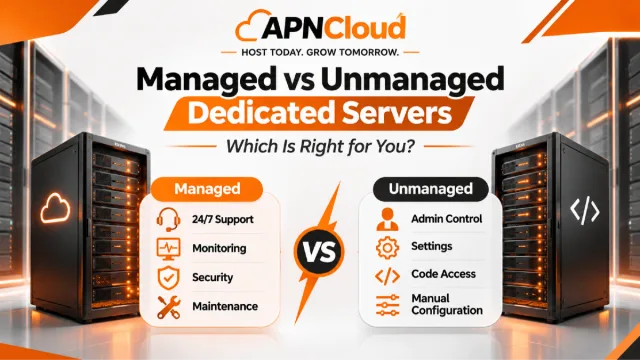
Managed vs Unmanaged Dedicated Servers: Which Is Right for You?
Choosing between managed and unmanaged dedicated servers can significantly affect your website's performance, security, operating costs, and daily maintenance responsibilities. This practical guide explains how both hosting models work, compares their advantages and limitations, and helps businesses select the right dedicated hosting solution based on technical expertise, workload requirements, and long-term growth.

When Should You Upgrade to a Dedicated Server?
Is your website outgrowing shared hosting or VPS? Learn the signs that indicate it's time to upgrade to a dedicated server, how to evaluate your hosting requirements, and how to migrate without unnecessary downtime or expense.

Best Web Hosting in BD: A Complete Guide for 2027
Choosing the right web hosting in Bangladesh can make a significant difference to your website's speed, security, reliability, and long-term growth. This complete 2027 guide explains hosting types, important features, pricing considerations, common mistakes, and practical steps to help beginners, entrepreneurs, and small businesses select a suitable hosting solution.
Never miss a post
Fresh guides, product updates and hosting resources from the APNCloud team.