Managed vs Unmanaged Dedicated Servers: Which Is Right for You?
Choosing between managed and unmanaged dedicated servers can significantly affect your website's performance, security, operating costs, and daily maintenance responsibilities. This practical guide explains how both hosting models work, compares their advantages and limitations, and helps businesses select the right dedicated hosting solution based on technical expertise, workload requirements, and long-term growth.
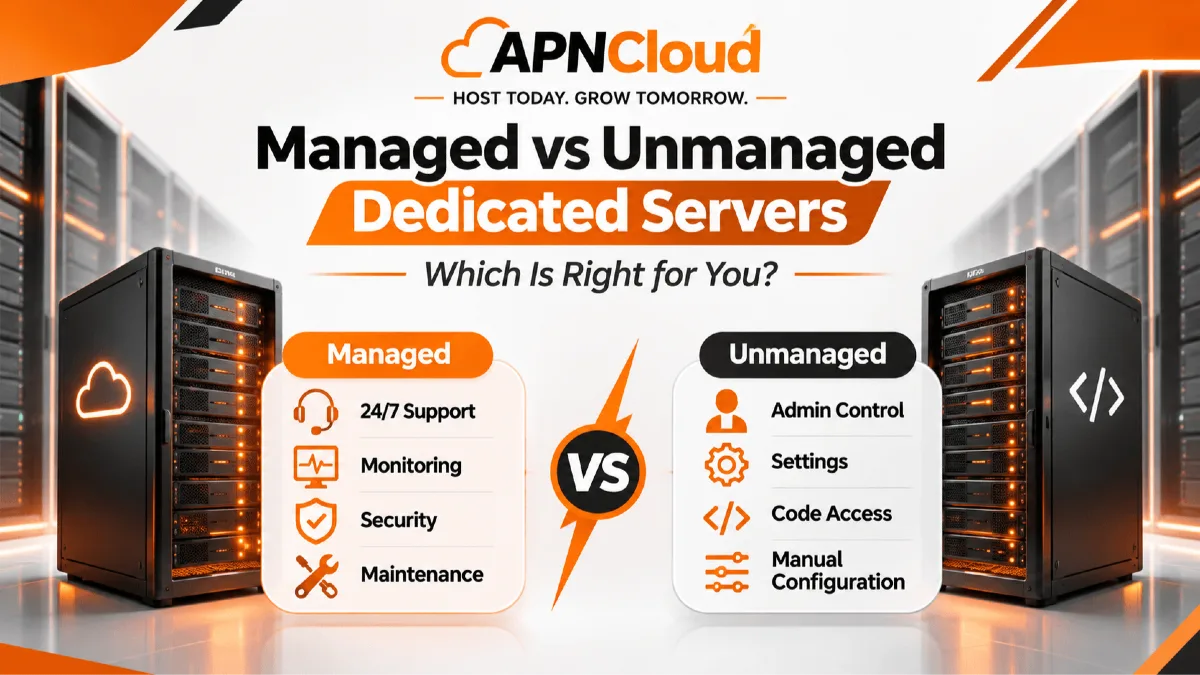
Choosing the right hosting infrastructure is one of the most important technical decisions a growing business can make. Whether you operate an online store, manage a business website, run a software application, or provide digital services to customers, your hosting environment influences performance, reliability, security, and operational efficiency. As websites become more demanding and shared hosting or virtual private servers no longer provide sufficient flexibility, many businesses begin exploring dedicated server hosting. However, selecting dedicated hardware is only the beginning. Another important decision is whether to choose a managed dedicated server or an unmanaged dedicated server. Although both options provide access to dedicated physical server resources, they differ significantly in technical responsibilities, support arrangements, maintenance requirements, and overall operating costs.
A dedicated server is a physical machine allocated to a single customer rather than shared among multiple unrelated hosting customers. This arrangement gives businesses greater control over processing power, memory, storage configuration, operating systems, and application environments. Unlike traditional shared hosting, where multiple websites compete for resources on the same server, dedicated hosting provides a more predictable resource allocation. This makes dedicated infrastructure attractive for resource-intensive applications, growing e-commerce platforms, database-driven websites, and businesses with specialized software requirements. Nevertheless, owning or renting dedicated server capacity does not automatically mean that the hosting provider will manage every technical task. The service agreement determines which responsibilities belong to the provider and which remain with the customer.
A managed dedicated server combines dedicated hardware with an agreed range of professional server management services. Depending on the provider and package, these services may include operating system maintenance, security updates, monitoring, firewall configuration, troubleshooting, backup administration, and technical assistance. Managed hosting is particularly valuable for businesses that need powerful infrastructure but do not employ experienced system administrators. Instead of spending significant time maintaining the server environment, business owners and development teams can concentrate on website development, customer experience, marketing, and revenue-generating activities. However, managed services vary considerably between providers, so customers should always examine the exact scope of support rather than assuming every administrative task is included.
An unmanaged dedicated server offers a different approach. The hosting provider generally supplies the physical hardware, network connectivity, and infrastructure-level support, while the customer takes responsibility for configuring and maintaining the operating system, applications, security controls, and other software components. This model gives technically experienced organizations greater administrative flexibility. Developers can install customized software stacks, manage server configurations, automate deployments, and implement security policies according to their own requirements. Although unmanaged hosting may have a lower advertised monthly price, the customer must account for the time, expertise, and operational resources needed to maintain the environment properly.
Understanding these differences is essential because the cheapest hosting package is not necessarily the most economical solution. A business without technical expertise may experience unexpected maintenance expenses when using an unmanaged server. Conversely, an organization with an established infrastructure team may not need comprehensive external management services. The right choice depends on workload complexity, business priorities, technical capabilities, and acceptable operational risk. In this guide, we will examine both hosting models, compare their practical advantages, explain common mistakes, and provide a structured decision-making process to help you select suitable dedicated hosting for your website or business application.
Why Choosing the Right Dedicated Hosting Model Matters
The difference between managed and unmanaged dedicated hosting goes beyond who installs software or responds to technical support requests. Your decision influences how your organization handles operational risks, protects customer information, manages infrastructure expenses, and responds when technical problems occur. For businesses that rely on websites or applications to generate revenue, these considerations can have direct commercial consequences. An unexpected server outage may interrupt customer purchases, prevent employees from accessing essential tools, or damage confidence in an online service. Similarly, an incorrectly configured security policy can expose sensitive systems to unnecessary risks. Choosing an appropriate management model helps establish clear responsibilities before such problems arise.
One of the most important considerations is operational continuity. Dedicated servers often support applications that cannot tolerate extended interruptions, including online stores, customer portals, enterprise databases, and high traffic hosting environments. These workloads require regular monitoring, timely software maintenance, and effective incident response procedures. With a managed dedicated server, some of these responsibilities may be handled by the hosting provider under the purchased service plan. This can reduce the burden on organizations without dedicated infrastructure personnel. With unmanaged hosting, the customer must establish equivalent operational processes independently. Neither approach guarantees uninterrupted service, but the appropriate model can help an organization prepare more effectively for predictable maintenance and unexpected incidents.
Security responsibilities also make this decision important. Dedicated infrastructure provides greater isolation from unrelated hosting customers, but isolation alone does not make a server secure. Operating systems require updates, applications need secure configurations, and administrators must manage access permissions carefully. Monitoring suspicious activity, reviewing firewall rules, protecting credentials, and testing recovery procedures are ongoing tasks. Managed hosting providers may perform certain security activities, although customers generally remain responsible for application security, account management, and the information they process. Unmanaged hosting places a larger share of infrastructure security responsibilities directly on the customer. Organizations should therefore evaluate whether they have sufficient knowledge and resources to maintain the security standards their workloads require.
Financial planning is another major factor. Many businesses initially compare dedicated server hosting packages using only their advertised monthly prices. This approach overlooks the total cost of operating a production environment. A managed service may cost more because it includes administrative labor, monitoring tools, and technical support. An unmanaged server may cost less initially but require paid administrators, third-party monitoring services, backup solutions, and emergency troubleshooting. These expenses can vary significantly depending on application complexity and the availability of internal technical staff. A meaningful cost comparison should include both predictable subscription expenses and the resources required to operate the server safely throughout its intended lifespan.
The choice also affects business agility. Organizations with skilled development and operations teams may prefer unmanaged infrastructure because it allows extensive customization and direct control over server configurations. Businesses without those resources may benefit from managed services that reduce routine administrative work. However, the level of control available under managed hosting depends on provider policies, and customers should verify whether root access, custom applications, or specialized configurations are permitted. Understanding these conditions before purchasing can prevent costly migration decisions later.
Ultimately, choosing the right dedicated hosting model is about aligning technology with business capability. A server should support your organization's objectives rather than create unnecessary administrative complexity. By evaluating responsibilities, technical expertise, security requirements, and long-term costs together, businesses can make more informed infrastructure investments and establish a foundation for sustainable growth.
What Is a Managed Dedicated Server?
A managed dedicated server is a hosting server that is given to one customer and comes with professional technical management services that are defined in the hosting agreement. It mixes the hardware isolation and resource flexibility of an infrastructure with help from a hosting provider or management team. This setup is meant for organizations that need computing capacity but do not want to handle every operating system update, server configuration monitoring job or infrastructure incident by themselves. Managed hosting can be especially useful for businesses that rely on websites or applications but have limited internal server administration expertise. Of treating the server as just a piece of hardware a managed service gives customers an operational framework that is designed to help them keep their hosting environment.
The exact services that are part of managed hosting differ between providers. Some packages give only basic operating system updates, security monitoring and technical troubleshooting while complete arrangements may include proactive maintenance, managed backups, control panel administration, application stack support and incident response. For example a business that runs an online store may need help setting up the web server keeping database services running updating the server software and looking into performance problems. A managed hosting provider might take care of some or all of these jobs depending on the contract.. Website content updates, application development, plugin compatibility and business‑specific software problems usually stay the customer’s responsibility. Therefore it is important to ask for a written list of all services that are included before making a purchase.
One big advantage of managed hosting is that you get access to knowledge without having to hire a full‑time infrastructure specialist. Running a production server needs familiarity with operating systems, network services, access controls, performance monitoring and recovery procedures. Smaller organizations might not have work to justify a dedicated system administrator yet they still need reliable technical oversight. A managed dedicated server can fill this gap by giving you access to support staff who work regularly with hosting environments. This arrangement lets business owners and application developers concentrate on their duties while trusting an agreed support process for server‑level operations.
Managed hosting can also make routine maintenance more predictable. Operating system patches, monitoring alerts, service checks and configuration reviews are easier to schedule when responsibilities are clear. For businesses that run customer‑facing applications consistent maintenance habits can lower the chance of technical problems. Yet managed hosting does not remove all risk. Hardware failures, application bugs, network outages and security incidents can still happen. Customers should review service‑level agreements, backup policies, response times and escalation procedures. Should not think that the word managed guarantees perfect reliability.
Another point to think about is control. Some managed dedicated server plans give root or administrator access while others limit certain changes to protect the supported configuration. Businesses that need software should verify compatibility before buying. The managed hosting plan balances professional help with the flexibility that the application needs. When those conditions are met managed hosting can give a practical base, for growing websites, business applications and resource‑intensive workloads.
What Is an Unmanaged Dedicated Server?
An unmanaged dedicated server is a physical server used for hosting. The person who buys this server has to take care of most of the work. They have to install the software set it up make sure it is safe watch over it and keep it working. The company that provides the server usually takes care of the building where the server lives the actual computer parts and the internet connection.. The person who owns the server handles the operating system and the programs that run on it. This kind of server is often chosen by people who know a lot about computers like developers, people who manage computer systems, software companies and groups that have a team of experts. It gives a lot of control over the server. Lets people make changes that might not be allowed in regular managed hosting plans.. This control means there is a lot of work to do that should not be ignored.
When someone buys dedicated hosting they usually get a real physical server with an operating system already on it or the chance to put their own supported operating system on it. Depending on the company they might also get ways to manage the server from away a special system to fix problems or a way to see what is happening on the server at a very basic level. Once it is set up the person who bought the server has to get it ready for use. This can mean setting up web services, database programs, rules for security who can use the server certificates for security, systems for backups tools to watch the server and all the other parts that the programs need. The person must also make rules for updating the software checking the records reacting to warnings and getting everything up if something goes wrong. The company that provided the server might help if the computer parts are broken or the internet is not working. They won't help with problems that are with the software.
Imagine a company that makes software and has special programs. Their group of people who know about computers might use a type of Linux use containers for their services have a way to automatically put the programs on the server and use tools to watch everything. An unmanaged server can give them the freedom to choose the software versions set up how much power each part gets and handle the services in the way their team likes best. They can make their security plans decide when to do maintenance and connect the server with the other parts of their work. This kind of control can be very helpful when the programs need things or when making the computers fit the companys way of working is very important.
The main reason people like hosting is because it costs less at first. The company does not add work to manage the software so the price for the hosting is lower.. Less money for the hosting does not always mean less money overall. Companies need to think about the cost of the people who will take care of the server the tools to watch it the people who keep it safe the backups and the people who fix problems when something goes wrong. If a company already has people who know what they are doing these tasks can fit right into what they do. If they do not have people who know, then paying for help can cost more than the difference in price between unmanaged and managed hosting.
Unmanaged hosting also needs responsibility inside the company. Someone has to know when to update the software how to check the backups and who to call when the server stops working. If there are no written rules the small tasks can be forgotten until they become problems. Companies should look at how good they're at managing things before deciding to go with this kind of server. An unmanaged server can be a choice for teams that are good with computers and like to be, in charge. For companies that need computers but can't always manage the server work a managed option might be better because it gives a good mix of control, ease and risk.
Managed vs Unmanaged Dedicated Servers: Key Differences
Managed and unmanaged dedicated servers can use identical physical hardware, yet provide very different experiences for the businesses operating them. Both hosting models may offer dedicated processors, memory, storage devices, network connections, and operating system options. The central distinction is how administrative responsibilities are distributed between the customer and the hosting provider. Managed hosting includes an agreed level of operational assistance, while unmanaged hosting generally places most software-related responsibilities on the customer. This difference influences maintenance, security, customization, technical support, and long-term operating expenses. Understanding each category helps businesses compare services based on practical requirements rather than marketing terminology.
Feature | Managed Dedicated Server | Unmanaged Dedicated Server |
|---|---|---|
Hardware resources | Dedicated to one customer | Dedicated to one customer |
Operating system maintenance | Provider may manage | Customer manages |
Security updates | Included according to plan | Customer responsibility |
Server monitoring | Often included | Customer must arrange |
Backups | May be included or optional | Customer must configure |
Technical expertise required | Lower for routine server tasks | Higher |
Root access | Depends on provider | Usually available |
Customization | May have support limitations | Generally more flexible |
Monthly service price | Usually higher | Usually lower |
Incident response | According to support agreement | Customer handles software incidents |
Best suited for | Businesses needing technical assistance | Teams with server administration skills |
One important difference involves ongoing maintenance. Servers require more than an initial installation to remain suitable for production use. Operating system updates, security patches, log reviews, storage checks, and service monitoring must be performed throughout their operating life. A managed dedicated server may include scheduled maintenance and assistance with these activities. Under unmanaged hosting, the customer must plan and execute the same work. Businesses should determine whether they have the technical capacity to maintain consistent operational standards. Delayed maintenance can create unnecessary security exposure, compatibility problems, or service interruptions regardless of the quality of the underlying hardware.
Technical support is another area where expectations frequently differ. Managed hosting customers may receive assistance with supported software configurations, performance investigations, and server-level troubleshooting. Unmanaged hosting customers generally receive support for infrastructure issues such as defective components or network connectivity, but application and operating system problems may fall outside the provider's responsibilities. These boundaries vary, so businesses should examine the support agreement carefully. A provider advertising around-the-clock support may offer continuous access to its team without guaranteeing that every software issue is covered or resolved immediately.
Customization and administrative freedom also deserve attention. Unmanaged dedicated hosting typically allows organizations to install specialized software, modify operating system settings, and develop custom automation workflows. Managed services may support similar flexibility, but certain changes could fall outside the management agreement. For example, a provider may support a standard web hosting environment but decline responsibility for troubleshooting an unusual custom application stack. Organizations with complex software requirements should clarify these limitations before selecting a package.
Finally, businesses must compare total operating costs rather than hardware specifications alone. Managed services can reduce internal administrative workload, while unmanaged services can be economical when skilled staff and operational systems already exist. Neither model is universally superior. The better option is the one that meets technical requirements while keeping responsibilities, risks, and expenses manageable.
Security, Backups, and Reliability: What Businesses Should Know
Security matters a lot when you compare managed and unmanaged servers. Even though dedicated hardware keeps one server from others it does not protect your apps from bugs, mistakes or bad people. A bare metal server gives you physical isolation. The operating system, software, network services and admin accounts still need protection. You need good security controls no which hosting model you choose. Good controls include passwords, limited admin rights, patching software, firewall rules, encrypted links watching for problems and safe backup steps. The main difference between managed and unmanaged hosting is who does these tasks and how you write down the responsibilities.
When you choose a managed server the hosting provider might handle operating system updates, set up firewall rules watch some server events and look into some technical problems. How much help you get depends on the management package you buy. Some providers give basic security maintenance. Others offer protection with special services. You should ask the provider if the monitoring is active which operating systems are supported, how they schedule updates and if they can help in emergencies. You should also know which tasks you still have to do. For instance a provider who manages the operating system is not responsible for application code, weak passwords or old third‑party extensions.
With hosting you must set up and keep the server security yourself. A skilled company might like this because it can design rules that fit its apps and compliance needs. The team can pick monitoring tools manage configurations and plan updates based on what's important.. This works only if duties are clear and security steps are done all the time. An unmanaged server that gets care can be weak even if its hardware is strong and its network is good. Companies should think about how staff they have how well they document things and how fast they can respond to incidents before they pick unmanaged infrastructure.
Backup planning is just as important. Some businesses think that dedicated hosting gives backups but that is not always the case. How often backups happen how long they stay, where they are stored and how help is given when you restore all depend on the agreement. A managed package might run the backups. You still need to check what data is backed up and whether the restore test works. With hosting you normally set up your own backup and make sure it recovers. A good idea is to keep safe copies of key data including one copy kept away from the main server while obeying the right security and retention rules.
Reliability also depends on how the system's built and how ready it is. Dedicated hosting can give you use of the server resources but hardware failures and network problems can still happen. Companies with work might need extra parts that duplicate each other backups off the main server alerts to watch or a clear disaster plan. These steps can cost extra whether hosting is managed or not. You should also look at the service level agreement to know the uptime guarantees what is not. What the fixes are.
In the end security and reliability rely on shared responsibility. Managed hosting can give help but you still have to guard your apps and data. Unmanaged hosting gives you control but you must bring the needed skill. Clear duties and tested recovery steps are worth more, than thinking that any hosting type is automatically safe.
Performance and Server Resources: Does Management Affect Speed?
Performance is often one of the main reasons businesses move from shared hosting or virtual private servers to dedicated infrastructure. A dedicated server provides physical computing resources allocated to a single customer, allowing the organization to configure its environment according to application requirements. However, an important misconception is that managed dedicated hosting automatically delivers better performance than unmanaged hosting. In reality, server performance depends primarily on hardware specifications, application design, software configuration, network conditions, storage performance, and workload characteristics. Management services can influence how effectively these resources are maintained and optimized, but the management label alone does not determine server speed.
Consider two dedicated servers equipped with comparable processors, memory, NVMe storage, and network connectivity. One operates under a managed hosting agreement, while the other is administered by the customer's technical team. If both systems use equally effective configurations and support similar workloads, their performance may be comparable. The managed server does not inherently receive additional processing power because the provider maintains it. Similarly, an unmanaged server is not automatically faster simply because the customer has root access. Performance differences emerge from how the operating system, database services, caching mechanisms, web server software, and applications use the available hardware. Businesses should therefore examine both physical specifications and operational practices when comparing hosting packages.
A managed dedicated server can offer performance-related benefits when the management agreement includes monitoring, configuration assistance, and troubleshooting. For example, a growing e-commerce website may experience slow page loading during seasonal sales. A provider offering performance support might help identify excessive memory consumption, database bottlenecks, or inefficient server settings. Depending on the support scope, the provider may recommend configuration adjustments or identify when additional hardware resources are necessary. This assistance can be particularly useful for organizations without experienced system administrators. Nevertheless, application-level optimization may require a developer, and customers should not assume that all performance problems fall within the hosting provider's responsibilities.
Unmanaged hosting can provide considerable performance flexibility for experienced teams. Administrators can configure software services, select database versions, implement custom caching strategies, and adjust operating system parameters according to specific workload requirements. For businesses running specialized applications, this control can be valuable. A development company operating resource-intensive background processes, for example, may prefer direct access to system settings and deployment automation. However, poorly planned changes can reduce stability or introduce security problems. Effective performance tuning requires testing, monitoring, and an understanding of the application's actual resource usage.
Hardware selection remains essential under both models. CPU performance affects computational workloads, RAM influences memory-intensive operations, storage speed affects database and file access, and network capacity influences data transfer. Businesses should monitor utilization trends before purchasing additional resources. High traffic hosting environments may also benefit from content delivery networks, application caching, database optimization, and load distribution. A larger server cannot always compensate for inefficient software architecture.
The practical conclusion is that managed and unmanaged dedicated servers can both provide excellent performance. Managed hosting may make performance administration easier through professional assistance, while unmanaged hosting gives experienced teams greater freedom to implement their own optimizations. The correct choice depends on who can operate the infrastructure effectively, not simply on which package promises the fastest hardware.
Comparing the Real Costs of Managed and Unmanaged Dedicated Hosting
Cost is frequently the deciding factor when businesses compare dedicated hosting packages, but advertised monthly prices provide only a partial picture. A managed dedicated server generally costs more than an unmanaged server with comparable hardware because the managed service includes an agreed amount of technical assistance and operational administration. An unmanaged server may appear more affordable because the customer performs much of this work independently. However, a reliable financial comparison must consider the total cost of ownership, including technical labor, software licensing, monitoring, backups, maintenance, security services, and potential operational disruption. Understanding these expenses helps businesses avoid choosing a package that looks inexpensive initially but becomes costly over time.
For example, imagine a small online business comparing two hypothetical dedicated hosting options. The unmanaged server costs $100 per month, while a managed package with similar hardware costs $180 per month. These figures are illustrative rather than actual APNCloud prices. At first glance, unmanaged hosting appears to save $80 monthly, or $960 annually. However, suppose the business does not employ a system administrator and occasionally needs external technical assistance. If server maintenance, security configuration, monitoring, and troubleshooting cost an average of $150 per month, the unmanaged solution effectively costs approximately $250 monthly before additional expenses. Under those assumptions, the managed package may be more economical, provided its included services cover the work the business needs.
The calculation changes when an organization already employs qualified infrastructure personnel. Consider a software company with several dedicated servers and a team responsible for deployments, monitoring, and incident response. Adding another unmanaged server may require relatively little additional administrative work because the company already maintains automation tools and operational procedures. In this situation, paying for comprehensive external management may duplicate existing capabilities. The organization might reasonably prefer unmanaged hosting while purchasing specialized services only when necessary. However, internal labor is not entirely free, and administrators still need time to maintain additional infrastructure. Businesses should account for the opportunity cost of assigning skilled employees to routine maintenance rather than other projects.
Software licensing and optional services can also affect costs. Depending on the chosen environment, businesses may need commercial control panels, operating system licenses, backup storage, security tools, or monitoring subscriptions. Some managed hosting packages include selected services, while others charge separately. Similarly, unmanaged server customers may need to purchase and configure their own tools. Businesses should request an itemized quotation showing hardware specifications, bandwidth allowances, licensing costs, backup options, management coverage, and potential setup fees. This makes it easier to compare packages on an equivalent basis.
Operational risk introduces another financial consideration. A poorly maintained server may experience avoidable downtime or security problems, potentially interrupting business operations. Although neither management model eliminates these risks, appropriate technical oversight can help reduce preventable incidents. Organizations should estimate how much downtime they can tolerate and whether they can respond effectively without external assistance. The cost of delayed recovery may be especially important for revenue-generating websites.
Ultimately, the most economical dedicated hosting solution is the one that delivers the required infrastructure and operational support at a sustainable total cost. Businesses should evaluate both subscription fees and the expertise needed to operate the server successfully.
Step-by-Step Guide: How to Choose the Right Dedicated Server
Selecting between managed and unmanaged dedicated hosting becomes easier when the decision follows a structured evaluation process. Instead of beginning with provider advertisements or hardware prices, businesses should first understand their applications, technical capabilities, and operational expectations. A website that receives occasional visitors has different requirements from a busy online marketplace, and a company with experienced infrastructure engineers has different support needs from a small business owner managing a website independently. The following process helps translate these differences into practical hosting decisions.
Step 1: Identify your website and application requirements
Begin by documenting what the server must support. Record the number of websites, application frameworks, database systems, expected traffic, storage requirements, and software dependencies. Consider whether the environment will host an online store, customer portal, business application, or development platform. Review current resource utilization if you are migrating from another hosting service. CPU usage, memory consumption, storage activity, and network traffic can provide useful information for capacity planning. Avoid selecting oversized hardware solely because it appears more powerful. Your objective is to choose server resources that meet realistic workload requirements while allowing reasonable room for growth.
Step 2: Evaluate your available technical expertise
Determine who will maintain the operating system, configure security settings, manage backups, and respond to incidents. If your organization has experienced system administrators who already manage production infrastructure, unmanaged dedicated hosting may be practical. If your team primarily handles website content, sales, or application development, managed hosting may reduce unnecessary operational complexity. Be realistic about staff availability. Someone who understands basic website administration may not necessarily have the expertise required to maintain a dedicated Linux or Windows server securely.
Step 3: Define your security and availability requirements
Consider the importance of the information processed by your applications and the consequences of service interruption. Identify any applicable regulatory, contractual, or industry-specific requirements. Determine how frequently backups are needed, how quickly services should be restored, and who must respond to security alerts. These requirements help establish whether a managed service offers appropriate coverage or whether your organization can implement equivalent controls internally.
Step 4: Compare management responsibilities and support agreements
Request a clear description of what each provider includes. Ask about operating system updates, monitoring, firewall administration, backup management, troubleshooting, and emergency assistance. Confirm whether root access is available and whether custom applications are supported. Review response targets, escalation procedures, and any additional charges for work outside the standard package. Do not assume that two services described as managed dedicated hosting include identical responsibilities.
Step 5: Calculate the total operating budget
Compare hardware rental costs alongside software licensing, monitoring, backup storage, administrative labor, and optional support. Include anticipated growth and potential upgrade expenses. If an unmanaged package requires external technical assistance, estimate those costs before deciding that it is cheaper.
Step 6: Plan deployment, testing, and future growth
Before launching production workloads, establish a migration plan, test application compatibility, configure monitoring, and verify backups. Confirm how hardware upgrades or migrations are handled. A good hosting decision should meet today's requirements while providing a practical path for future expansion. Businesses can begin exploring available infrastructure through APNCloud hosting solutions and confirm management coverage directly before ordering.
Common Mistakes to Avoid When Choosing Dedicated Hosting
Businesses sometimes select dedicated hosting based on assumptions that seem reasonable but create operational problems after deployment. These mistakes can lead to unnecessary expenses, maintenance difficulties, or unsuitable infrastructure. One of the most common errors is choosing unmanaged dedicated hosting solely because the advertised monthly price is lower. Although unmanaged servers can provide excellent value, they require technical expertise and consistent maintenance. A business that lacks server administration skills may struggle with security updates, software failures, or unexpected configuration problems. Before purchasing, organizations should identify who will perform essential administrative tasks and whether those responsibilities can be handled reliably throughout the server's operating life.
Another common mistake is assuming that managed hosting includes unlimited technical support for every possible issue. Management services have boundaries, and those boundaries differ between providers. A package may cover operating system maintenance but exclude custom application debugging, website development, third-party integrations, or specialized database administration. Businesses that overlook these limitations may discover that important technical problems require additional paid services. The solution is to review the support agreement carefully and request clarification about specific applications. If a business operates a customized e-commerce platform, for example, it should confirm which parts of the environment the hosting provider will maintain.
Selecting hardware without analyzing workload requirements is another costly error. Some organizations purchase powerful dedicated servers based on projected growth without examining actual resource consumption. Others choose insufficient memory or storage capacity because they focus exclusively on the lowest available price. Both approaches can create problems. Excessive resources increase costs without necessarily improving performance, while inadequate capacity may cause slow response times or require early upgrades. Businesses should review monitoring data, estimate future demand, and consider application architecture before selecting processors, RAM, storage, and bandwidth.
Backup assumptions can also cause serious difficulties. Some customers believe their hosting provider automatically protects all data, even when backups are not included in the service. Others configure backups but never verify whether restoration works. A reliable backup strategy requires defined schedules, suitable retention periods, secure storage, and periodic recovery testing. Businesses should maintain appropriate copies of essential information independently of the primary server whenever practical. Whether hosting is managed or unmanaged, the customer should understand exactly how data can be recovered after an incident.
Ignoring security responsibilities is another mistake. Dedicated infrastructure provides isolation, but it does not replace patch management, secure authentication, access control, and application maintenance. Customers using unmanaged hosting must establish their own security processes, while managed customers should understand which protections are included and which remain their responsibility. Security should be treated as an ongoing operational requirement rather than a one-time setup task.
Finally, businesses sometimes overlook future migration and scaling requirements. A dedicated server may meet current demand but become unsuitable as applications expand. Before committing to a provider, ask about hardware upgrades, data migration assistance, operating system support, and service changes. Avoid depending on a configuration that cannot accommodate reasonable growth. By considering total costs, technical responsibilities, security, backups, and future requirements together, organizations can make more reliable hosting decisions and reduce the likelihood of expensive changes later.
Practical Checklist Before Buying a Managed Dedicated Server
Before purchasing a managed dedicated server or an unmanaged alternative, businesses should complete a structured readiness assessment. This checklist helps identify technical requirements, clarify operational responsibilities, and reduce uncertainty during deployment. Although dedicated hosting offers substantial flexibility, selecting the wrong configuration or overlooking maintenance responsibilities can create unnecessary expenses. A good purchasing process should consider hardware, software, security, support, costs, and future growth together. The objective is not simply to select a server with impressive specifications, but to establish a hosting environment that your organization can operate effectively over time.
Hardware planning should begin with application requirements. Businesses should estimate processor demand, memory usage, storage capacity and expected data transfer. An online store with a product database may have different resource requirements from a content website receiving similar traffic. Applications involving database operations, background processing or large file transfers may require additional attention to storage and memory performance. Where possible use monitoring information rather than relying exclusively on assumptions. If the business expects demand include reasonable capacity for temporary increases in activity. However avoid purchasing resources without evidence that the application will benefit.
Management responsibilities should be documented before deployment. For managed hosting, verify which administrative tasks are included and how technical assistance is requested. For hosting assign responsibility for operating system maintenance, monitoring, security updates and incident response. Organizations should also determine whether technical personnel will be available outside business hours. If a customer-facing service experiences an issue during a holiday or weekend someone must know how to investigate and escalate the problem. Clear ownership is essential for operations.
Security and recovery planning require attention. Confirm how administrative access will be protected, which monitoring tools will be used and how critical information will be backed up. Determine recovery time and data loss limits according to business requirements. Backup procedures should be tested than assumed to work. Customers using managed hosting should ask whether restoration assistance is included and whether backup storage is separate from the production server.
Finally evaluate contract terms renewal pricing and future upgrade possibilities. A dedicated hosting arrangement should remain practical as the business grows. Review any limitations, on software customization, network usage, hardware replacement and migration assistance. Completing this checklist helps organizations compare services systematically and identify questions that should be answered before committing to a hosting package.
Frequently Asked Questions About Managed Dedicated Servers
Businesses evaluating dedicated hosting often have similar questions about technical responsibilities, performance, pricing, and long-term suitability. The answers below address common concerns and clarify how managed and unmanaged hosting models differ in practice. Because service agreements vary between providers, these explanations describe general hosting principles rather than guaranteeing that every package includes identical features. Customers should confirm specific service details before purchasing.
1. What is a managed dedicated server?
A managed dedicated server is a physical server allocated to one customer with additional technical management services provided under an agreed hosting plan. These services may include operating system maintenance, monitoring, security updates, and troubleshooting. The exact coverage depends on the provider. Managed hosting is often suitable for businesses that require dedicated hardware but prefer professional assistance with routine server administration.
2. What is the difference between managed and unmanaged dedicated hosting?
The main difference is responsibility for server administration. Managed hosting includes defined technical services from the provider, while unmanaged hosting requires the customer to maintain most operating system and software components. Both models can provide similar hardware performance. The right choice depends on technical expertise, operational requirements, and available budget.
3. Is managed dedicated hosting more secure?
Managed hosting can help organizations maintain consistent security practices when the service includes appropriate patching, monitoring, and configuration support. However, it is not automatically more secure in every situation. An unmanaged server operated by an experienced security team can also be well protected. Application security, access management, and customer responsibilities remain important under both models.
4. Is an unmanaged dedicated server cheaper?
Unmanaged hosting usually has a lower base service price when compared with a managed package offering similar hardware. However, customers must consider the cost of administration, backups, monitoring, software licensing, and technical support. An unmanaged solution may be economical for organizations with existing infrastructure teams, while managed hosting may provide better overall value for businesses without those resources.
5. Can beginners use a dedicated server?
Yes, beginners can use dedicated hosting, particularly when appropriate management services are available. However, dedicated infrastructure is more complex than typical shared hosting. Beginners should understand their application requirements and choose a support arrangement that matches their technical abilities. A managed dedicated server can reduce routine administration demands, but customers still need to manage their websites and business applications.
6. Is a dedicated server better than a VPS?
Neither option is universally better. A virtual private server can provide a flexible and economical environment for many websites and applications. A dedicated server offers physical resources allocated to one customer and can provide greater control over hardware and system configuration. The better choice depends on resource requirements, application architecture, budget, and operational needs. Businesses should evaluate actual workloads before upgrading.
7. Can I upgrade from unmanaged to managed hosting?
Some hosting providers allow customers to add management services or migrate to managed plans. However, availability depends on the provider, operating system, existing configuration, and support policies. Custom software environments may require additional assessment before management can begin. Customers should confirm upgrade options and potential migration requirements in advance.
8. Which dedicated server is best for an e-commerce website?
The best choice depends on store traffic, application complexity, payment integrations, database requirements, and available technical expertise. A managed dedicated server may be appropriate for an e-commerce business without dedicated infrastructure personnel. An unmanaged server may suit an organization with experienced administrators. Both require secure application configurations, reliable backups, and suitable monitoring.
9. Does managed hosting include automatic backups?
Not necessarily. Some managed hosting plans include backup services, while others offer them as optional features. Customers should confirm backup frequency, retention, storage location, and restoration assistance. Regardless of the hosting model, businesses should maintain an appropriate recovery strategy and periodically verify that important information can be restored.
10. Which hosting model is better for long-term business growth?
Both managed and unmanaged dedicated hosting can support long-term growth. Managed hosting is useful when businesses want to reduce internal server administration responsibilities. Unmanaged hosting is attractive when organizations have technical teams that need extensive control. Long-term suitability depends on application demands, infrastructure expertise, support expectations, and the ability to scale resources as requirements change.
Which Dedicated Hosting Option Is Right for You?
Choosing between managed and unmanaged dedicated hosting requires more than comparing monthly subscription prices or hardware specifications. Both models provide dedicated physical infrastructure, but they serve different operational needs. A managed dedicated server is generally suitable for organizations that want professional assistance with supported server administration tasks. An unmanaged dedicated server is often better suited to technically experienced teams that prefer direct control over operating systems, applications, and maintenance procedures. Neither option is automatically superior. The correct decision depends on your business requirements, technical expertise, operating budget, and willingness to manage infrastructure responsibilities.
For small and medium-sized businesses, managed dedicated hosting can be a practical choice when internal technical resources are limited. An online store, professional services website, or growing business application may require more computing capacity than a shared hosting environment can comfortably provide. However, the business owner may not have the time or expertise to manage operating system updates, monitor server services, or investigate infrastructure problems. A suitable managed hosting arrangement can reduce this administrative burden and provide access to technical assistance. Businesses should still review the support agreement to understand which services are included and which tasks remain their responsibility.
Unmanaged hosting offers different advantages. Software development companies, infrastructure providers, and organizations with established system administration teams may benefit from the freedom to customize their environments. They can select operating systems, implement automation, configure application stacks, and establish their own monitoring and security procedures. When technical personnel and operational processes are already available, unmanaged dedicated hosting may offer better cost efficiency and greater flexibility. Nevertheless, the organization must remain prepared to maintain the server consistently and respond to technical incidents without relying on comprehensive provider-managed support.
Long-term growth should also influence the decision. Businesses may initially require only modest dedicated resources but eventually need additional memory, storage, processing power, or network capacity. The hosting environment should support realistic expansion without unnecessary complexity. Management requirements may change as the organization develops. A company might begin with managed hosting and later build an internal infrastructure team, or move from unmanaged hosting to a managed arrangement when administrative demands become difficult to maintain. Reviewing these possibilities early can make future infrastructure decisions easier.
Before selecting a provider, compare hardware specifications, management coverage, security responsibilities, backup options, support arrangements, and total operating costs. Ask specific questions rather than relying on general descriptions such as fully managed or enterprise-grade. Document your application's requirements and establish clear responsibility for maintenance, monitoring, and recovery. These steps help create a more dependable hosting environment regardless of the service model.
The best dedicated hosting solution is ultimately the one your business can operate securely, efficiently, and sustainably. With appropriate planning, both managed and unmanaged servers can support demanding websites, business applications, and long-term digital growth.
Get Started with APNCloud Dedicated Hosting
Choosing suitable hosting infrastructure is an important step toward building a reliable online business. Whether you operate an e-commerce website, manage customer applications, or need additional computing capacity for expanding workloads, your hosting solution should match both your technical requirements and your operational capabilities. A powerful server alone is not enough. Businesses also need clear maintenance responsibilities, appropriate security practices, reliable backups, and a realistic plan for future growth.
APNCloud provides a starting point for exploring hosting infrastructure and discussing your requirements. Before purchasing, identify the resources your applications need and determine whether you require professional server management or prefer to administer the environment independently. Confirm the availability of dedicated server configurations, management services, technical support, and any optional features directly with APNCloud. This helps ensure that the selected service meets your expectations without relying on assumptions about included capabilities.
If you are migrating from shared hosting or a VPS, prepare information about your existing applications, operating system, resource consumption, and expected traffic. These details can help you discuss suitable infrastructure options. Businesses with limited technical experience should also clarify what assistance is available for server setup, maintenance, and troubleshooting. Organizations with experienced administrators may instead prioritize hardware flexibility, administrative access, and compatibility with their existing infrastructure tools.
For more information, visit the APNCloud official website to explore available hosting services and contact the team about your dedicated hosting requirements.
Keep reading
Related articles

When Should You Upgrade to a Dedicated Server?
Is your website outgrowing shared hosting or VPS? Learn the signs that indicate it's time to upgrade to a dedicated server, how to evaluate your hosting requirements, and how to migrate without unnecessary downtime or expense.

Best Web Hosting in BD: A Complete Guide for 2027
Choosing the right web hosting in Bangladesh can make a significant difference to your website's speed, security, reliability, and long-term growth. This complete 2027 guide explains hosting types, important features, pricing considerations, common mistakes, and practical steps to help beginners, entrepreneurs, and small businesses select a suitable hosting solution.

Best Dedicated Server Hosting for High-Traffic Websites
High-traffic websites need more than ordinary hosting. Discover how to choose the best dedicated server for reliable performance, stronger security, predictable resources, and long-term business growth. This practical guide covers hardware, bandwidth, management, migration, costs, and common mistakes.
Never miss a post
Fresh guides, product updates and hosting resources from the APNCloud team.