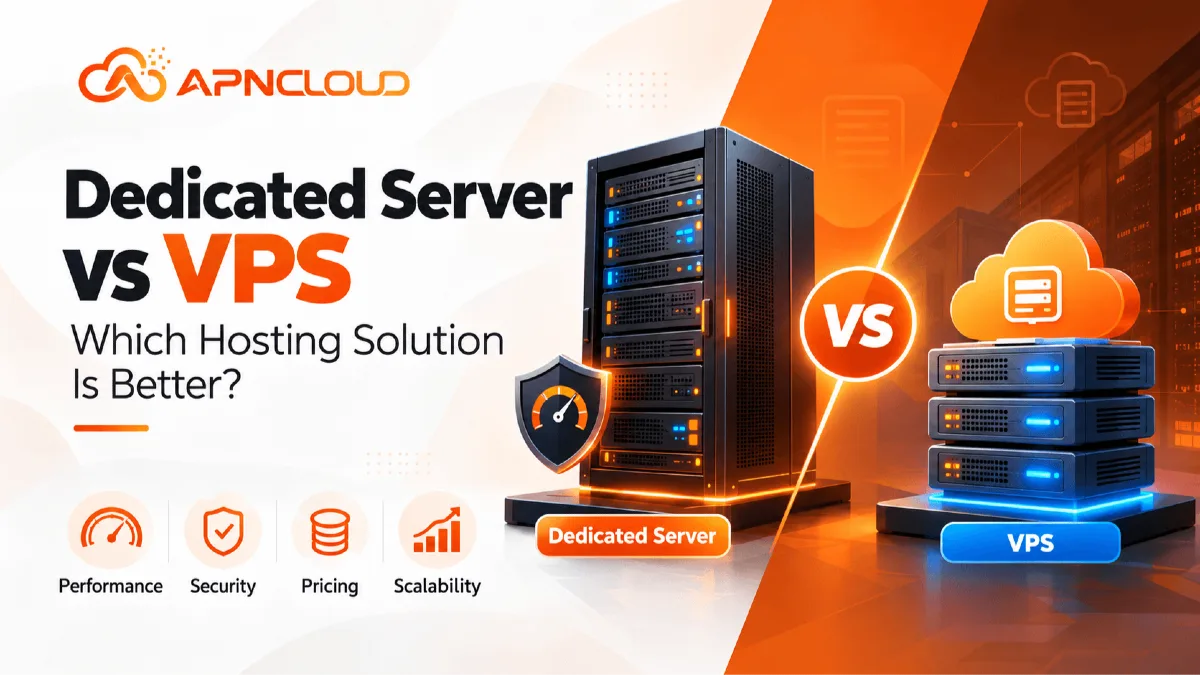
Dedicated Server vs VPS: Which Hosting Solution Is Better?
Dedicated server vs VPS: Which is better for your website? Compare performance, security, pricing, scalability, and server resources to choose the right hosting solution for your business.
Choosing the right hosting environment is one of the most important technical decisions for a website, application, or growing online business. Hosting influences how quickly pages respond, how reliably applications operate, how effectively sensitive information is protected, and how easily a project can expand. When shared hosting no longer provides enough flexibility, two popular options are Virtual Private Server (VPS) hosting and dedicated server hosting. Both offer more control than a typical shared hosting account, but they differ in architecture, resource allocation, management responsibilities, pricing, and upgrade possibilities. Understanding these differences can prevent expensive migrations and help businesses invest in infrastructure that genuinely matches their requirements.
The dedicated server vs VPS comparison is not simply about deciding which technology is more powerful. It is about identifying which solution delivers the right combination of performance, flexibility, security, and operational simplicity for a particular workload. A small business operating a growing WordPress website may benefit from a VPS because it provides isolated virtual resources without the cost of renting an entire physical machine. An established ecommerce platform handling substantial database activity may find dedicated hosting more appropriate when consistent hardware access becomes important. However, neither situation automatically determines the best choice. Traffic patterns, application design, storage performance, administrative expertise, and future expansion plans all influence the decision.
A VPS is a virtual server created through virtualization technology on a physical host. Each virtual server operates with its own operating system environment and assigned computing resources, although several VPS instances may share the same underlying hardware. A dedicated server, by contrast, allocates an entire physical machine to one customer. This arrangement can provide greater hardware-level control and reduce resource contention with unrelated customers. Yet a dedicated machine is not automatically faster than every VPS. Modern VPS infrastructure may use newer processors, high-performance NVMe storage, and efficient virtualization systems, while an older dedicated server may have comparatively limited hardware. Specifications and actual workload behavior matter more than product labels.
For beginners, hosting terminology can make the decision unnecessarily confusing. Terms such as vCPU, RAM, root access, virtualization, bare metal server, bandwidth, storage IOPS, and managed infrastructure frequently appear in hosting advertisements without much explanation. This guide explains those concepts in practical language and shows how they affect real projects. It also explores operating costs beyond the advertised monthly price, including backups, licensing, technical support, monitoring, and migration. These additional considerations are important because an inexpensive hosting plan can become costly if it requires extensive administration or cannot handle unexpected growth.
Throughout this article, we will compare the technologies using realistic examples involving business websites, online stores, development environments, SaaS platforms, and resource-intensive applications. You will learn how to estimate requirements, identify performance bottlenecks, evaluate security responsibilities, and choose an appropriate upgrade path. The goal is not to promote one hosting type as universally superior. Instead, it is to help you make a practical, evidence-based decision that supports your website today while leaving room for tomorrow.
Why Choosing Between a Dedicated Server and VPS Matters
A hosting decision affects far more than where website files are stored. Every request made by a visitor passes through several components, including the web server, application runtime, database, storage system, and network connection. If any component becomes overloaded or poorly configured, users may experience slow page loading, failed transactions, or temporary service interruptions. For a personal website, occasional delays may be inconvenient. For a business receiving customer inquiries or processing orders, unreliable hosting can directly interfere with daily operations. This is why evaluating server resources and infrastructure suitability should happen before performance problems become serious.
Consider a small ecommerce business that begins with a modest catalog and a few hundred daily visitors. During its early stages, a properly configured VPS may provide sufficient CPU capacity, memory, and storage throughput. As the business expands, it may introduce inventory synchronization, advanced search, payment integrations, analytics tools, and background processing. These features increase the workload even if visitor numbers remain relatively stable. A hosting environment that previously worked well may eventually struggle with database queries or memory consumption. Understanding the difference between VPS and dedicated hosting allows the business to plan upgrades based on measurable demand rather than waiting until the website becomes unreliable.
The choice also affects financial planning. A VPS typically offers a lower entry cost because the provider divides physical infrastructure among multiple customers. This makes VPS hosting attractive for startups, developers, and businesses testing new services. Dedicated server hosting usually costs more because the customer receives exclusive access to a physical machine. However, comparing monthly prices alone can be misleading. A VPS requiring expensive high-resource upgrades might eventually cost as much as a dedicated machine with comparable computing capacity. Conversely, purchasing an oversized dedicated server for a lightweight website can waste money that could be invested in development, security, or marketing.
Security responsibilities represent another important consideration. Both VPS and dedicated environments can support secure configurations, encrypted connections, access controls, and regular updates. Neither automatically guarantees protection from cyberattacks or application vulnerabilities. A VPS depends partly on the provider's virtualization security and isolation mechanisms, while a dedicated server gives the customer greater control over the operating system and potentially the hardware configuration. In both cases, administrators must consider patch management, firewalls, backups, credentials, and monitoring. Businesses without technical staff should evaluate managed hosting options rather than assuming additional control always improves security.
Scalability also influences long-term flexibility. Many VPS plans allow relatively straightforward increases in allocated CPU, RAM, or storage, subject to provider limits and possible downtime. Dedicated servers may require hardware changes or migration to another physical machine when capacity is exhausted. On the other hand, dedicated hardware can be attractive for stable workloads with predictable, sustained resource requirements. Understanding these trade-offs helps businesses avoid selecting infrastructure that is either too restrictive or unnecessarily complicated.
Ultimately, the importance of the dedicated server vs VPS decision comes down to alignment. Hosting should match the workload, budget, technical capabilities, reliability expectations, and growth strategy of the organization using it. A thoughtful choice reduces unnecessary spending, simplifies administration, and creates a stronger foundation for future development.
What Is VPS Hosting and How Does It Work?
A Virtual Private Server, commonly called a VPS, is a hosting environment created by dividing a physical server into multiple independent virtual machines. This process uses software known as a hypervisor, which manages access to the underlying hardware and allocates computing resources to individual virtual servers. Each VPS normally has its own operating system, storage environment, network configuration, and administrative access. Although several customers may use the same physical host, their virtual environments are designed to operate separately. This arrangement provides considerably more flexibility than traditional shared hosting while keeping costs accessible for smaller organizations. Popular virtualization technologies include KVM, VMware, and Hyper-V, although the exact platform depends on the hosting provider.
To understand VPS hosting, imagine a commercial building divided into separate offices. Each business has its own workspace, furniture, equipment, and access arrangements, but the building itself is shared. Similarly, each VPS operates as an independent server environment while sharing the physical host's processor, memory infrastructure, storage devices, and network connectivity. Virtualization software helps isolate these environments and enforce resource allocations. The quality of this isolation depends on the technology, configuration, and provider's resource management practices. Properly managed VPS infrastructure can deliver reliable performance, but oversubscribed systems may experience inconsistent response times when underlying hardware becomes heavily utilized.
VPS plans commonly specify virtual CPU cores, RAM, storage capacity, and bandwidth allowances. For example, a plan might provide two vCPUs, 4 GB RAM, 80 GB NVMe storage, and a monthly data transfer allowance. These specifications help customers estimate whether the environment can support their applications. However, two VPS plans with identical advertised resources may perform differently. CPU generation, processor scheduling, storage performance, virtualization overhead, network quality, and resource contention can influence real-world results. Therefore, customers should examine service documentation and, when possible, test application performance instead of selecting a plan based exclusively on numerical specifications.
One of the biggest advantages of VPS hosting is flexibility. Developers can install compatible software, configure web servers, manage databases, deploy applications, and adjust operating system settings when their plan includes administrative or root access. Linux distributions such as Ubuntu, Debian, and AlmaLinux are commonly available, while some providers also offer Windows Server environments. This makes VPS hosting useful for WordPress websites, Laravel applications, Node.js services, development projects, business dashboards, and small SaaS platforms. A VPS can also support multiple websites, provided its resources and software configuration are sufficient.
VPS hosting is available in managed and unmanaged forms. With an unmanaged VPS, customers generally handle operating system administration, security updates, application deployment, troubleshooting, and backups unless specific services are included. Managed VPS hosting transfers some of those responsibilities to the provider, although management scope varies significantly between companies. Before purchasing, customers should confirm whether the provider handles operating system updates, control panels, malware investigations, performance optimization, and restoration assistance.
For businesses moving beyond shared hosting, VPS technology often provides a practical middle ground. It offers increased administrative control, more predictable resource allocation, and flexible configuration without requiring exclusive ownership of an entire physical machine. Nevertheless, a VPS remains dependent on the host's infrastructure and virtualization platform. Understanding those limitations is essential when evaluating sustained CPU workloads, demanding databases, strict compliance requirements, or applications that require direct access to specialized hardware.
What Is a Dedicated Server and How Does It Work?
A dedicated server is a physical computer allocated exclusively to one customer or organization. Unlike VPS hosting, where several virtual machines operate on a shared physical host, dedicated hosting provides access to the resources of an entire machine. These resources can include processor cores, system memory, local storage drives, network interfaces, and other installed hardware. The customer does not normally share that machine with unrelated hosting customers, although the server still depends on shared data center facilities such as network infrastructure, electrical systems, and cooling. Dedicated server hosting is often selected for demanding applications that require sustained performance, hardware-level customization, or specific operational controls.
The term bare metal server is frequently associated with dedicated infrastructure. A bare metal server generally refers to a physical machine made available without a mandatory shared-host virtualization layer. Customers can install an operating system directly on the hardware or deploy their own virtualization platform if the service permits it. This flexibility is valuable for organizations running custom applications, multiple internal virtual machines, database clusters, or specialized software. However, not every dedicated hosting package offers unrestricted hardware management. Some providers maintain specific firmware settings, storage configurations, or network policies, so customers should review the available control options before purchasing.
Dedicated hardware can be particularly useful when applications consistently consume substantial computing resources. Consider a business analytics platform that processes large datasets throughout the day. Its workload may include CPU-intensive calculations, continuous database activity, and frequent storage operations. On a dedicated server, the organization can allocate the machine's available computing capacity to its own processes without competing against unrelated customer virtual machines on the same host. This does not eliminate every performance bottleneck. Application design, disk throughput, memory configuration, processor architecture, and network latency still influence performance. Nevertheless, exclusive hardware access can make capacity planning more straightforward for predictable workloads.
Hardware configuration is another important advantage. Depending on the provider, customers may select processors, RAM capacity, NVMe or SSD storage, RAID arrangements, network speeds, and operating systems. Some providers offer additional IP addresses, remote management access, or hardware replacement services. Dedicated environments can also support specific software licensing arrangements or compliance architectures when properly configured. Businesses should distinguish between dedicated hardware and guaranteed compliance, however. Using an exclusive machine does not automatically satisfy security, privacy, or industry regulations. Appropriate administrative policies, access restrictions, logging, encryption, and contractual arrangements remain necessary.
Dedicated servers also introduce operational considerations that beginners should understand. Hardware upgrades may require physical intervention, scheduled downtime, or migration to a different machine. If a processor or storage component fails, recovery depends on the provider's hardware replacement process and the customer's redundancy and backup arrangements. A single dedicated machine is not inherently highly available. Businesses requiring continuous service may need multiple servers, replication, load balancing, or external disaster recovery systems. These capabilities increase infrastructure complexity and cost.
Dedicated hosting can be managed or unmanaged. In an unmanaged arrangement, the provider typically maintains the physical infrastructure while the customer administers the operating system and applications. Managed dedicated hosting may include additional services, but exact coverage varies. For organizations with experienced administrators and resource-intensive workloads, a dedicated server can provide strong control and predictable hardware access. For smaller projects, its additional capacity and responsibilities may exceed actual requirements.
Dedicated Server vs VPS: Key Differences Explained
The following comparison summarizes the practical differences between the two hosting environments.
Feature | VPS Hosting | Dedicated Server |
|---|---|---|
Physical hardware | Shared host | Exclusive physical machine |
Resource allocation | Virtualized allocations | Entire server resources |
Starting cost | Generally lower | Generally higher |
CPU performance | Depends on allocation and contention | Dedicated access to installed CPUs |
RAM | Assigned virtual machine memory | Installed physical memory |
Storage | Virtual disks on host storage | Dedicated or provider-configured storage |
Root access | Usually available | Usually available |
Hardware customization | Limited | Often greater |
Scaling | Often easier to resize | May require hardware changes |
Security isolation | Hypervisor-based | Physical machine separation |
Best fit | Small to growing workloads | Sustained, demanding workloads |
Administration | Managed or unmanaged | Managed or unmanaged |
Performance and processing power
Performance is frequently the first consideration when comparing dedicated server vs VPS hosting. VPS performance depends on the assigned virtual resources, underlying physical hardware, hypervisor scheduling, and provider capacity management. A dedicated server provides exclusive access to its installed processors and memory, which can reduce uncertainty caused by unrelated workloads on the same machine. However, a modern VPS with fast processors and storage may outperform an older dedicated machine for certain tasks. Benchmark results must therefore be interpreted in context. A short CPU benchmark may reveal processor speed, but it does not necessarily predict how a production application behaves under sustained load. Businesses should measure actual response times, CPU utilization, memory consumption, database performance, and storage latency during representative workloads.
Security and isolation
Both environments can support strong security, but their isolation models differ. VPS environments rely on virtualization boundaries to separate customers. Reputable providers maintain hypervisors, monitor infrastructure, and implement controls intended to protect those boundaries. Dedicated servers provide physical separation from unrelated customers at the machine level. This can simplify certain security designs, although it does not eliminate vulnerabilities within operating systems, applications, or administrative processes. Businesses handling sensitive information should examine encryption, access management, backups, logging, vulnerability management, and applicable compliance requirements. A poorly maintained dedicated server can be less secure than a properly managed VPS, despite offering exclusive hardware.
Scalability and flexibility
VPS hosting often provides a convenient upgrade path for growing applications. Customers may be able to increase vCPU allocations, RAM, or storage without changing their application architecture. Some changes require a restart, and certain storage upgrades cannot be reversed easily. Dedicated servers usually have more rigid hardware boundaries. Adding memory or replacing drives may require technician involvement, while changing processor generations often means moving to another server. Dedicated infrastructure can still scale horizontally by adding machines, but this requires additional architecture and coordination. Businesses anticipating frequent changes in resource demand should consider how each provider handles upgrades, migrations, and temporary capacity requirements.
Cost and total ownership
VPS plans are commonly less expensive because physical infrastructure costs are distributed among customers. Dedicated hosting charges reflect exclusive machine allocation, hardware maintenance, and data center operations. Nevertheless, the actual cost difference depends on resource requirements and included services. Control panel licenses, backup storage, managed support, security tools, additional IP addresses, and data transfer can affect both options. A business should calculate its expected monthly infrastructure cost rather than focusing only on introductory pricing. It should also consider the financial impact of downtime, migration, and administrator time.
Control and management
Both VPS and dedicated hosting can provide root or administrator access, allowing customers to install software and customize their server environments. Dedicated infrastructure may offer additional control over hardware settings, storage layouts, virtualization platforms, and specialized configurations. VPS customers usually cannot modify the physical host's firmware or install custom hardware. For most websites, this limitation is irrelevant. For specialized applications requiring particular processors, device access, or storage arrangements, it may be decisive. The practical question is whether the business actually needs hardware-level control or simply requires sufficient operating system flexibility.
Server Resources: CPU, RAM, Storage, and Bandwidth
Understanding server resources is essential before selecting a hosting plan. Marketing descriptions frequently emphasize large numbers, but those numbers do not always explain how a server will perform under real workloads. CPU capacity determines how quickly many computational tasks can execute, RAM influences how much active data applications can hold in memory, storage affects file and database operations, and network capacity determines how efficiently data moves between the server and users. These components work together. A powerful processor cannot fully compensate for insufficient memory, and fast storage may not resolve an inefficient application. Evaluating each resource independently and then considering its relationship to the overall workload produces a more useful hosting decision.
CPU requirements vary significantly by application. A static informational website may need relatively little processing power, while a dynamic ecommerce platform can generate repeated database queries, inventory calculations, and application logic. VPS plans typically advertise vCPUs, which represent virtual processing units assigned to a machine. A vCPU does not necessarily equal one exclusive physical CPU core. Providers may use different allocation and scheduling models, so customers should investigate whether CPU resources are shared, dedicated, or subject to usage policies. Dedicated servers provide access to the installed physical processors, but performance still depends on processor generation, core count, clock speed, cache, and application efficiency. More cores are useful for parallel workloads, while some applications benefit more from stronger single-threaded performance.
RAM is especially important for database-driven websites. Operating systems, web servers, database services, caching systems, and background processes all consume memory. When available RAM becomes insufficient, the server may rely more heavily on swap space or terminate processes, depending on configuration. This can produce severe performance problems even when CPU utilization appears moderate. A small VPS with limited memory may handle a carefully optimized website efficiently, while the same plan could struggle with several demanding applications. Dedicated servers can provide large memory configurations, but unused RAM offers little practical benefit. Monitoring actual memory consumption and maintaining reasonable headroom are better approaches than choosing the largest available specification.
Storage should be evaluated by both capacity and performance. Traditional hard disk drives offer different performance characteristics from SSD and NVMe storage. NVMe drives can deliver low latency and high throughput, which is useful for databases and applications with frequent disk operations. However, storage performance also depends on drive quality, controller configuration, filesystem, RAID layout, and the provider's storage architecture. A VPS with well-managed NVMe storage may perform better than a dedicated machine using older disks. Businesses should also consider data protection. RAID can improve availability or performance depending on its configuration, but it is not a replacement for independent backups. Important data should be protected through an appropriate backup and recovery strategy.
Bandwidth terminology can be equally confusing. Some plans specify monthly transfer allowances, while others advertise unmetered bandwidth subject to port speeds or acceptable-use policies. A 1 Gbps network port does not guarantee that every visitor will receive data at that speed. Actual transfer rates depend on congestion, routing, remote network conditions, and server capacity. For high traffic hosting, network reliability and geographic connectivity may matter more than impressive advertised port speeds. Businesses should estimate expected traffic, file sizes, downloads, and peak transfer requirements.
A practical resource assessment combines these factors with real measurements. Rather than assuming that every growing website needs a dedicated machine, administrators should monitor resource utilization and identify the actual bottleneck. Upgrading from VPS to dedicated hosting is valuable when it addresses a demonstrated limitation, not merely because the website has become more important.
Dedicated Server vs VPS for Different Website Types
Different websites place different demands on hosting infrastructure. A portfolio website, ecommerce store, business application, and video processing platform may have similar visitor counts but dramatically different computing requirements. The number of monthly visitors is therefore only one factor in choosing a hosting solution. Developers must also consider concurrent requests, database complexity, caching, background processing, file storage, and application dependencies. The best environment is the one that supports these requirements reliably without introducing unnecessary costs or administrative complexity. Understanding typical usage scenarios can help beginners narrow their choices before examining individual hosting packages.
For a small business website, VPS hosting is often sufficient. A company website may contain service pages, contact forms, a blog, and a modest content management system. When optimized correctly, these features generally do not require an entire physical machine. A VPS can provide administrative flexibility for installing web server software, managing databases, configuring SSL certificates, and running scheduled tasks. Businesses can also host several related websites on one VPS when resources permit. However, maintenance responsibilities should not be overlooked. An unmanaged VPS may require more technical knowledge than a conventional managed shared hosting service. Small organizations should evaluate whether they genuinely need VPS-level access before purchasing it.
WordPress websites offer another useful example. A lightweight WordPress installation with effective caching can operate efficiently on modest infrastructure. However, websites using complex page builders, numerous plugins, WooCommerce, membership features, or frequent background tasks may consume more resources. Database queries, uncached pages, and scheduled operations can influence server performance significantly. VPS hosting often works well for growing WordPress projects because administrators can customize PHP settings, caching systems, and web server configurations. Dedicated hosting becomes worth considering when sustained workload measurements indicate that virtualization limits, CPU contention, memory requirements, or storage throughput are preventing reliable operation.
Ecommerce websites require particular attention because performance problems can interrupt customer activity. Product searches, shopping carts, checkout operations, inventory updates, and payment callbacks all create dynamic requests. A store with moderate traffic may function comfortably on a properly configured VPS, while a larger operation with extensive integrations could benefit from dedicated infrastructure. Yet hosting type alone does not determine ecommerce reliability. Database indexing, caching strategy, payment gateway availability, application optimization, and external services all matter. A dedicated server cannot compensate for inefficient checkout code or poorly designed database queries. Businesses should first understand their application's behavior and then choose infrastructure capable of supporting realistic peak demand.
Software-as-a-Service platforms introduce additional considerations. A SaaS application may serve many customers from shared application components while processing background jobs, sending notifications, and maintaining large databases. During early development, VPS hosting can provide affordable flexibility and straightforward deployment. As customer activity grows, the architecture may evolve to use separate application servers, databases, caching services, and job workers. At that stage, dedicated hardware might support particular components with sustained workloads. Alternatively, multiple VPS instances or managed cloud services may provide better operational flexibility. The decision should reflect system architecture rather than an assumption that all successful SaaS businesses require dedicated machines.
Resource-intensive workloads, including certain analytics applications, large databases, and specialized processing systems, may benefit from dedicated hosting. These applications can require consistent access to processor cores, substantial memory, or particular hardware configurations. Even then, workload testing remains important. Some applications benefit more from distributed infrastructure than a single powerful machine. Others depend on specialized accelerators unavailable in ordinary dedicated hosting packages.
For high traffic hosting, the most effective solution may involve multiple infrastructure components rather than one server. Load balancers, content delivery networks, caching layers, database replicas, and external storage can help distribute demand. A high-performance dedicated server can be useful, but a well-designed collection of VPS instances may provide better resilience for certain applications. The correct choice depends on workload characteristics, failure tolerance, budget, and operational expertise.
How to Choose Between Dedicated Hosting and VPS: Step-by-Step Guide
Selecting hosting becomes easier when the process follows measurable requirements instead of promotional claims. A business should begin by understanding what its application actually does, then estimate capacity, examine security needs, compare operating costs, and test realistic performance. This approach reduces the risk of purchasing an oversized dedicated machine or choosing an underpowered VPS. It also creates documentation that will be useful when the website grows. The following steps provide a practical framework that beginners can use even without extensive server administration experience.
Step 1: Identify your application requirements
List the websites, applications, databases, background jobs, and integrations that the server must support. Identify the operating system, software versions, control panel requirements, and expected storage needs. Consider whether the application requires root access, custom networking, or specialized hardware.
Step 2: Measure current resource usage
If the website already exists, examine CPU utilization, memory consumption, disk operations, network transfer, and response times. Review performance during busy periods, not only during quiet hours. Monitoring helps distinguish insufficient infrastructure from inefficient application code.
Step 3: Estimate concurrent activity
Monthly visitor totals are not enough to estimate server capacity. Determine how many users may access the application simultaneously and what actions they perform. A thousand visitors reading cached pages can produce a different workload from a smaller number performing database-intensive transactions.
Step 4: Define security and availability requirements
Determine whether the business needs specific isolation controls, encryption, audit logging, access restrictions, or compliance arrangements. Establish acceptable downtime and data-loss limits. Confirm which security and recovery responsibilities belong to the provider and which remain with the customer.
Step 5: Calculate the full hosting budget
Include recurring server charges, software licenses, control panels, backup storage, security services, additional IP addresses, and administration costs. Consider upgrade and migration expenses. Compare plans with equivalent capabilities rather than simply comparing their advertised monthly prices.
Step 6: Test performance before committing
Where possible, deploy a representative application on the proposed hosting environment. Test ordinary and peak workloads using realistic data. Record response times, resource utilization, error rates, and database performance. Repeat tests to identify inconsistent results.
Step 7: Review the upgrade and migration path
Ask how additional CPU, RAM, storage, and network capacity can be obtained. Confirm whether upgrades require downtime and whether data migration assistance is available. Ensure the chosen plan leaves reasonable room for growth without forcing an immediate infrastructure redesign.
After completing these steps, compare at least two realistic configurations. For example, a business might evaluate a midrange VPS against an entry-level dedicated server rather than comparing the cheapest VPS with a powerful enterprise machine. The configurations should be assessed using the same workload and operational requirements. Record advantages, limitations, monthly costs, and expected upgrade options. If both solutions meet current needs, the simpler and more cost-effective environment may be preferable. If the workload demands consistent physical resource access or specialized configuration, dedicated hosting may justify its additional cost. Most importantly, document why the final decision was made so future upgrades can be based on evidence rather than guesswork.
Practical Cost Comparison: VPS vs Dedicated Server
Cost is one of the most visible differences between VPS and dedicated hosting, but it should be evaluated as total operational expenditure rather than a single monthly fee. VPS hosting generally has a lower entry price because multiple virtual machines share the provider's physical infrastructure. Dedicated hosting usually carries a higher base cost because the customer receives an entire machine. However, pricing varies considerably depending on processor generation, memory capacity, storage technology, network allocation, support level, and geographic location. A premium VPS with dedicated CPU allocations and substantial memory may cost more than an older entry-level dedicated server. Therefore, businesses should compare the resources and services they actually receive instead of assuming one category is always cheaper.
Consider a hypothetical business evaluating two hosting configurations. The VPS option offers several virtual CPU cores, sufficient memory for the application, NVMe storage, and root access. The dedicated option provides an entire physical machine with more processing capacity and memory than the business currently needs. At first glance, the dedicated machine may appear more attractive because it offers additional hardware. However, if the application uses only a small portion of the VPS allocation, the extra dedicated capacity may remain idle. The business would be paying for unused resources without gaining a meaningful improvement in customer experience. That money might deliver greater value if invested in website optimization, monitoring, backups, or application development.
Now consider a different workload involving continuous database processing and sustained CPU demand. The business may require a high-resource VPS configuration, and additional upgrades could approach the cost of suitable dedicated hardware. In that situation, a dedicated server may offer better value per unit of usable computing capacity, particularly if the workload benefits from exclusive processor access. Nevertheless, the comparison should account for hardware age, storage performance, and operational requirements. A cheaper dedicated server with outdated components may be a poor investment if it produces slower processing or requires more administration than a modern VPS.
The following figures are illustrative budgeting examples, not APNCloud prices or live hosting quotations.
Monthly cost component | Example VPS | Example dedicated |
|---|---|---|
Base hosting | $30 | $110 |
Backup service | $8 | $15 |
Control panel | $12 | $12 |
Monitoring/security | $10 | $15 |
Estimated total | $60 | $152 |
These examples demonstrate why advertised hosting prices do not represent the full monthly expense. Actual costs may be higher or lower, and certain services may already be included in a provider's package. Businesses should also account for technical administration. If employees spend significant time installing updates, investigating failures, or managing backups, that labor has a real cost even when it does not appear on a hosting invoice. Managed hosting may reduce some operational responsibilities, but its coverage and pricing should be examined carefully.
Downtime risk deserves financial consideration as well. A website that generates sales or handles essential business processes may suffer measurable losses during an outage. Investing in redundancy, tested backups, and dependable support may therefore be more valuable than purchasing additional CPU cores. Neither VPS nor dedicated hosting automatically guarantees continuous availability. A single VPS can fail, and a single dedicated machine can also experience hardware or software problems. Reliability depends on infrastructure design and recovery preparation.
A sensible budgeting strategy compares current needs, expected growth, and the total cost over a realistic planning period. The lowest monthly price is not always the cheapest long-term solution, and the most expensive server is not automatically the safest investment. Businesses should choose infrastructure that meets their performance and reliability requirements with manageable ongoing expenses.
Common Mistakes When Choosing VPS or Dedicated Hosting
Businesses sometimes decide on hosting based on information, unrealistic expectations or eye‑catching advertisements. These mistakes can lead to money, unreliable performance and complicated migrations. One common error is to assume that a dedicated server automatically gives performance than every VPS. Exclusive hardware access is valuable. Processor generation, storage technology, memory speed and application design still determine the real results. A modern VPS can perform well for many workloads while an older dedicated machine may struggle with apps that need strong single‑core performance. Customers should compare specifications and representative benchmark results instead of treating hosting categories as performance guarantees.
Another mistake is buying infrastructure on visitor counts. Monthly traffic figures give context but they do not reveal how hard each request is to compute. A content website that serves cached pages may handle traffic with modest resources. Meanwhile an application with users could need significant CPU and memory because each request does complex calculations or database operations. Businesses should examine users request patterns, database activity and background jobs. Without this information they may buy much capacity or underestimate real needs. Performance monitoring and load testing are more reliable than assumptions about traffic.
Skipping administration requirements is equally problematic. VPS and dedicated hosting often give technical control than shared hosting but that control brings responsibilities. Customers may need to set up firewalls install security patches maintain operating systems, monitor disk usage and troubleshoot application failures. Beginners sometimes buy infrastructure expecting the provider to handle every software problem. This misunderstanding can cause trouble during outages or security incidents. Before ordering customers should verify the providers management scope, technical support coverage, backup duties and restoration procedures. Managed hosting may be worth considering when an organization lacks administrators.
A fourth mistake involves confusing RAID with backups. RAID configurations can improve storage availability or performance depending on design. They do not protect against all forms of data loss. Accidental deletion, application errors, ransomware and corrupted files can affect storage systems. Businesses should keep backups and test restoration procedures often. Backup frequency should match how data the organization can afford to lose. Important databases may need frequent protection than a rarely updated informational website. Whether using VPS or dedicated hosting recovery planning should be part of the deployment.
Some organizations also overlook scaling. They pick a hosting package that barely meets needs without checking upgrade limits. When demand grows they may discover that more memory is unavailable storage expansion requires migration. Changing the server configuration brings significant downtime. Others make the mistake by buying an expensive dedicated server for growth that may never happen. A better approach is to choose capacity with reasonable headroom and a documented upgrade path. Infrastructure should grow alongside proven demand than guessed expectations.
Finally customers sometimes compare providers using promotional prices uptime claims or impressive feature lists. Important details may be hidden in service descriptions, including limits, backup exclusions, support limits and extra licensing fees. Businesses should read terms carefully. Ask questions before committing. A hosting provider should be evaluated through specifications, realistic service expectations and clearly defined responsibilities.
Avoiding these mistakes makes the dedicated server, vs VPS decision more predictable and helps organizations keep reliable infrastructure as their applications grow.
Frequently Asked Questions About Dedicated Server vs VPS
1. Is a dedicated server better than a VPS?
A dedicated server is not automatically better for every website. It provides exclusive access to physical hardware and may offer greater configuration flexibility, making it attractive for demanding applications. A VPS provides virtualized resources at a generally lower entry cost and can be easier to resize. For small businesses, growing websites, and development projects, VPS hosting may deliver everything required without the expense of an entire machine. Dedicated hosting becomes more compelling when workloads require sustained hardware capacity, specialized configurations, or specific isolation arrangements. The best option depends on measurable performance requirements, budget, technical expertise, and operational expectations.
2. Which is faster: VPS or dedicated hosting?
Dedicated hosting can provide more predictable access to physical computing resources because unrelated customer virtual machines do not share the same server. However, actual speed depends on processor specifications, storage performance, software configuration, and application behavior. A modern VPS using powerful processors and NVMe storage may outperform an older dedicated server for some workloads. Website caching, database optimization, content delivery networks, and efficient application code can also have substantial effects on performance. Businesses should compare representative benchmarks and real application response times instead of assuming that one hosting category is always faster.
3. Is VPS hosting suitable for high traffic websites?
Yes, VPS hosting can support high traffic websites when the infrastructure and application are appropriately configured. The number of visitors a VPS can handle depends on resource allocation, request complexity, caching, database activity, and concurrency. A well-optimized content website may support substantial traffic with moderate resources, while a complex application may require more capacity despite fewer visitors. For demanding projects, businesses may consider larger VPS plans, multiple virtual machines, load balancing, or dedicated infrastructure. Monitoring and realistic load testing are essential for determining whether the environment can support expected demand.
4. Is dedicated hosting more secure than VPS hosting?
Dedicated hosting provides physical machine separation from unrelated customers, which may simplify certain security requirements. VPS hosting relies on virtualization technology to isolate individual server environments. Both approaches can be secure when properly maintained. Security depends heavily on operating system updates, firewall configuration, access controls, encryption, application security, monitoring, and backup practices. Dedicated hardware does not automatically prevent attacks, and VPS technology is not inherently insecure. Organizations handling sensitive information should evaluate their specific security and compliance requirements rather than assuming that physical isolation alone guarantees protection.
5. Can I upgrade from VPS to a dedicated server?
Yes. Businesses can migrate applications, websites, and databases from VPS hosting to dedicated infrastructure. The process usually involves preparing the new server, installing compatible software, transferring data, testing applications, and updating network or DNS configurations. Migration complexity depends on the application architecture, database size, software dependencies, and acceptable downtime. Before transferring production services, administrators should create verified backups and prepare a rollback plan. Some hosting providers offer migration assistance, but its availability and scope vary. Careful planning helps reduce interruptions and ensures that important data remains protected.
6. What is the difference between a bare metal server and a VPS?
A bare metal server is a physical machine typically allocated to a single customer, while a VPS is a virtual machine operating on a physical host through virtualization technology. Bare metal infrastructure can offer direct hardware access and greater control over certain configurations. A VPS provides operating system independence and flexible resource allocation without requiring an entire physical server. Bare metal environments may also run customer-managed virtualization software, meaning one dedicated machine can host several virtual machines for the same organization. The important distinction is whether the customer receives a physical machine or a virtualized portion of one.
7. Which hosting option is better for WordPress?
VPS hosting is often a practical choice for growing WordPress websites because it provides configurable resources, administrative flexibility, and relatively accessible pricing. Many WordPress websites can operate efficiently on VPS infrastructure when caching, databases, plugins, and PHP settings are optimized. Dedicated hosting may become appropriate for demanding WordPress installations, large WooCommerce stores, or workloads requiring substantial sustained computing capacity. However, upgrading hardware should not replace proper optimization. Businesses should monitor resource usage and investigate slow database queries or inefficient plugins before deciding that a dedicated server is necessary.
8. Do I need technical knowledge to manage a dedicated server?
Technical knowledge is generally necessary when using an unmanaged dedicated server. Administrators may be responsible for operating system installation, security updates, application deployment, firewall rules, backups, monitoring, and troubleshooting. Unmanaged VPS hosting requires similar skills, although hardware administration remains with the provider. Managed hosting services can reduce these responsibilities, but coverage varies between providers. Businesses without technical staff should carefully review managed support options and understand which tasks remain their responsibility. Choosing a powerful server without an appropriate maintenance plan can create avoidable security and reliability risks.
9. Can I host multiple websites on one VPS or dedicated server?
Yes. Both VPS and dedicated servers can host multiple websites when the operating system, web server software, and resource capacity support that arrangement. Administrators may use control panels or configure virtual hosts manually. The number of websites a server can support depends on their combined workload rather than a universal limit. Several lightweight websites may consume fewer resources than one demanding application. Businesses should monitor CPU, RAM, storage, and database performance while ensuring that websites are appropriately isolated and maintained. Separate accounts, permissions, and backup policies can help reduce operational risks.
10. When should I move from VPS to dedicated hosting?
Consider dedicated hosting when monitoring shows sustained resource pressure, virtualization-related performance limitations, or a need for hardware configurations unavailable through VPS plans. A migration may also make sense when a high-resource VPS becomes less economical than suitable dedicated hardware. However, investigate application inefficiencies before upgrading. Database optimization, caching, and software improvements may resolve performance problems without requiring a new hosting environment. Migration should follow capacity planning, cost comparison, and workload testing. The objective is to solve an identifiable infrastructure problem rather than upgrading solely because the business has grown.
Which Hosting Solution Should You Choose?
The dedicated server vs VPS decision should be guided by workload requirements rather than assumptions about which technology is more advanced. Both hosting environments offer meaningful advantages, and both can support professional websites and business applications when configured appropriately. VPS hosting generally provides an accessible combination of control, affordability, and resource flexibility. Dedicated hosting provides exclusive access to physical hardware and can be attractive for applications requiring sustained computing capacity, specialized configurations, or predictable hardware-level isolation. Neither approach eliminates the need for monitoring, security maintenance, backups, and effective application design.
For beginners, startups, and small businesses, a VPS is often a sensible starting point when shared hosting no longer provides sufficient control or capacity. It allows organizations to deploy custom applications, configure operating systems, and increase resources as their needs develop. This approach can reduce initial expenses while providing room for experimentation and growth. However, the specific VPS plan must still match the workload. Selecting insufficient memory, poorly performing storage, or an unsuitable management arrangement can create problems regardless of virtualization quality.
Dedicated hosting is worth evaluating when applications consistently require substantial CPU, RAM, storage throughput, or specialized hardware arrangements. Businesses operating resource-intensive databases, processing systems, or demanding production applications may benefit from the additional control and exclusive machine allocation. Even then, a dedicated server should not be treated as a universal solution to performance problems. Application optimization, network architecture, redundancy, and recovery procedures remain important. In some situations, distributing workloads across multiple VPS instances or managed services may offer advantages over concentrating everything on one physical machine.
The most practical strategy is to begin with clearly documented requirements, compare realistic hosting configurations, and validate performance through testing. Review the full cost of administration, backups, security, and support before making a commitment. Consider how easily the environment can expand and what happens if a component fails. Hosting infrastructure should support business objectives without introducing unnecessary complexity.
Ultimately, the better hosting solution is the one that reliably meets your current requirements and offers a practical path for future growth. Whether that means a VPS today or dedicated hardware later, the decision should be supported by evidence, realistic budgeting, and a clear understanding of operational responsibilities.
Keep reading
Related articles
Best Dedicated Server Hosting for High-Traffic Websites
High-traffic websites need more than ordinary hosting. Discover how to choose the best dedicated server for reliable performance, stronger security, predictable resources, and long-term business growth. This practical guide covers hardware, bandwidth, management, migration, costs, and common mistakes.

Best Web Hosting BD for Small Businesses in Bangladesh
Discover the best web hosting BD solutions for small businesses in Bangladesh. Learn how to compare shared hosting, hosting plans, website speed, security, pricing, and support to choose the right hosting provider for your business.
Web Hosting BD – How to Choose the Right Hosting Provider
Discover how to choose the best web hosting BD provider. Compare hosting speed, security, uptime, pricing, support, and features for your website.
Never miss a post
Fresh guides, product updates and hosting resources from the APNCloud team.